Register your ASN for NetOz IP transit
Add your autonomous system number (ASN) to the NetOz Portal so NetOz can accept your BGP routes. See what the registry lookup shows and what happens next.
On this page
Before NetOz can accept routes from you, your ASN needs to be registered and approved on your account. When you add it, the portal looks the ASN up in the registry (APNIC first, then the other RIRs) and shows who holds it. You then prove you control it, and our network team approves it.
Before you start
- IP transit must be turned on for your account by NetOz. If you buy IP transit from us and don’t see IP transit under Network in the sidebar, contact NetOz support.
- You need to be an account admin, or have IP transit set to Manage on your team access.
- Have your ASN ready, for example AS64500. Private and reserved ASNs can’t be routed on the internet, so they aren’t accepted.
- Adding a customer network you provide transit to? See Add a downstream customer ASN instead.
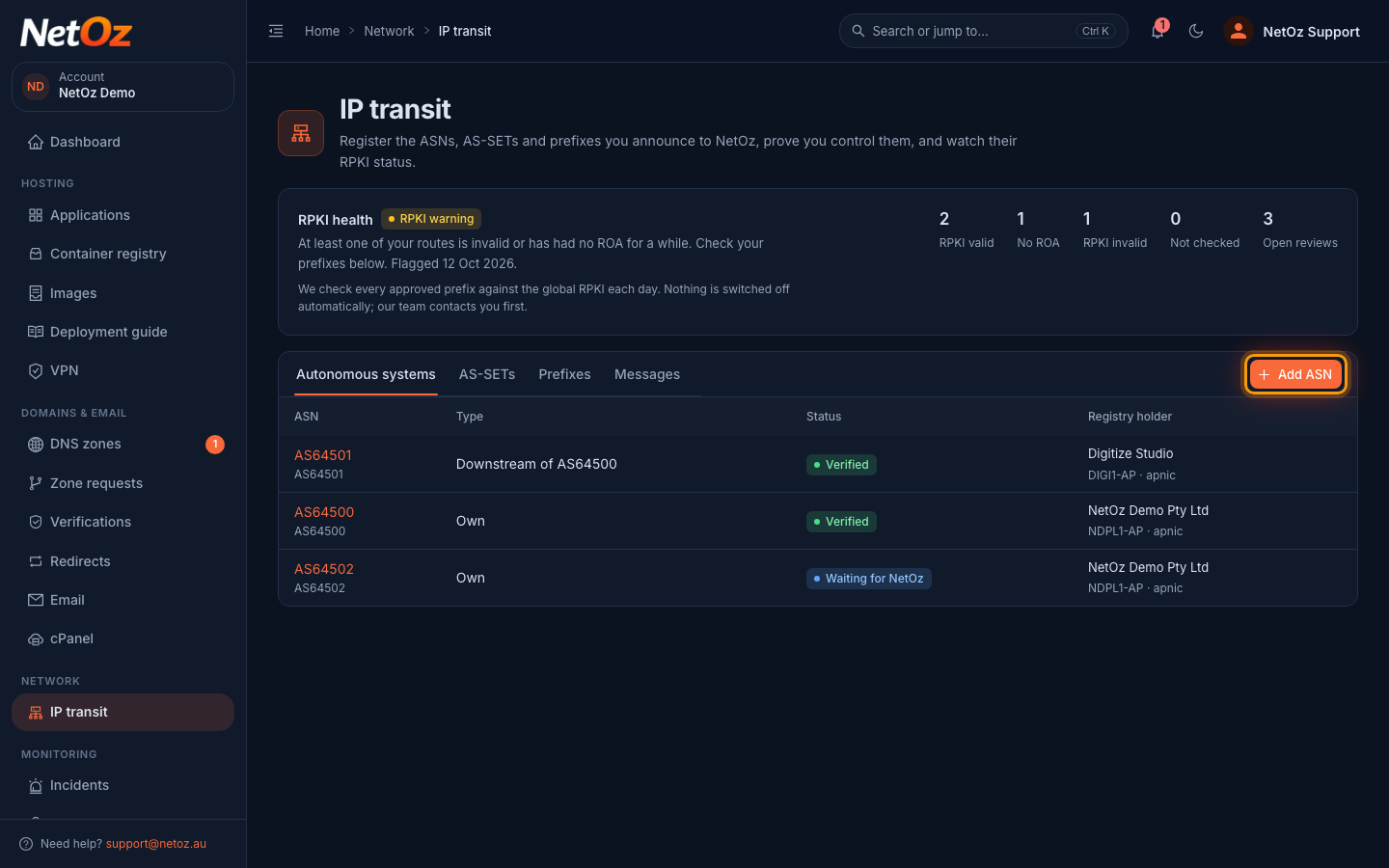
Step 1 Select Add ASN
On the IP transit page, stay on the Autonomous systems tab and select Add ASN.
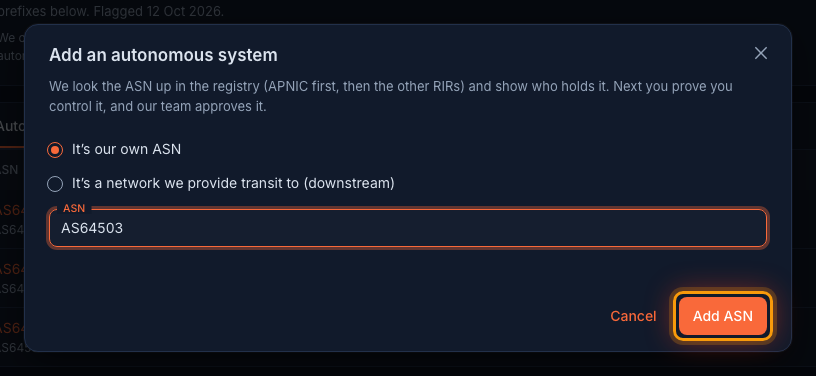
Step 2 Enter your ASN
Choose It’s our own ASN, then enter the number with or without the AS in front, for example AS64503 or 64503. Select Add ASN.
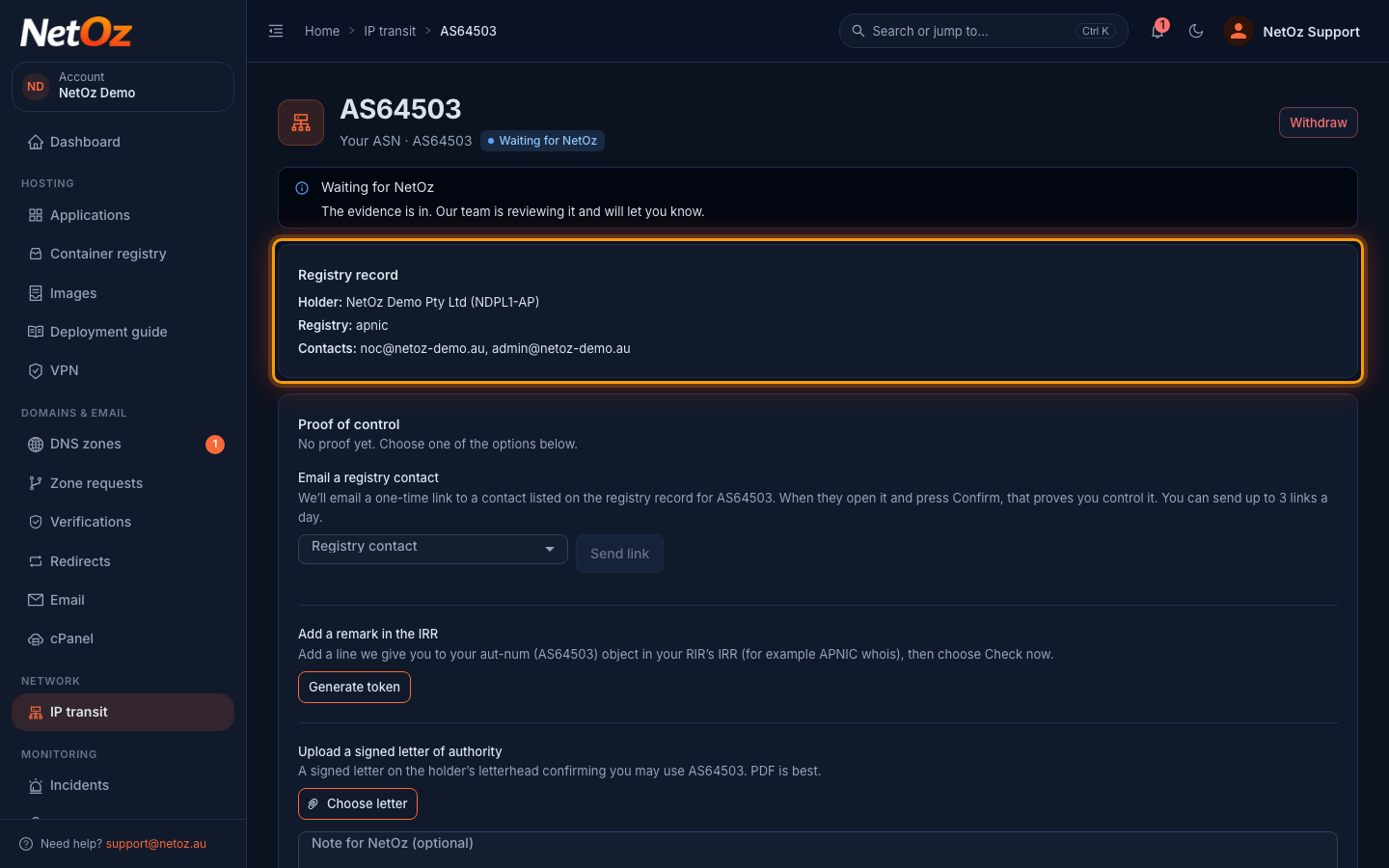
Step 3 Check the registry record
The ASN opens straight away. Registry record shows the holder and handle the RIR has on file, which registry it came from and the contact emails listed on the record. If the holder isn’t your organisation, or the portal says it couldn’t find the ASN in any registry, check the number before going further.
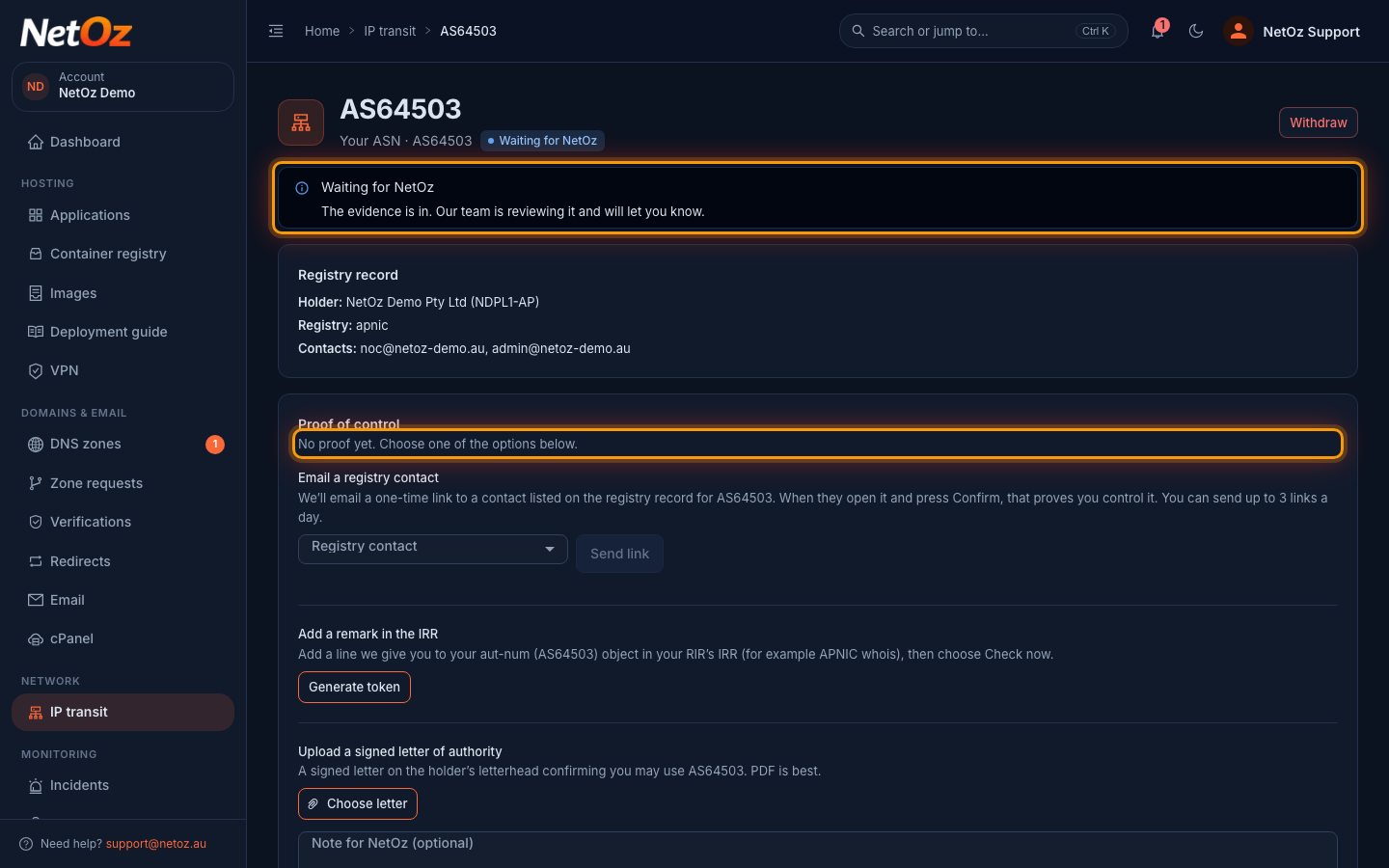
Step 4 Choose how to prove you hold it
The status shows Waiting for NetOz. Underneath, Proof of control lists the ways you can show the ASN is yours: email a registry contact, add a remark in the IRR, or upload a signed letter of authority. Any one of them is enough to start the review.
What happens next
The ASN shows as Waiting for NetOz while you provide proof and our team reviews it. Follow Prove you hold an ASN to choose a proof method. Once it is Verified you can register prefixes that originate from it and add downstream ASNs behind it.
If you registered the wrong number, open the ASN and choose Withdraw. You can add it again later.
Was this guide helpful?
Your answer helps us keep these guides accurate.