Prove you hold an ASN: registry contact, IRR remark or LOA
Show NetOz you control an ASN by emailing a registry contact, adding a remark to your aut-num object in the IRR, or uploading a signed letter of authority (LOA).
On this page
NetOz only accepts routes from ASNs you control. After you register an ASN, the Proof of control card on its page offers up to three ways to prove it. You only need one. When the proof is in, our network team reviews it and approves the ASN.
Before you start
- IP transit must be turned on for your account by NetOz. If you buy IP transit from us and don’t see IP transit under Network in the sidebar, contact NetOz support.
- You need to be an account admin, or have IP transit set to Manage on your team access.
- The ASN must already be registered and showing Waiting for NetOz. See Register your ASN.
Step 1 Open the ASN and find Proof of control
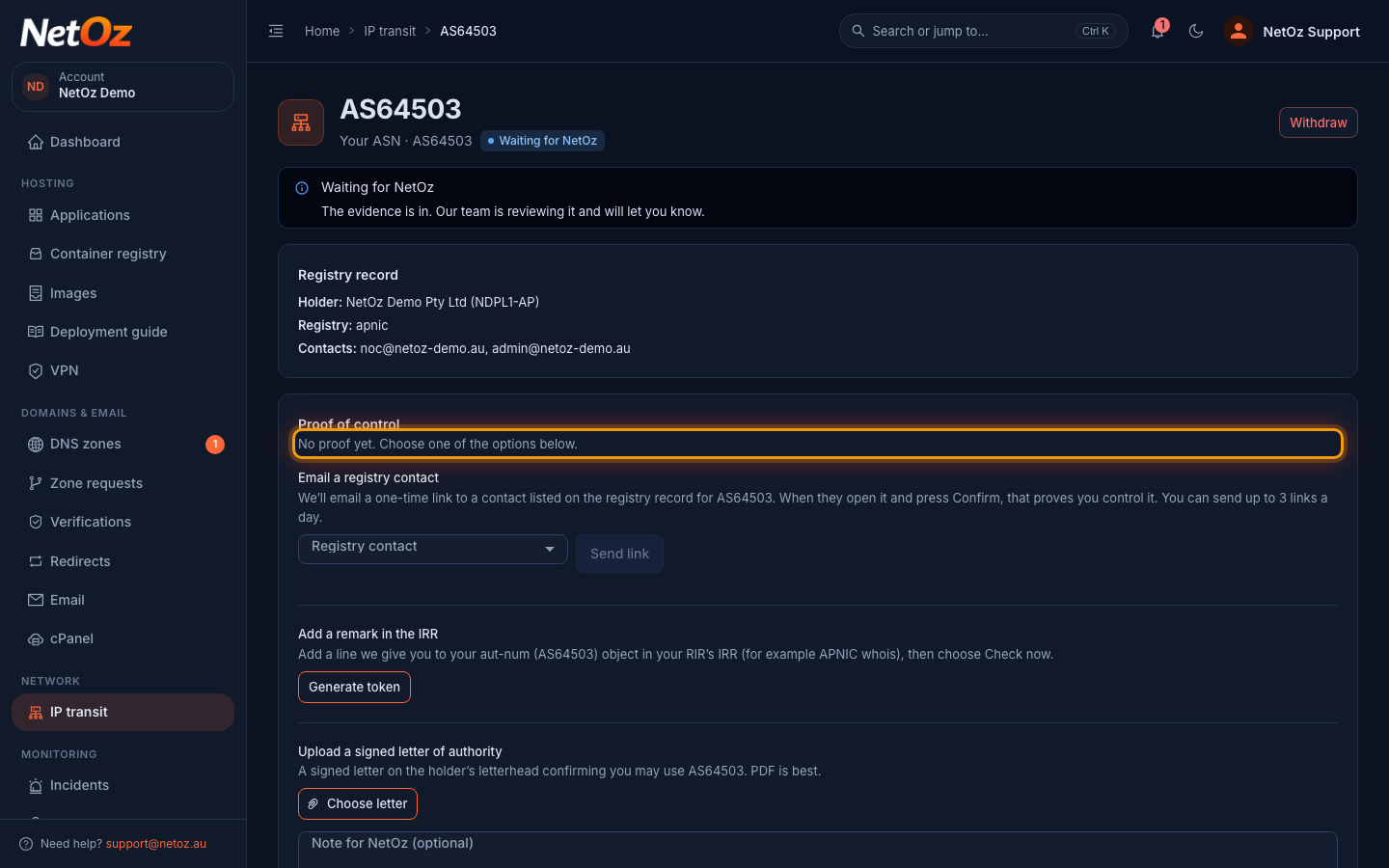
Open the ASN from the Autonomous systems tab and scroll to Proof of control. Until you add proof it says No proof yet.
Step 2 Option 1: email a registry contact
Under Email a registry contact, choose one of the emails listed on the registry record for the ASN and select Send link. We email that address a one-time link. When they open it and press Confirm, the proof passes. Only contacts on the registry record can be chosen, so this is often the quickest option if your NOC or admin mailbox is listed. See what the contact receives.

Step 3 Option 2: add a remark in the IRR
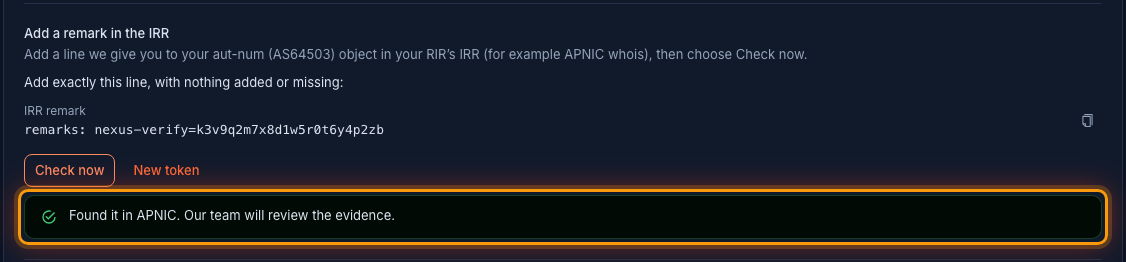
Under Add a remark in the IRR, select Generate token. Copy the line shown exactly and add it to your aut-num object in your RIR’s IRR, for example through MyAPNIC or APNIC whois updates. Then come back and select Check now.

Step 4 Check the remark has been found
When the remark is found you see Found it in APNIC, for example, and our team reviews the evidence. If it isn’t found yet, IRR changes can take a few minutes to appear, so wait and choose Check now again. You can check once a minute. Once the ASN is approved you can remove the remark.
Step 5 Option 3: upload a signed letter of authority
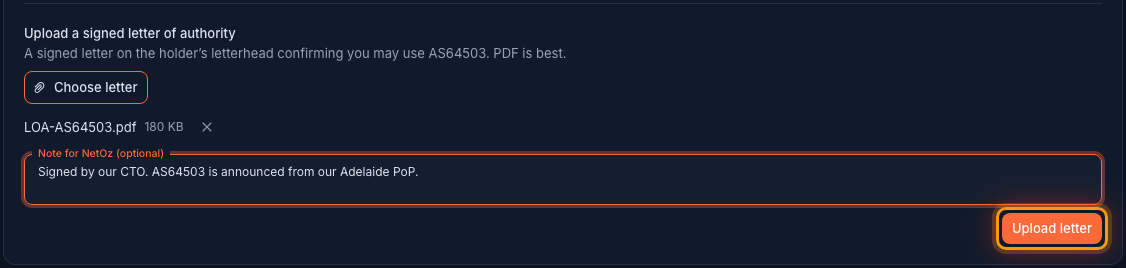
Under Upload a signed letter of authority, select Choose letter and pick a letter on the holder’s letterhead, signed, confirming you may use the ASN. PDF is best. Add a note for NetOz if it helps, then select Upload letter. The letter is reviewed by our team, so this option suits ASNs whose registry record has no usable contact emails.
Step 6 Track the proof while NetOz reviews it
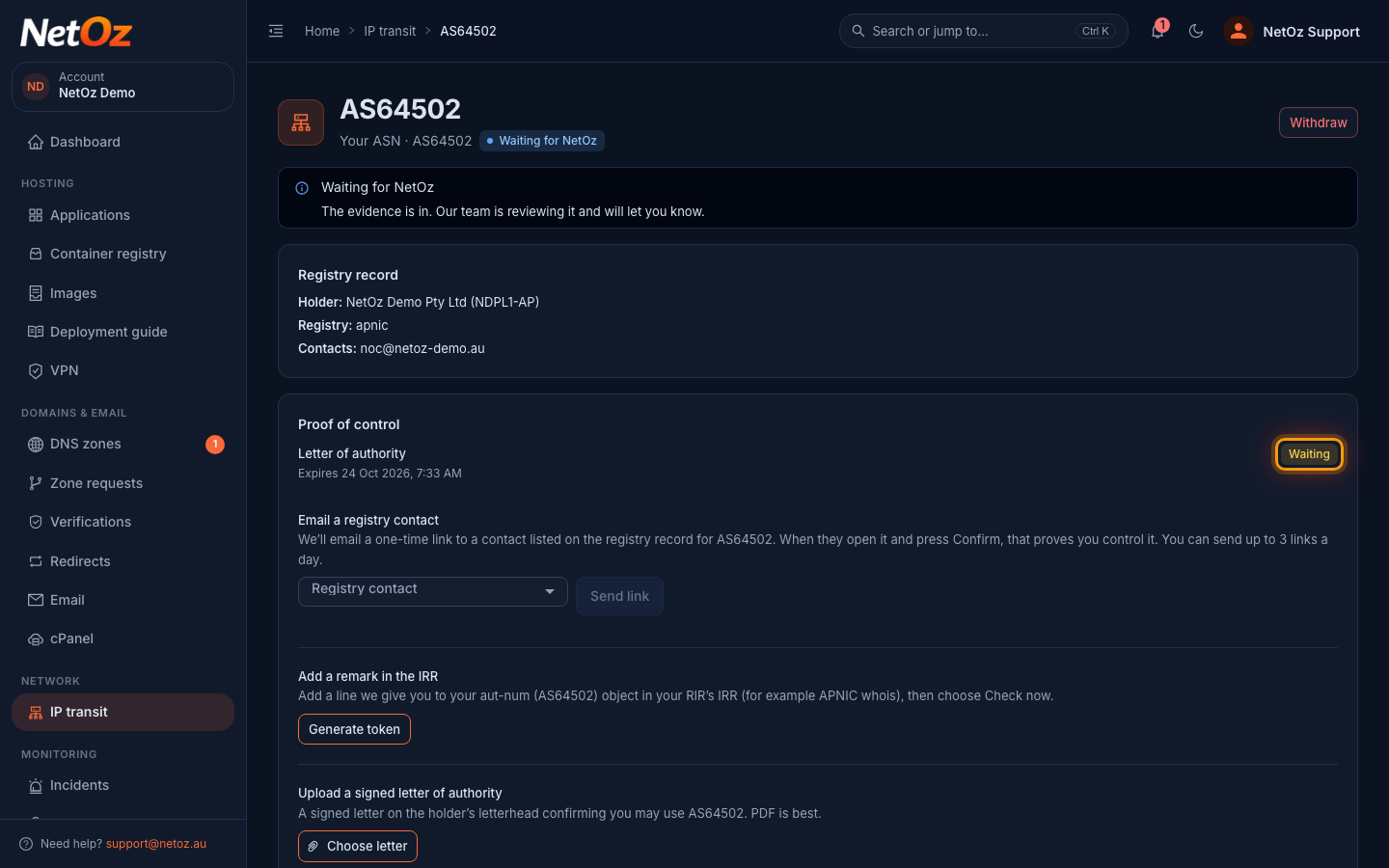
Each proof appears at the top of the card with its status: Waiting, Passed, Expired or Failed, and when a pending one expires. Our team may ask a question under Messages from NetOz further down the page.
What happens next
Our network team reviews the proof and the registry record. If they need more, the request moves to Needs your reply under Messages; see Reply to a network review. When it is approved the ASN shows as Verified and you get an email.
Good to know
- Pending proofs expire after 14 days. Start again from the same card if one expires.
- You can send up to 3 registry contact links a day for an ASN.
- If the registry record lists no contact emails, use a letter of authority.
Was this guide helpful?
Your answer helps us keep these guides accurate.