Got a “Confirm AS… for NetOz IP transit” email? Here’s what to do
You’re listed as a contact on an ASN’s registry record and NetOz has emailed you a confirmation link. Learn what the request means and how to confirm or ignore it.
On this page
When a NetOz customer registers an ASN, they can ask us to email a contact listed on that ASN’s registry record (for example the NOC or admin contact at APNIC). If you received one of these emails, this guide explains what it is and what happens when you confirm.
Before you start
- Only confirm if you expected the request and agree that the organisation named in the email may use the ASN.
- NetOz will never ask for a password on this page. The link works once and expires after 14 days.
Step 1 Read the email
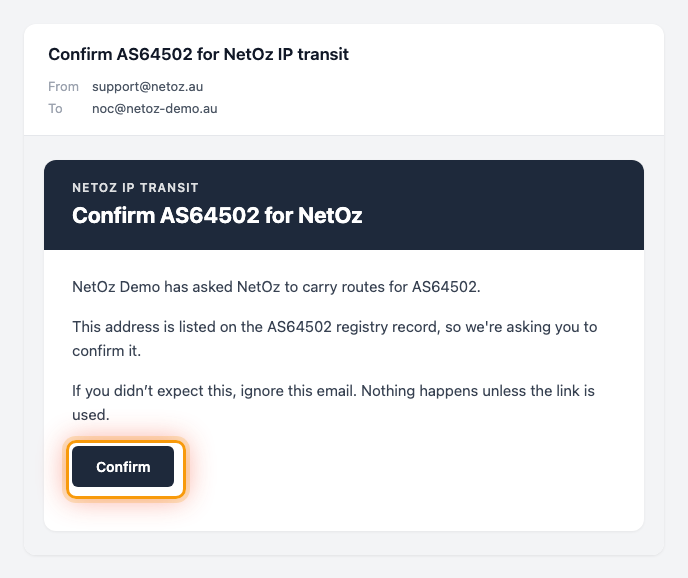
The email comes from NetOz with a subject like Confirm AS64502 for NetOz IP transit. It names the organisation asking, the ASN, and, for a downstream network, which upstream ASN they connect through. It was sent to you because your address is on that ASN’s registry record.
Step 2 Open the link and choose Confirm
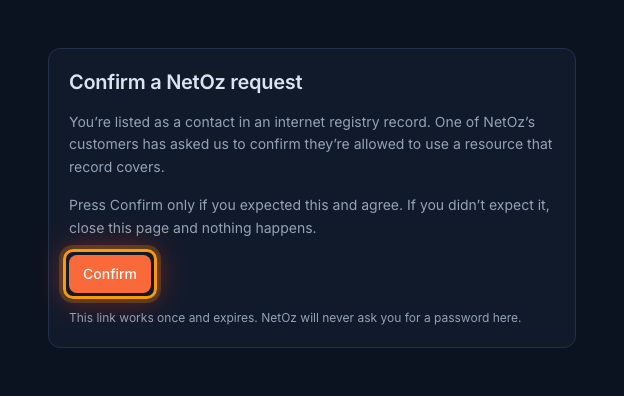
Select Confirm in the email to open the confirmation page. Read it, and press Confirm only if you expected the request and agree.
Step 3 See that it’s confirmed
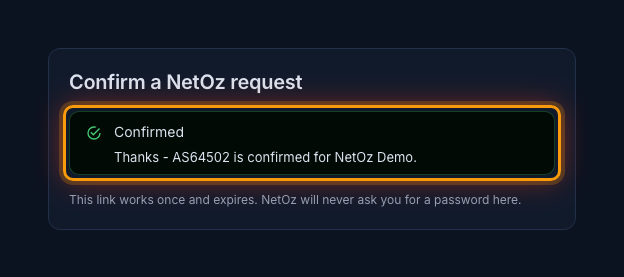
A Confirmed message names the ASN and the organisation. That’s all you need to do. NetOz’s network team still reviews the request before any routes are accepted. If the page says the link is invalid, expired or already used, ask the person who requested it to send a new one from the portal.
Didn’t expect it?
Close the page and do nothing. Nothing changes unless the link is used. If you think someone is trying to use your ASN without permission, contact NetOz support and quote the ASN.
Was this guide helpful?
Your answer helps us keep these guides accurate.