Register an AS-SET and check its expansion
Add the IRR AS-SET that describes your network and its customers. NetOz expands it, including nested sets, and flags members that aren’t approved or could cause a route leak.
On this page
An AS-SET is an IRR object that lists the ASNs, and other AS-SETs, whose routes you send to your upstreams. Registering yours lets NetOz check that everything in it is approved on your account, and spot nested sets that would let routes leak. We look it up in the IRR (APNIC first), expand it and show the result.
Before you start
- IP transit must be turned on for your account by NetOz. If you buy IP transit from us and don’t see IP transit under Network in the sidebar, contact NetOz support.
- You need to be an account admin, or have IP transit set to Manage on your team access.
- The AS-SET must already exist in an IRR such as APNIC or RADB, named like
AS64500:AS-CUSTOMERS.
Step 1 Add your AS-SET
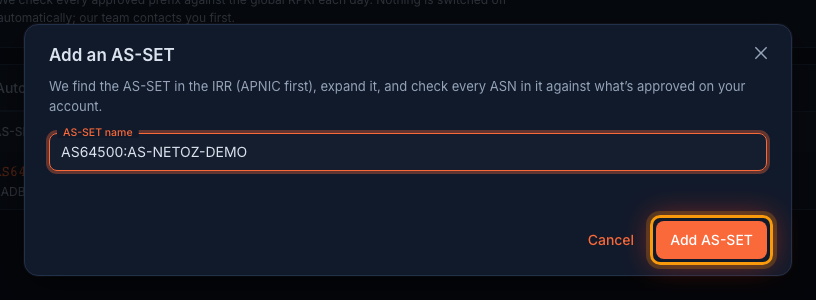
On the AS-SETs tab, select Add AS-SET. Enter the full name exactly as it appears in the IRR, including the AS64500: prefix if it has one, and select Add AS-SET.
Step 2 Review any problems
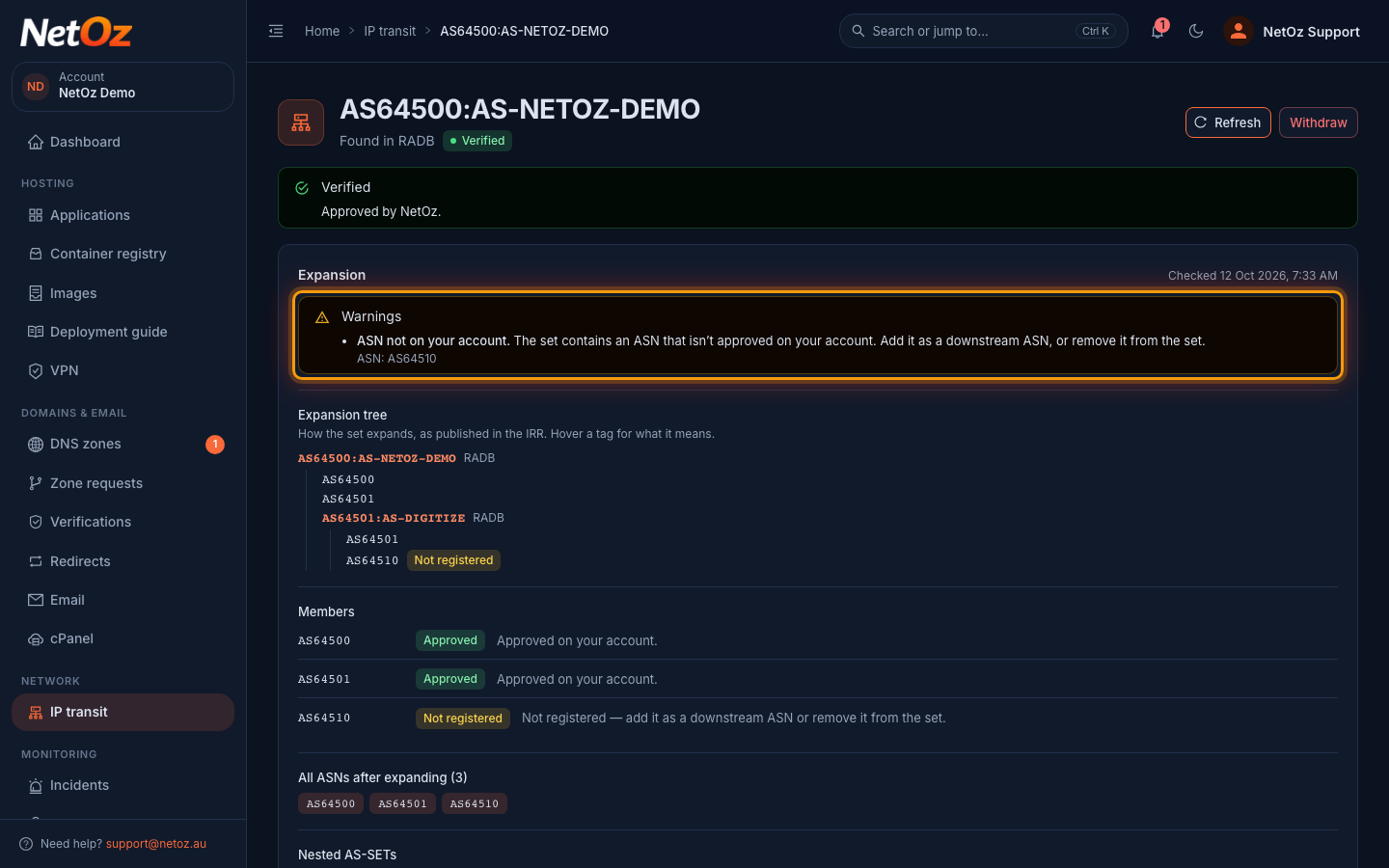
The AS-SET page shows Found in and the IRR it came from. At the top of Expansion, problems are grouped as High priority, Warnings or For information. Here AS64510 is in the set but isn’t on your account. High-priority problems, such as a route-leak risk, need fixing before NetOz can approve the set.
Step 3 Read the expansion tree
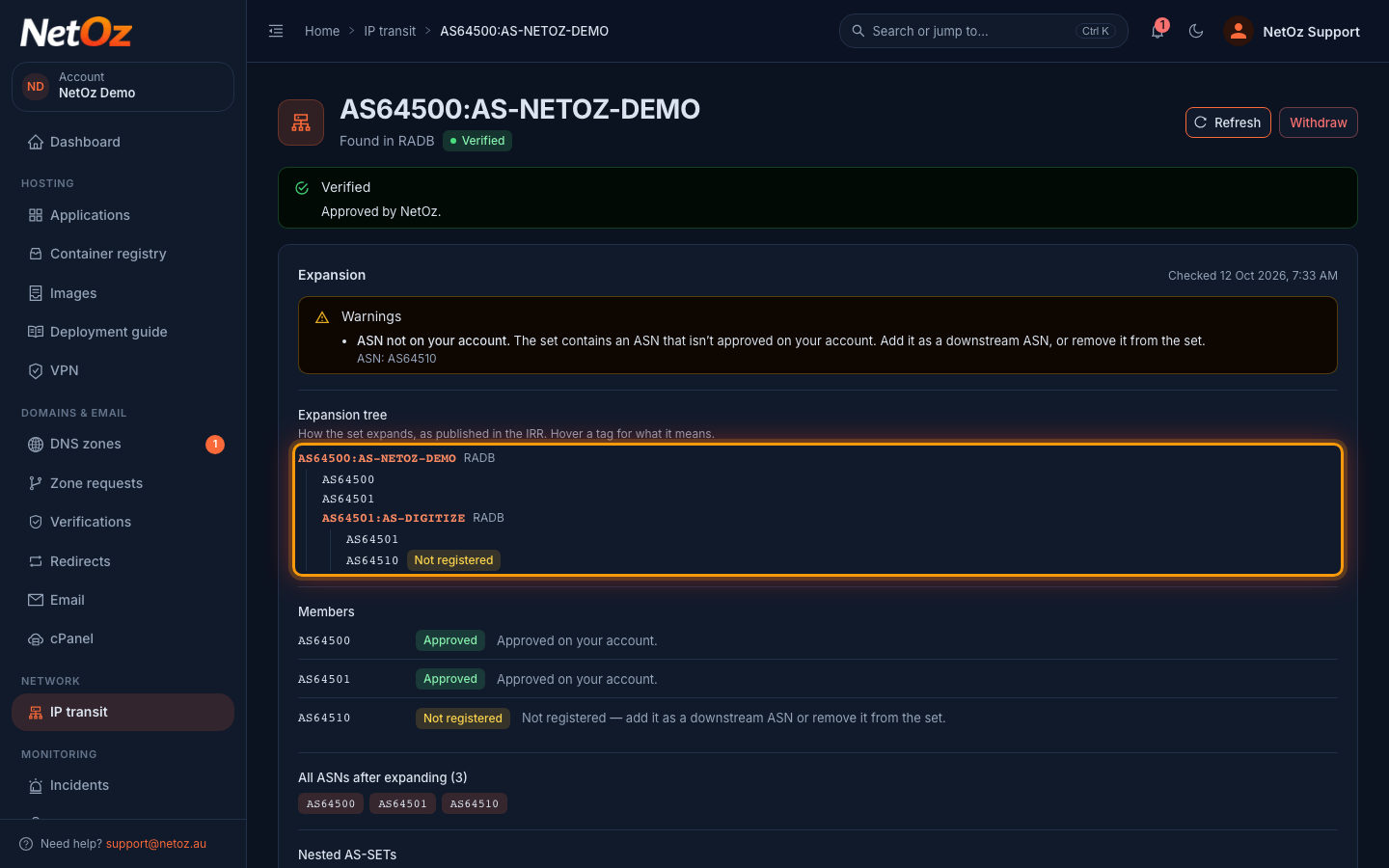
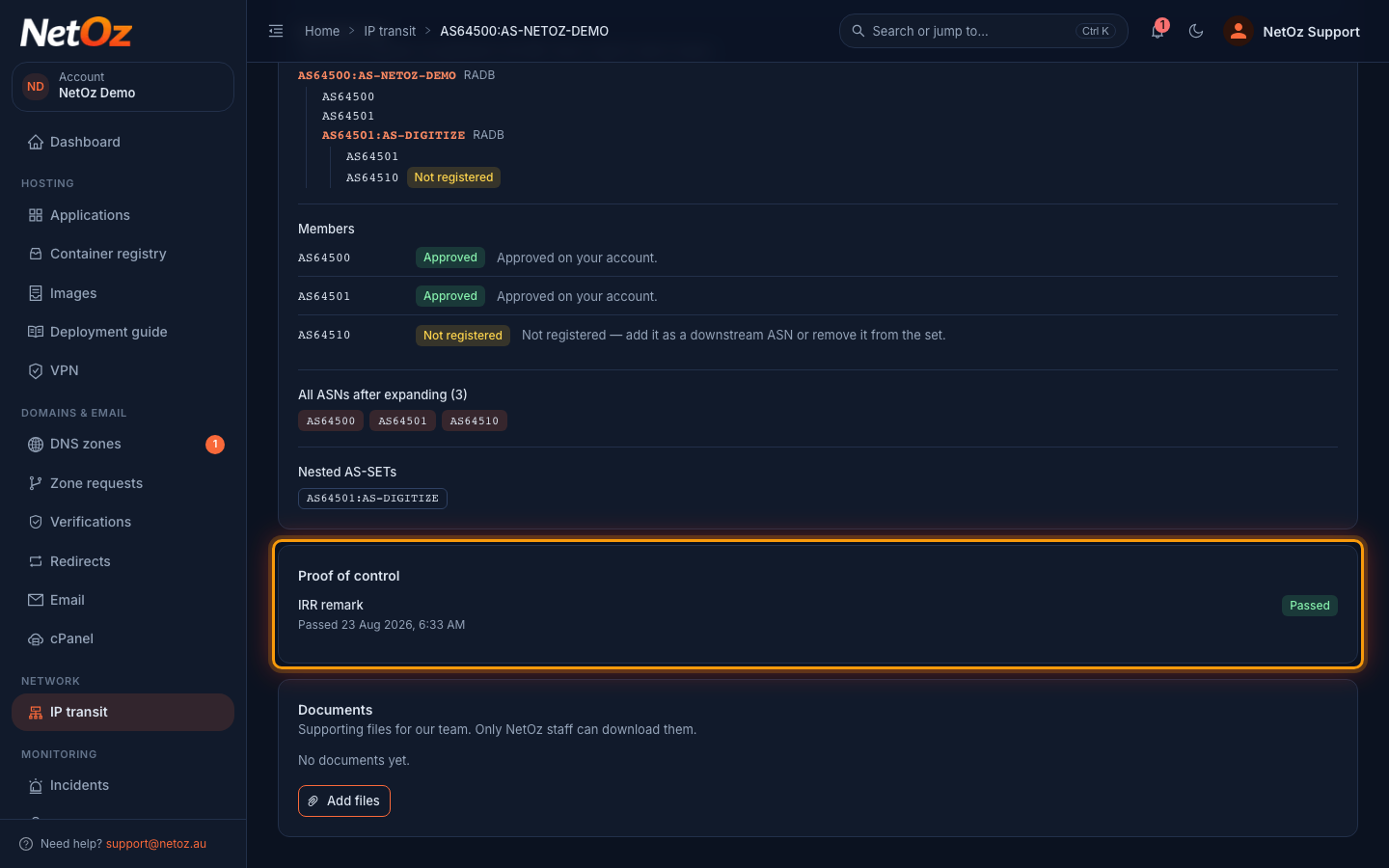
Expansion tree shows how the set expands, as published in the IRR, including nested AS-SETs like AS64501:AS-DIGITIZE. Tags such as loop, expanded above, truncated and not found explain where we stopped; hover one for details. An ASN marked Not registered isn’t approved on your account.
Step 4 Check the members
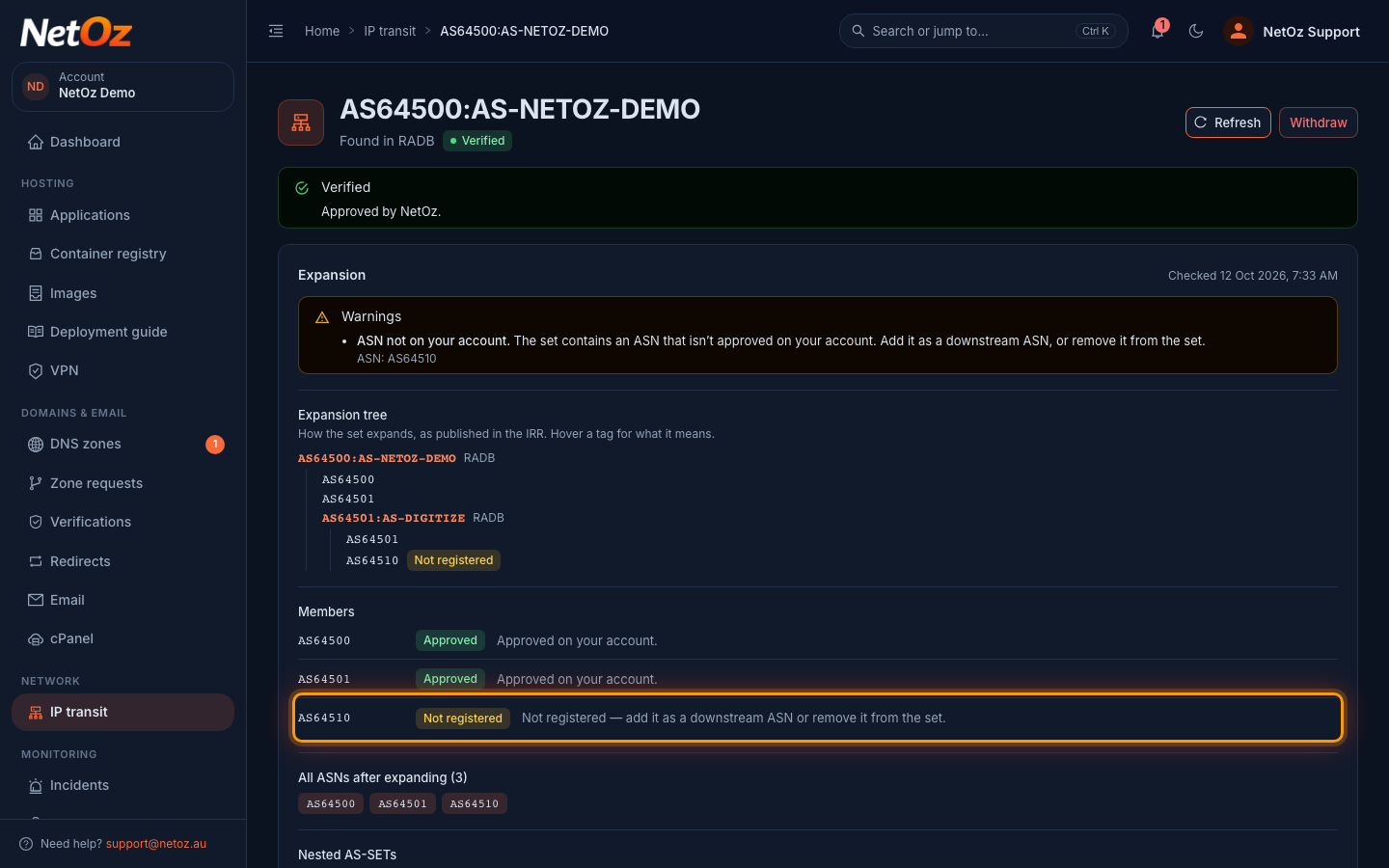
Members lists every ASN the set expands to. Approved members are fine. For a Not registered member, either add it as a downstream ASN or remove it from the set in the IRR. All ASNs after expanding and Nested AS-SETs summarise the result.
Step 5 Prove you maintain it
Like an ASN, an AS-SET needs proof. While it’s waiting for approval, Proof of control offers Add a remark in the IRR on the as-set object, or a signed letter from the set’s maintainer. Once it’s Verified, the proof that passed is listed here.
Keeping it tidy
- When you add or remove a customer in the IRR, choose Refresh on the AS-SET to re-expand it straight away. You can refresh once a minute.
- Keep nesting shallow. We stop expanding after 5 levels, and sets that expand to hundreds of ASNs, or that include a large carrier’s AS-SET, are flagged as a route-leak risk.
- Register each customer ASN in the set as a downstream ASN.
Was this guide helpful?
Your answer helps us keep these guides accurate.