Reset your NetOz Portal password
Forgotten your NetOz Portal password? Request a reset link from the sign-in page and choose a new password in a couple of minutes.
On this page
If you have forgotten your password, you can request a reset link from the sign-in page. The link is emailed to you and works for 6 hours.
Before you start
- You need access to the mailbox for the email address you sign in with.
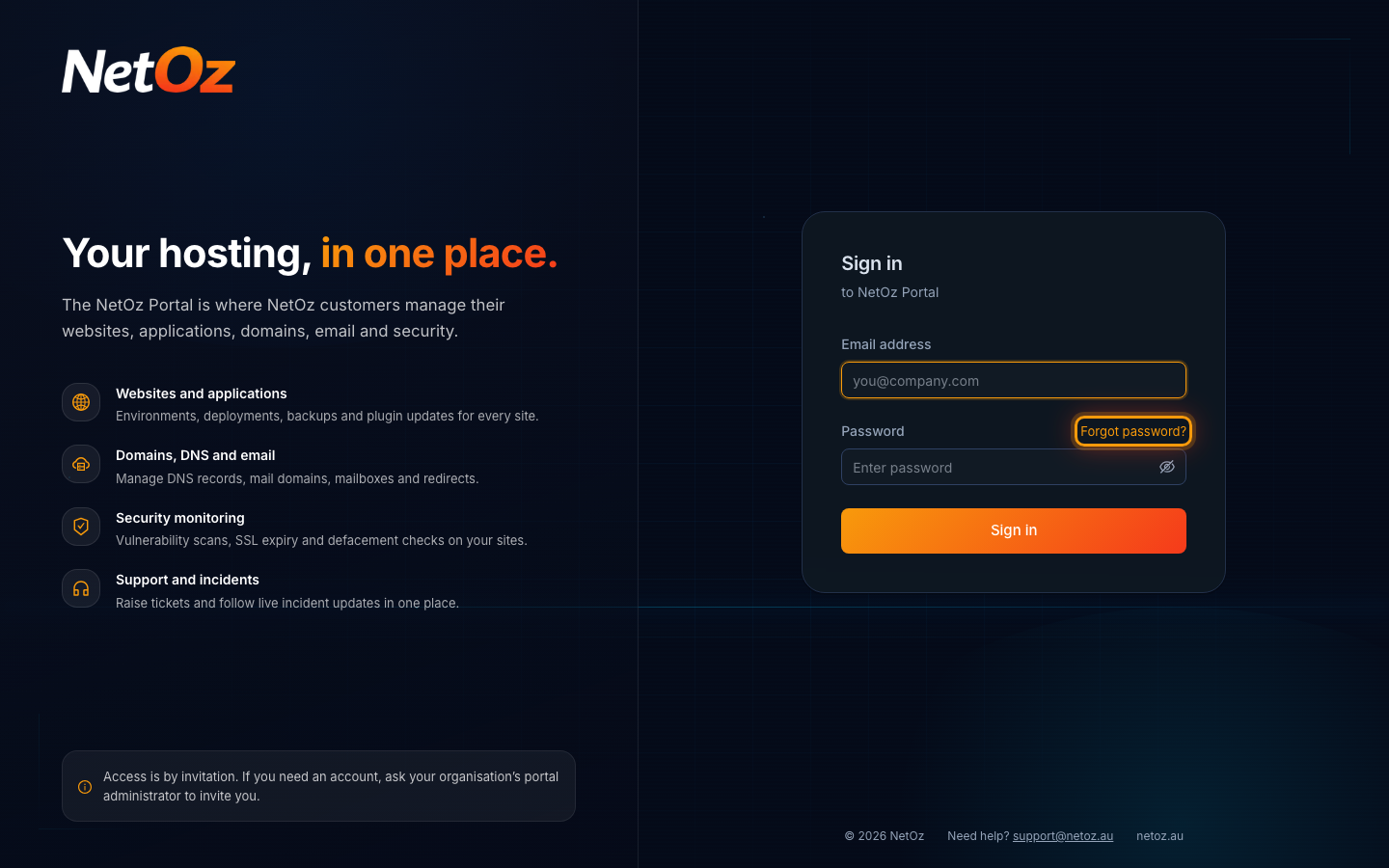
Step 1 Select Forgot password?
On the sign-in page, select Forgot password? above the password box.
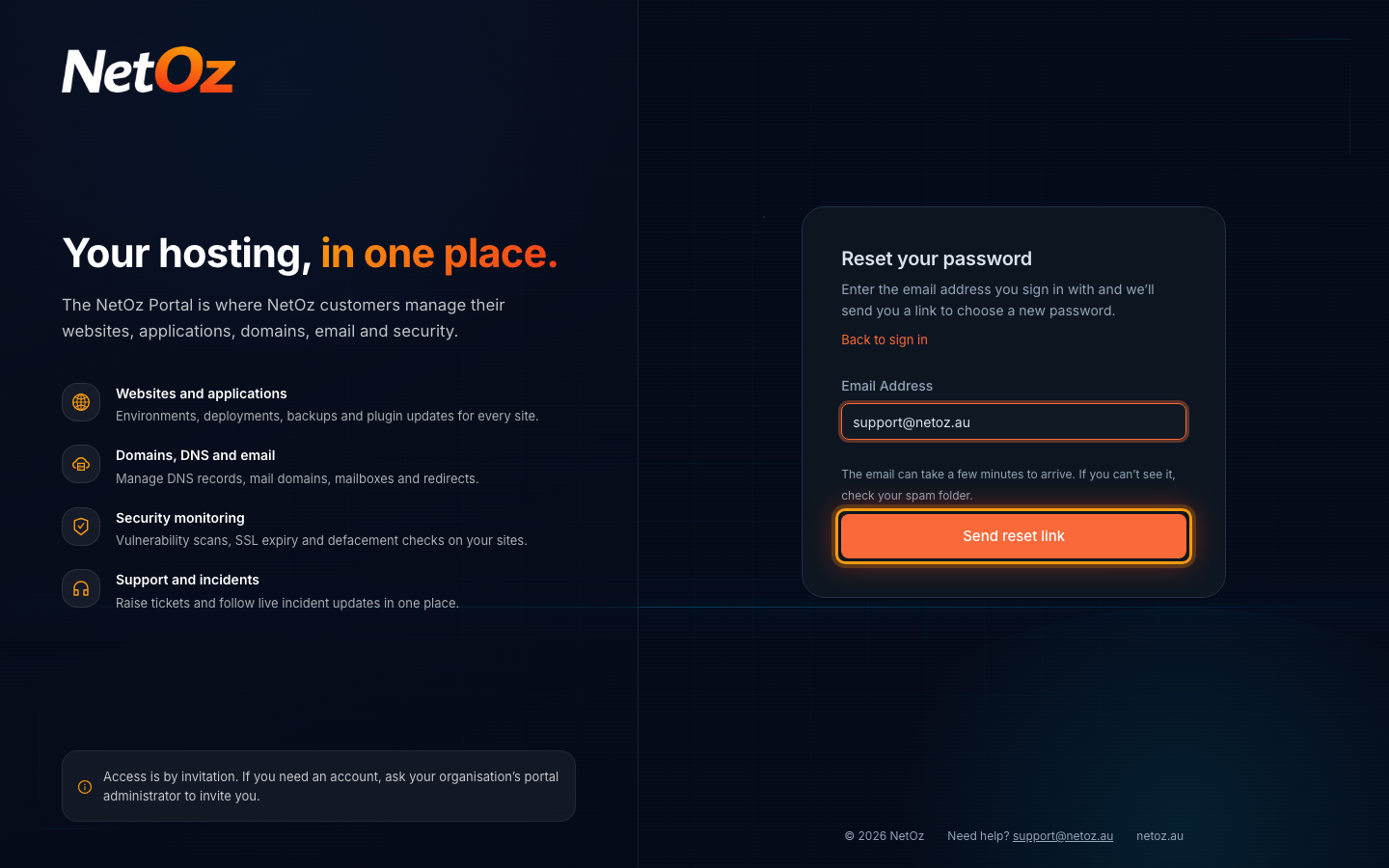
Step 2 Enter your email address
Enter the email address you sign in with and select Send reset link.
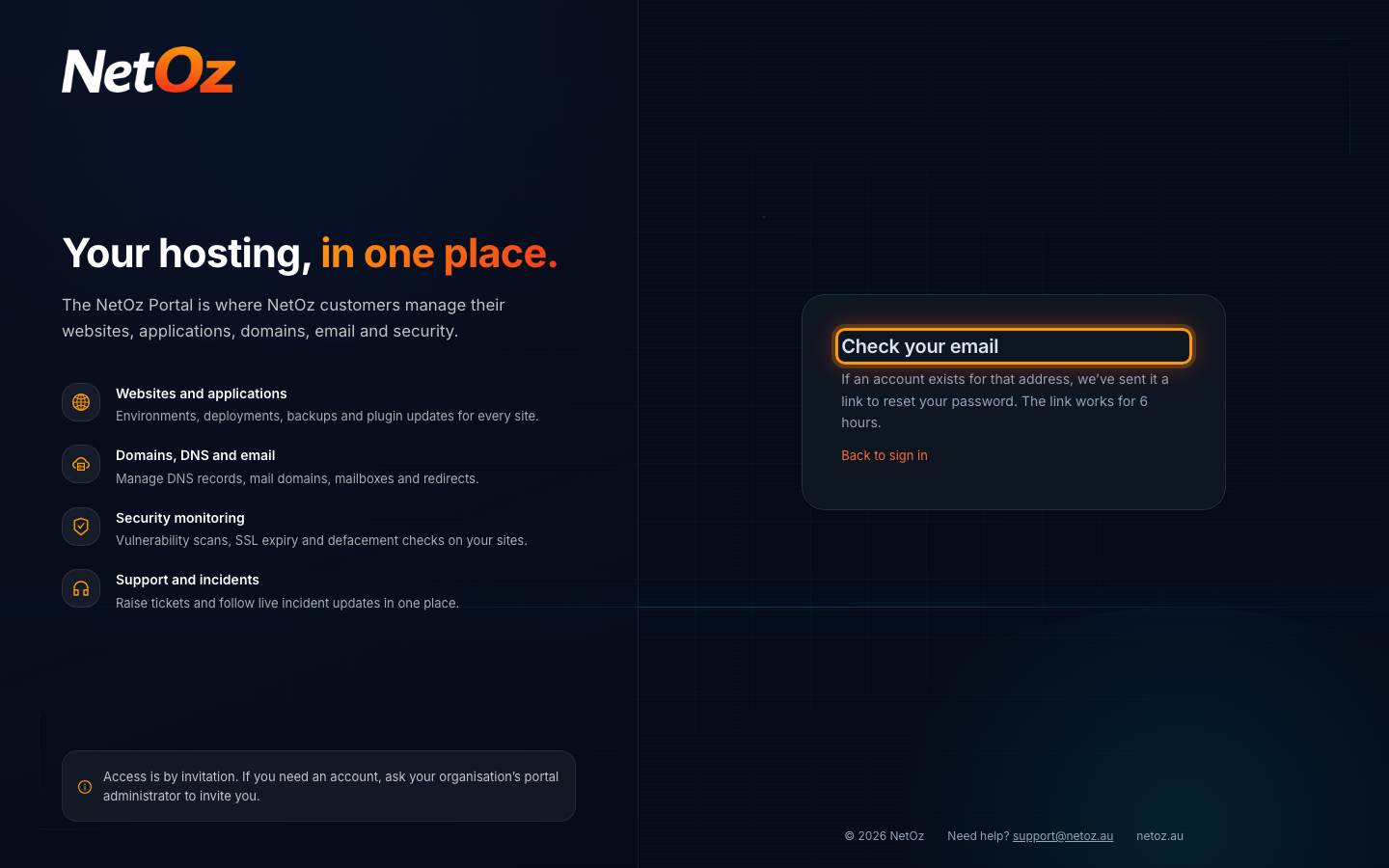
Step 3 Check your email
NetOz emails you a link to reset your password. Open the email and select the link. It works for 6 hours.
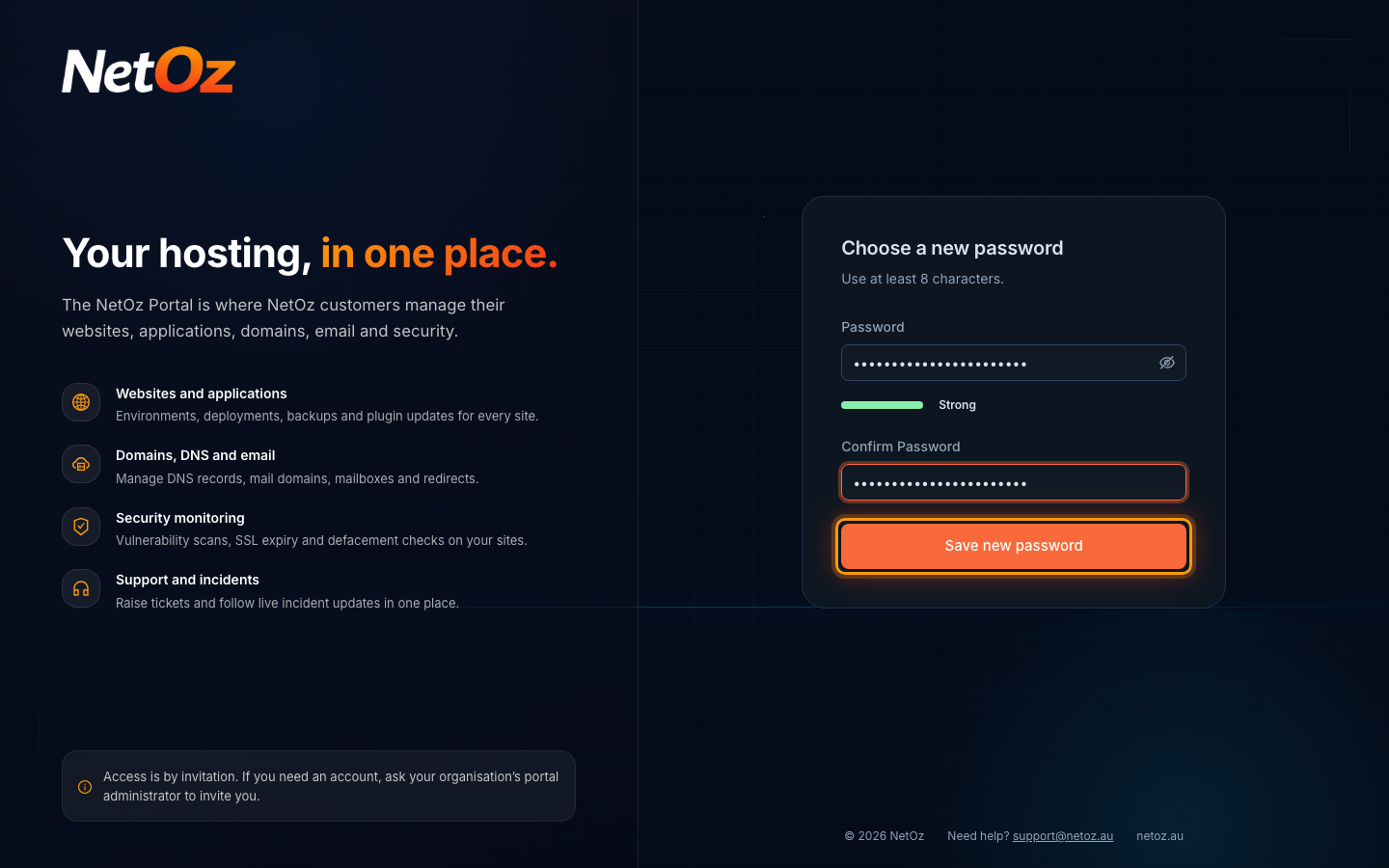
Step 4 Choose a new password
The link opens Choose a new password. Enter a new password of at least 8 characters, enter it again to confirm, then select Save new password. You are taken back to the sign-in page to sign in with it.
Did not get the email?
The email can take a few minutes to arrive, so check your spam or junk folder. For security, the portal shows the same message whether or not an account exists for the address, so double-check you entered the address you sign in with. Only 5 reset emails are sent per address each hour, so if you have asked several times, wait an hour and use the newest email. Still stuck? Email support@netoz.au.
After you reset it
Saving a new password signs you out everywhere else, such as on another computer or browser, and NetOz emails you to confirm Your password was changed. If you get that email and did not change your password, reset it straight away and contact support.
Know your current password and just want a new one? Change it from your profile instead.
Was this guide helpful?
Your answer helps us keep these guides accurate.