Catch mail sent to unknown addresses at your domain
Turn on a catch-all so email sent to misspelt or old addresses at your domain is delivered to an inbox you choose instead of being rejected.
On this page
Normally, mail sent to an address at your domain that has no mailbox and no forwarder is rejected. A catch-all delivers it to one or more addresses you choose instead. It is useful after a rename or when people often misspell addresses, but it also lets in spam sent to made-up names.
Before you start
- You need to be an account admin, or have Email set to Manage on your team access.
Step 1 Find the Catch-all panel
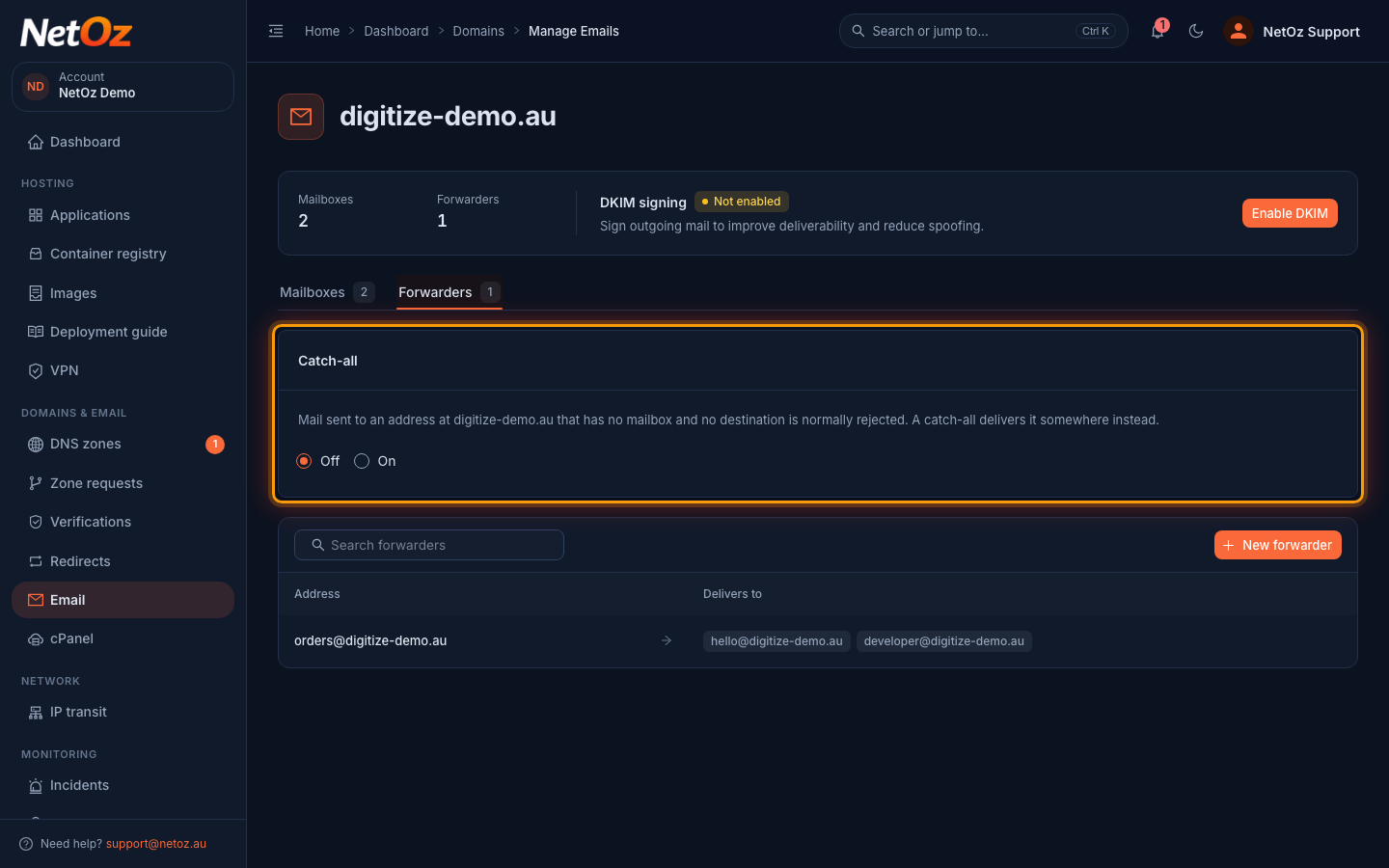
Go to Email, select your domain and open the Forwarders tab. The Catch-all panel at the top shows whether it is on.
Step 2 Turn it on and choose where mail goes
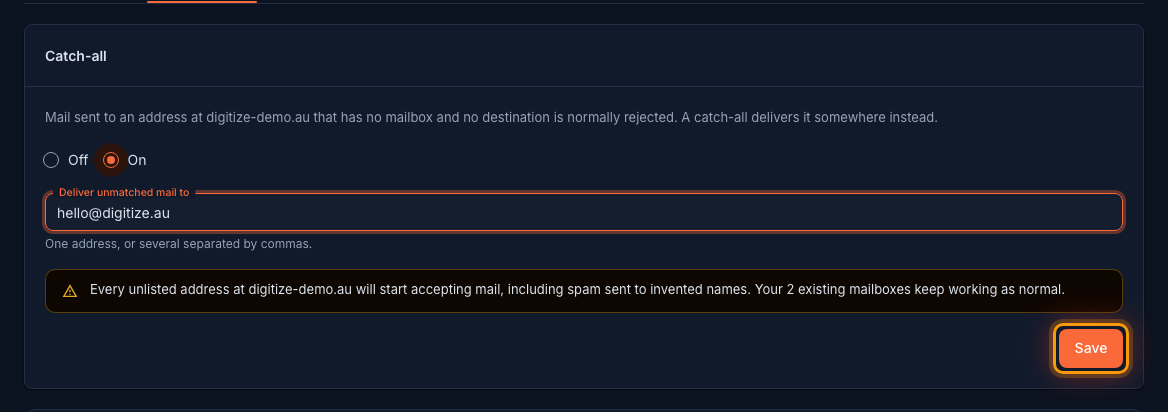
Choose On, then enter the address that should receive unmatched mail in Deliver unmatched mail to. Separate several addresses with commas. Read the warning, then select Save.
Step 3 Check it is saved
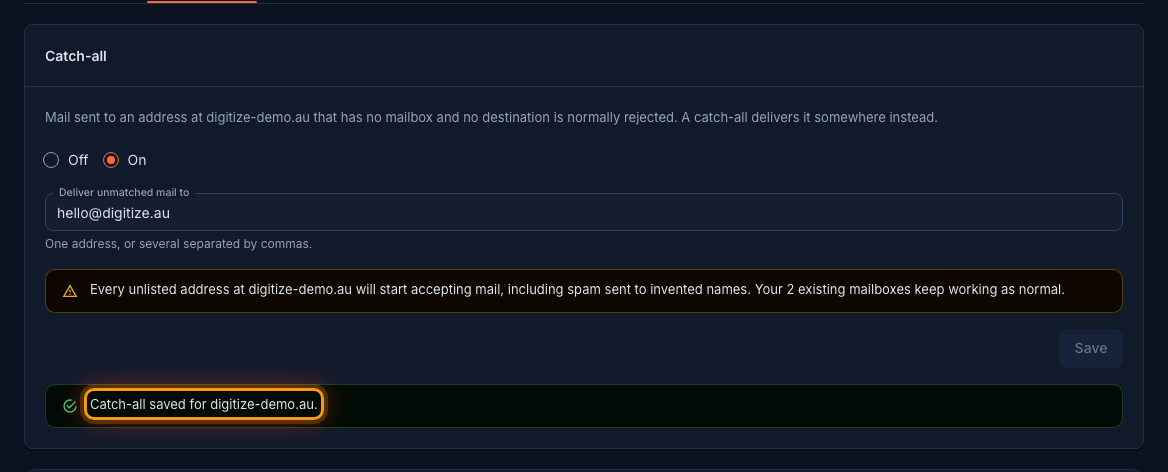
A confirmation appears in the panel. From now on, mail sent to any unknown address at the domain is delivered to the address you chose. Existing mailboxes and forwarders keep working as before.
Turning it off
To stop catching unknown addresses, choose Off and confirm with Turn off. Mail to addresses without a mailbox or forwarder is rejected again, and your existing mailboxes and forwarders are not affected.
Related guides
Was this guide helpful?
Your answer helps us keep these guides accurate.