Set an out-of-office automatic reply
Turn on an automatic out-of-office reply for a NetOz mailbox, with optional start and end dates, from the NetOz Portal. It works whether or not a mail app is open.
On this page
An out-of-office reply tells people who email you that you are away. It is sent by the NetOz mail server, so it works even when your computer is off and whichever mail app you use. Each person gets at most one reply every few days, however many emails they send.
Before you start
- You need to be an account admin, or have Email set to Manage on your team access.
Step 1 Open the mailbox menu
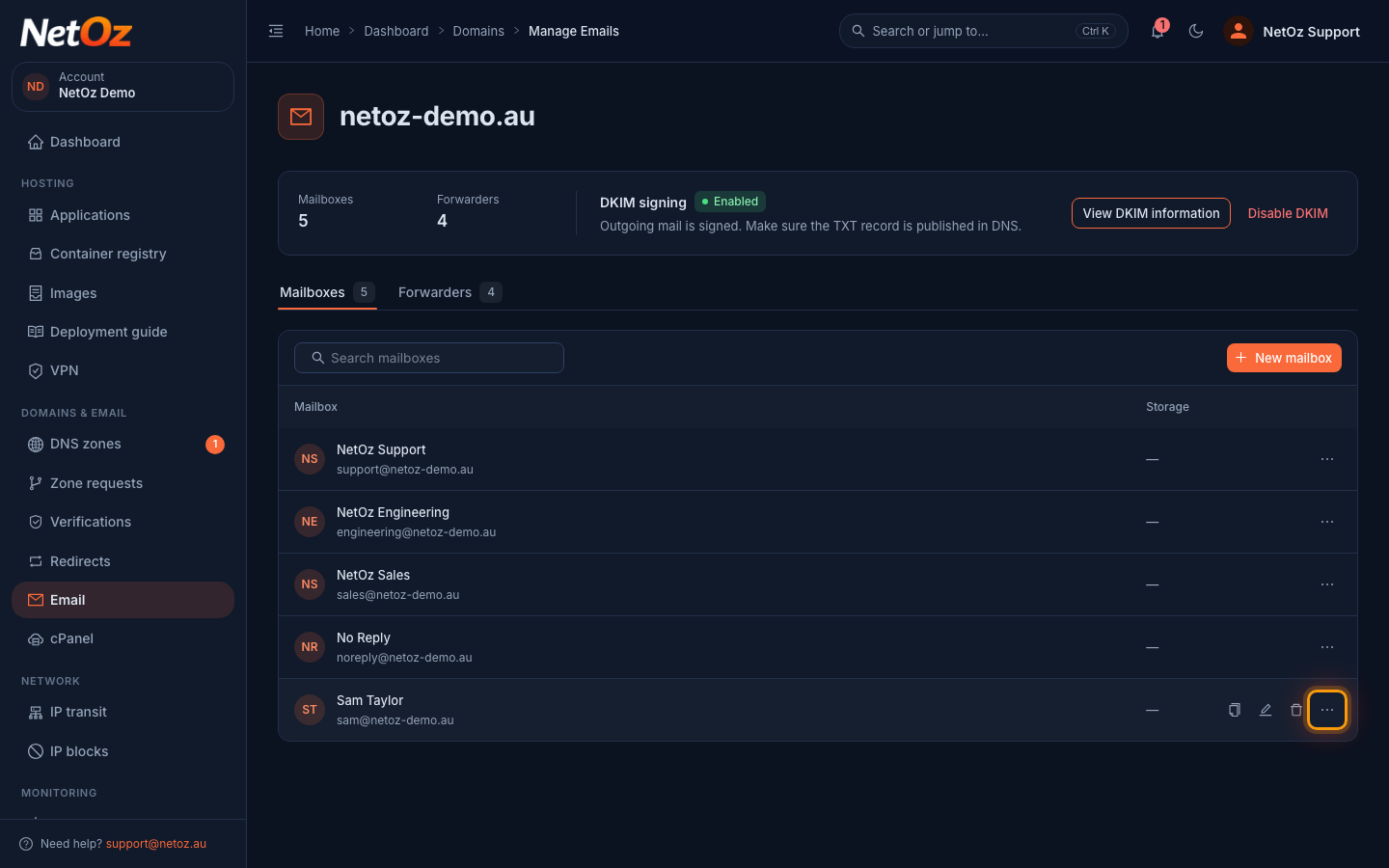
Go to Email and select the domain. On the Mailboxes tab, find the mailbox and select the ⋮ menu at the end of its row.
Step 2 Select Out of office
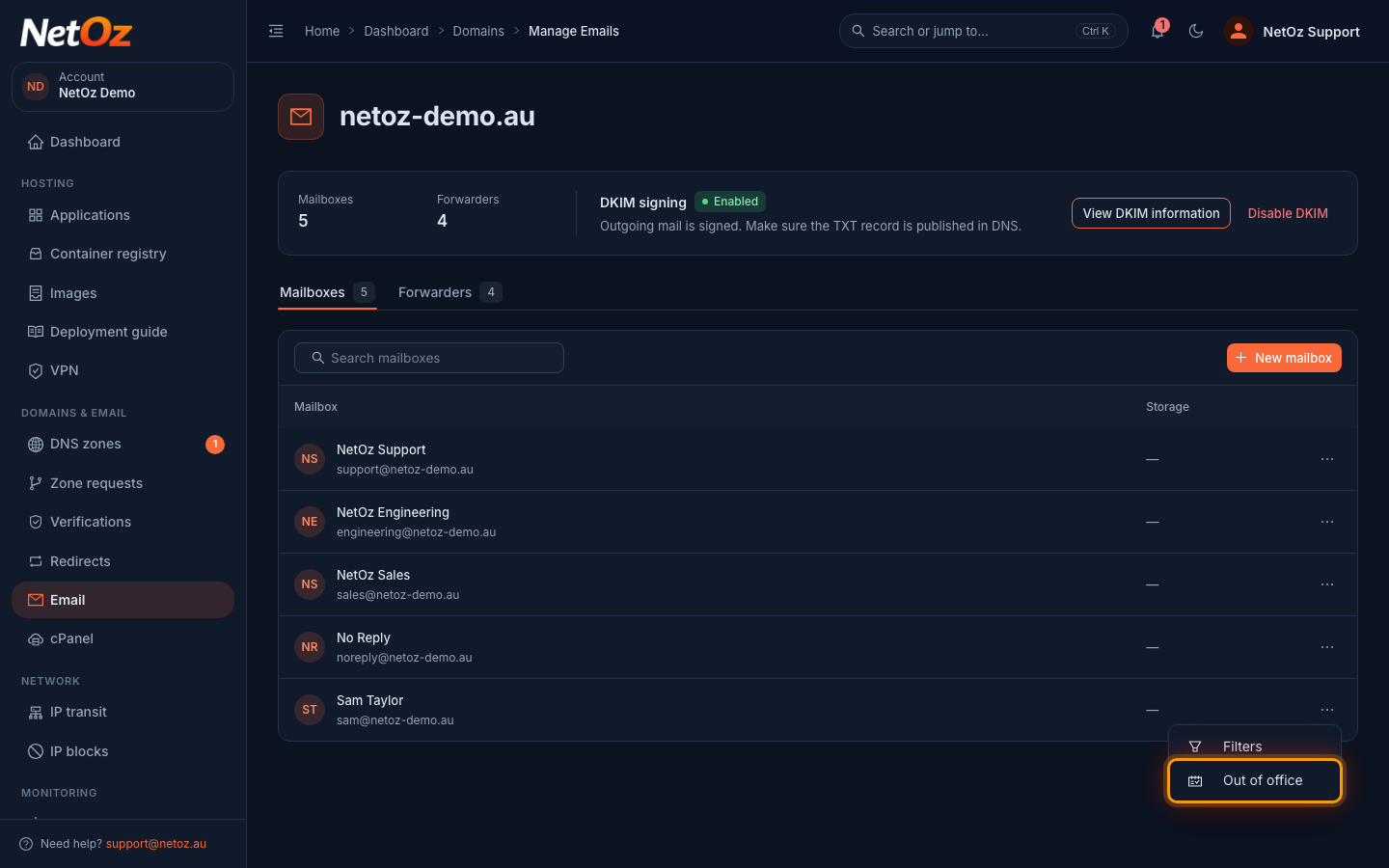
Choose Out of office.
Step 3 Write the reply
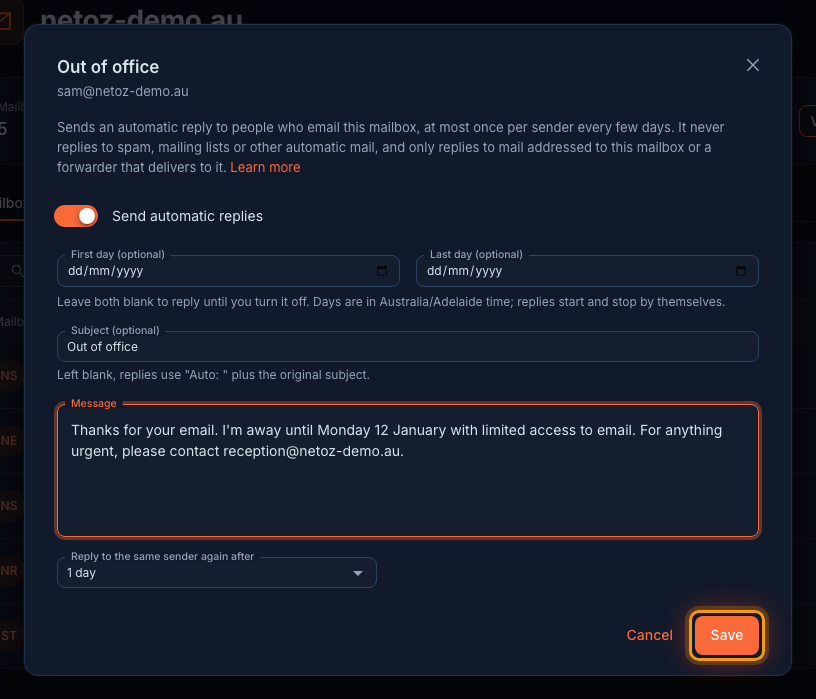
Turn on Send automatic replies. Optionally choose a First day and Last day, then write a Subject and Message. Say when you are back and who to contact meanwhile. Select Save.
Step 4 Check it is on
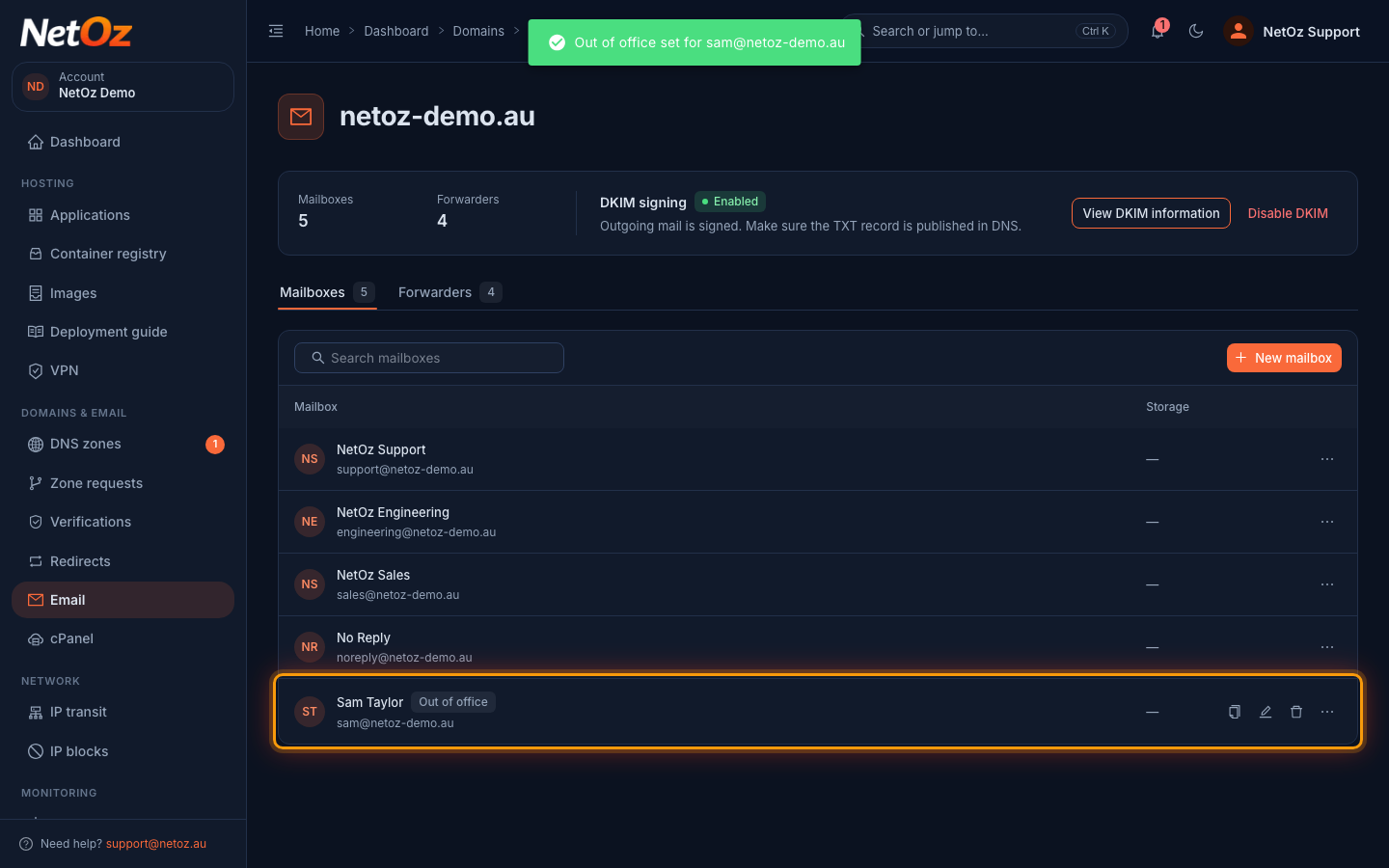
The mailbox now shows Out of office in the list. People who email it get your reply straight away.
Who gets a reply
Replies only go to people who wrote to this mailbox, or to a forwarder that delivers to it. Spam, mailing lists, newsletters and other automatic email never get a reply, so you won't start a loop with another autoresponder.
Dates
Set a First day and Last day and the reply turns itself on and off; you don't need to remember. Leave them blank to reply until you turn it off. The status shows Scheduled before the first day and Ended after the last day.
Turning it off
Open Out of office again and turn off Send automatic replies, then select Save. Your message is kept for next time.
Was this guide helpful?
Your answer helps us keep these guides accurate.