Resend or revoke a NetOz Portal invitation
See who has not accepted their NetOz Portal invitation yet, resend the email, or revoke an invitation that was sent to the wrong address.
On this page
Invitations expire after 7 days. If someone cannot find their email, resend it. If you invited the wrong address, revoke the invitation so the link stops working.
Before you start
- You need to be an account admin.
Step 1 Show pending invitations
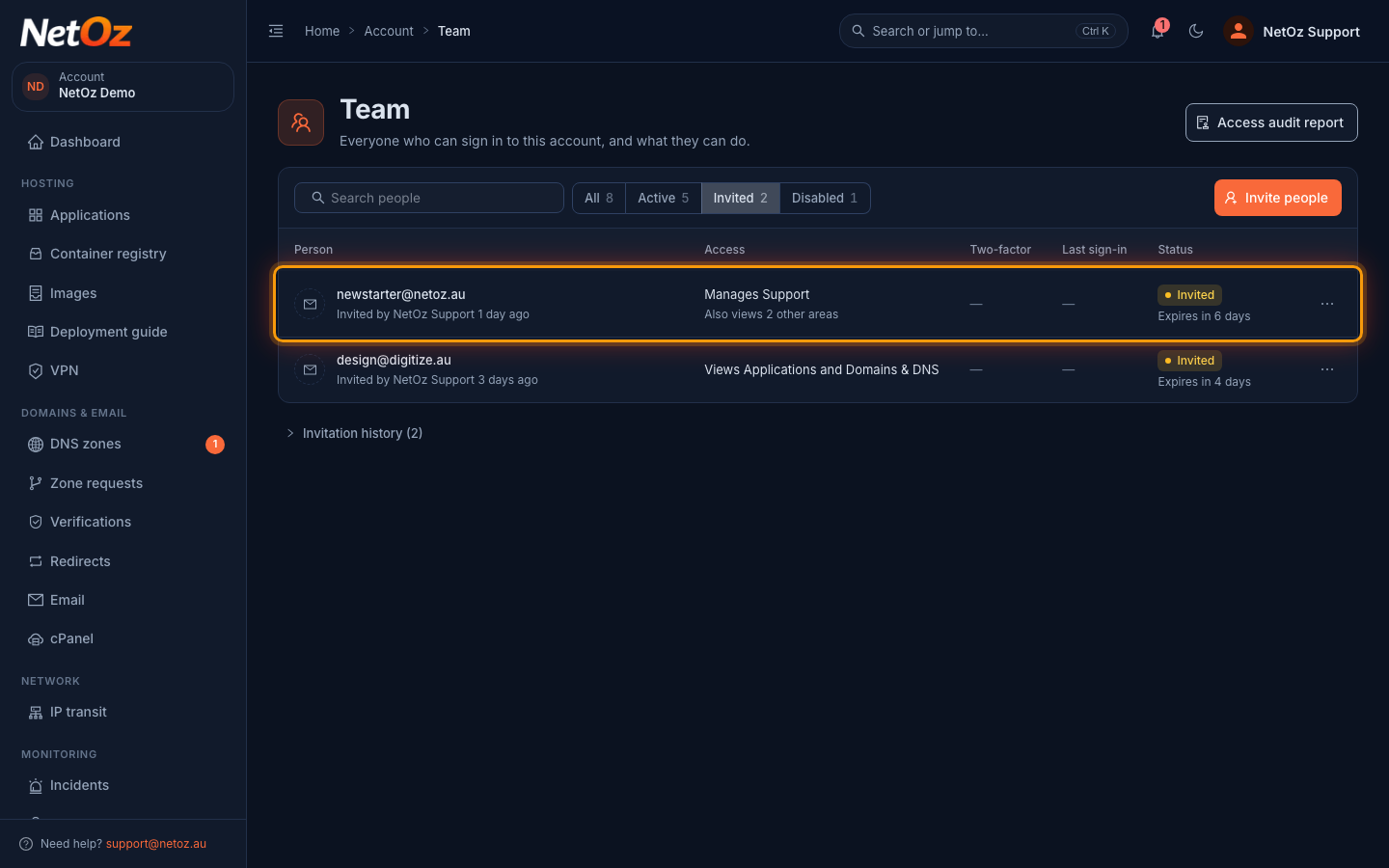
On the Team page, select Invited above the list. Each invitation shows who sent it, the access it gives and when it expires.
Step 2 Resend the email
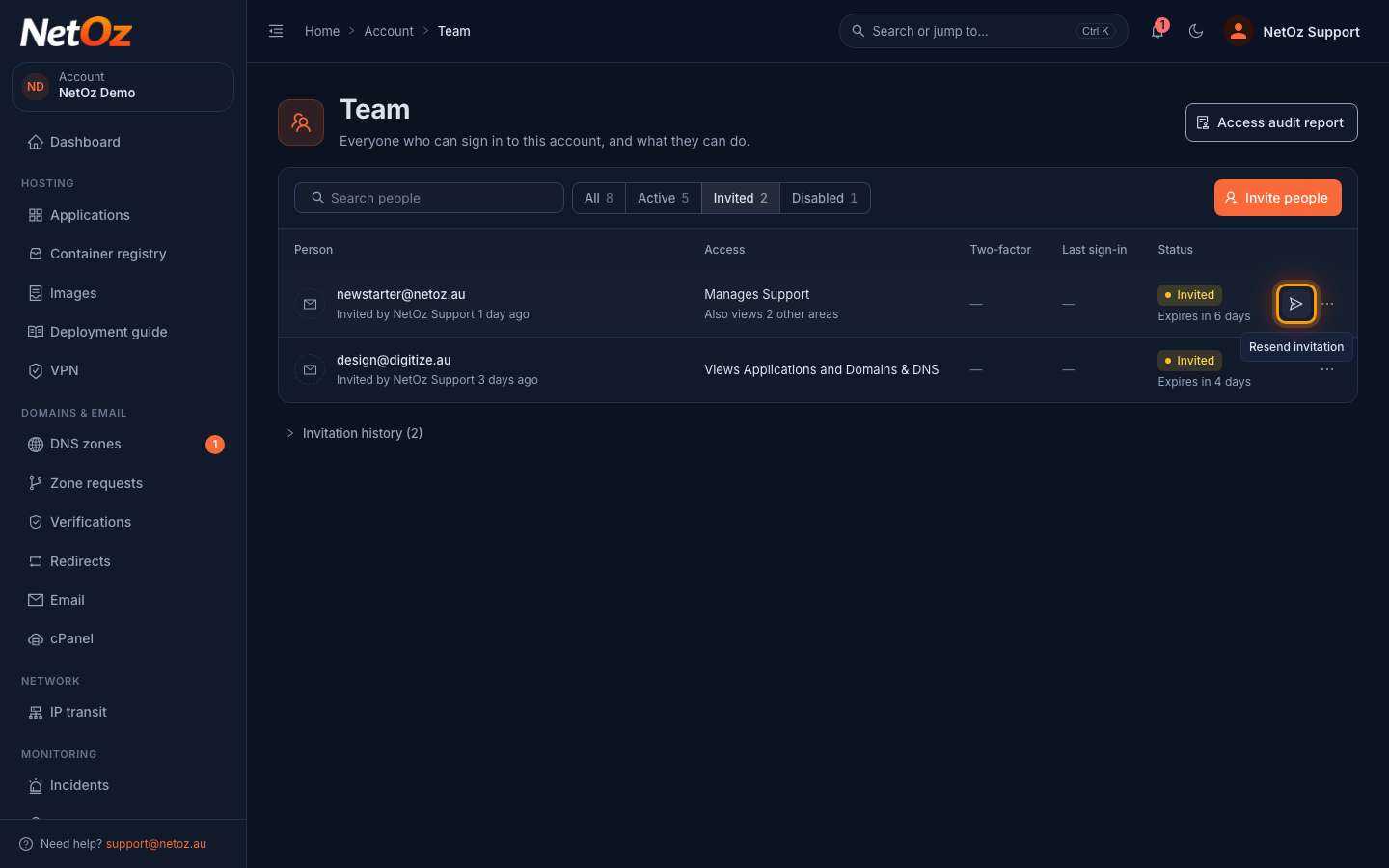
Select the send icon on the row to email the invitation again. This also gives the person another 7 days to accept.
Step 3 Revoke an invitation
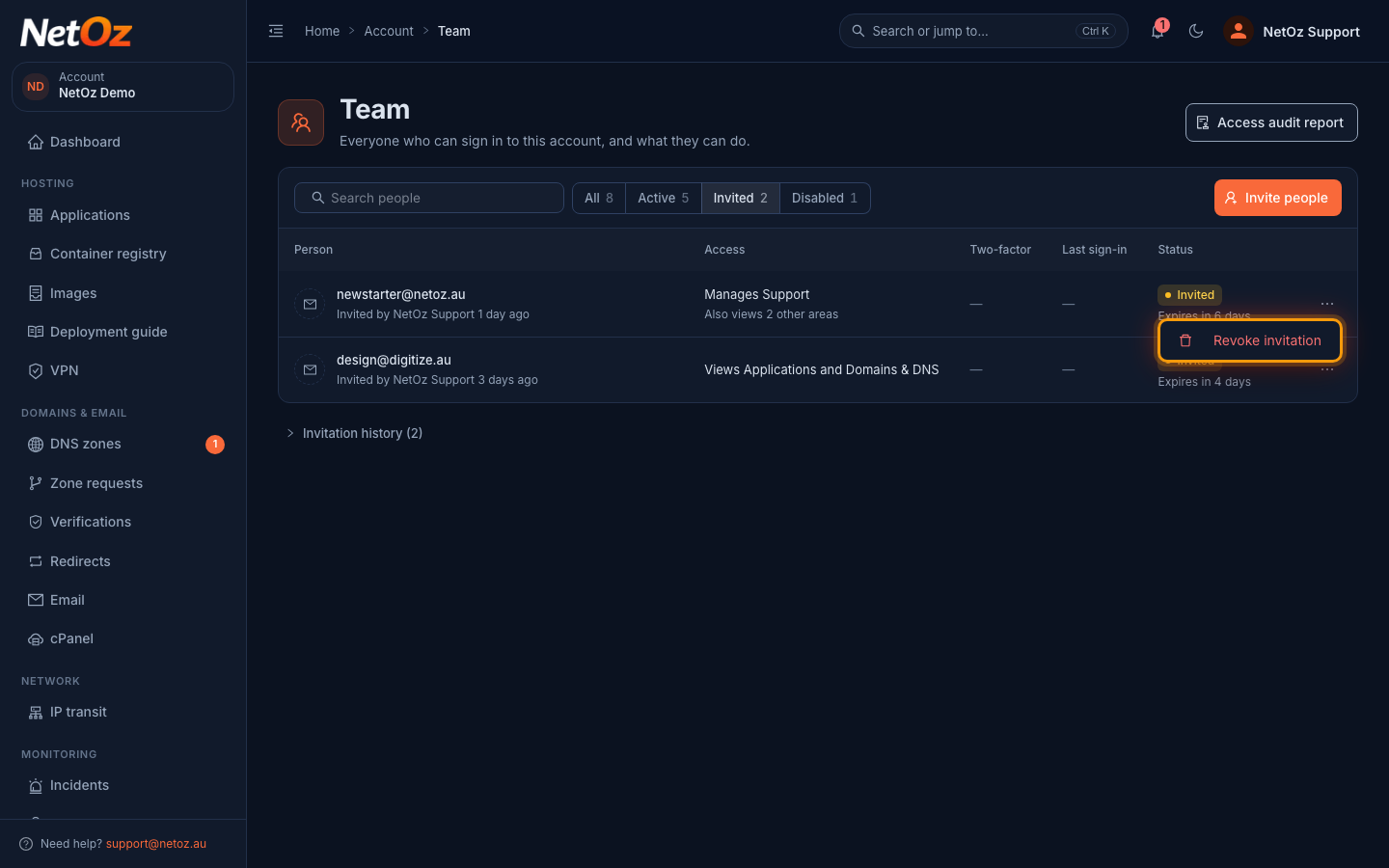
To cancel an invitation, open the ⋯ menu and choose Revoke invitation, then confirm. The link in the email stops working, and you can send a new invitation later.
Step 4 Check the invitation history
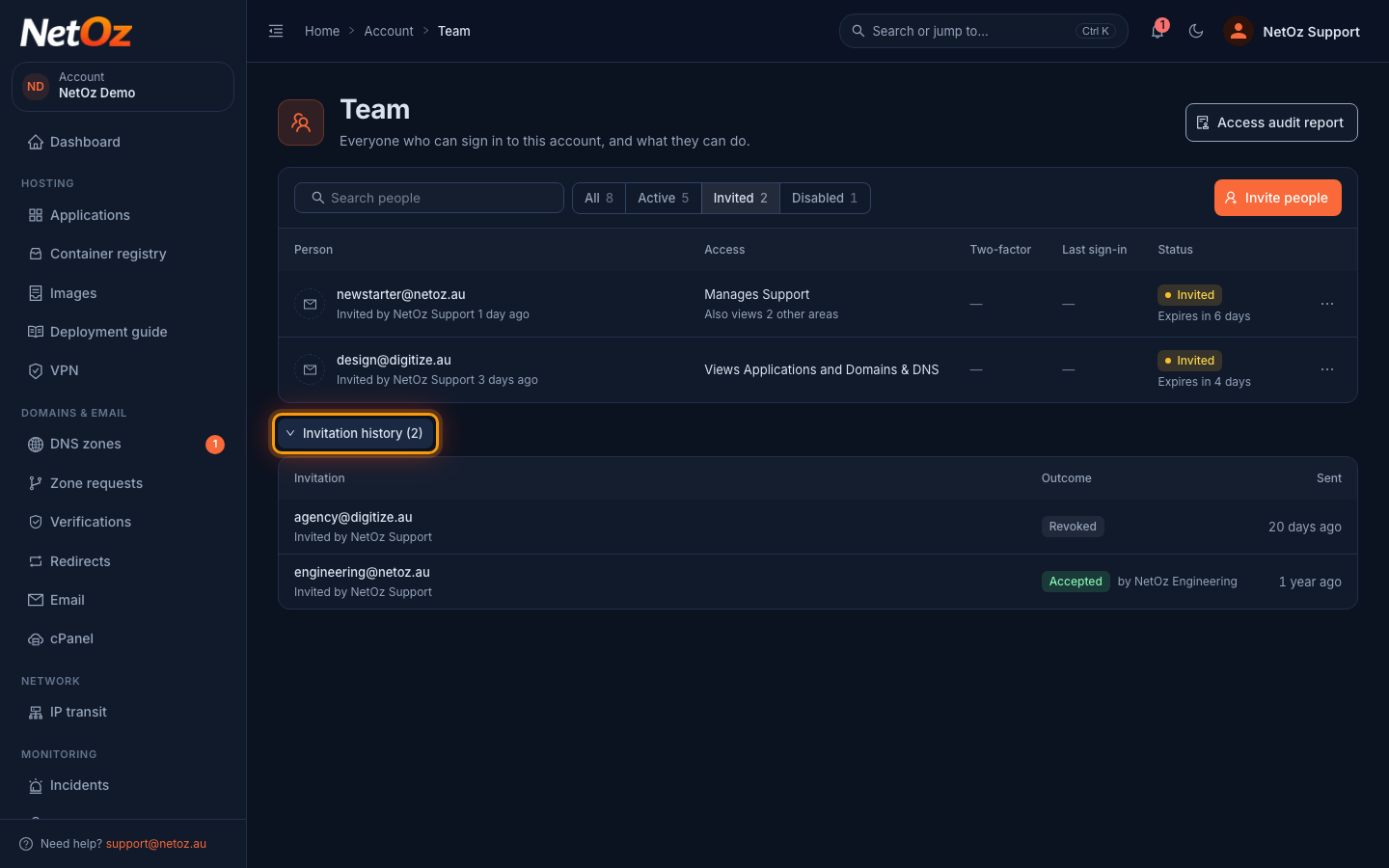
Select Invitation history below the list to see invitations that were accepted, revoked or expired.
Was this guide helpful?
Your answer helps us keep these guides accurate.