Choose which incident emails you receive
Decide how many NetOz incident emails you get: only major outages, every incident affecting your services, or nothing except incidents you subscribe to.
NetOz emails you about incidents that affect all customers and incidents that affect your own services. You can choose how serious an incident has to be before it reaches your inbox.
Before you start
- These settings are personal. Each person on your team chooses their own.
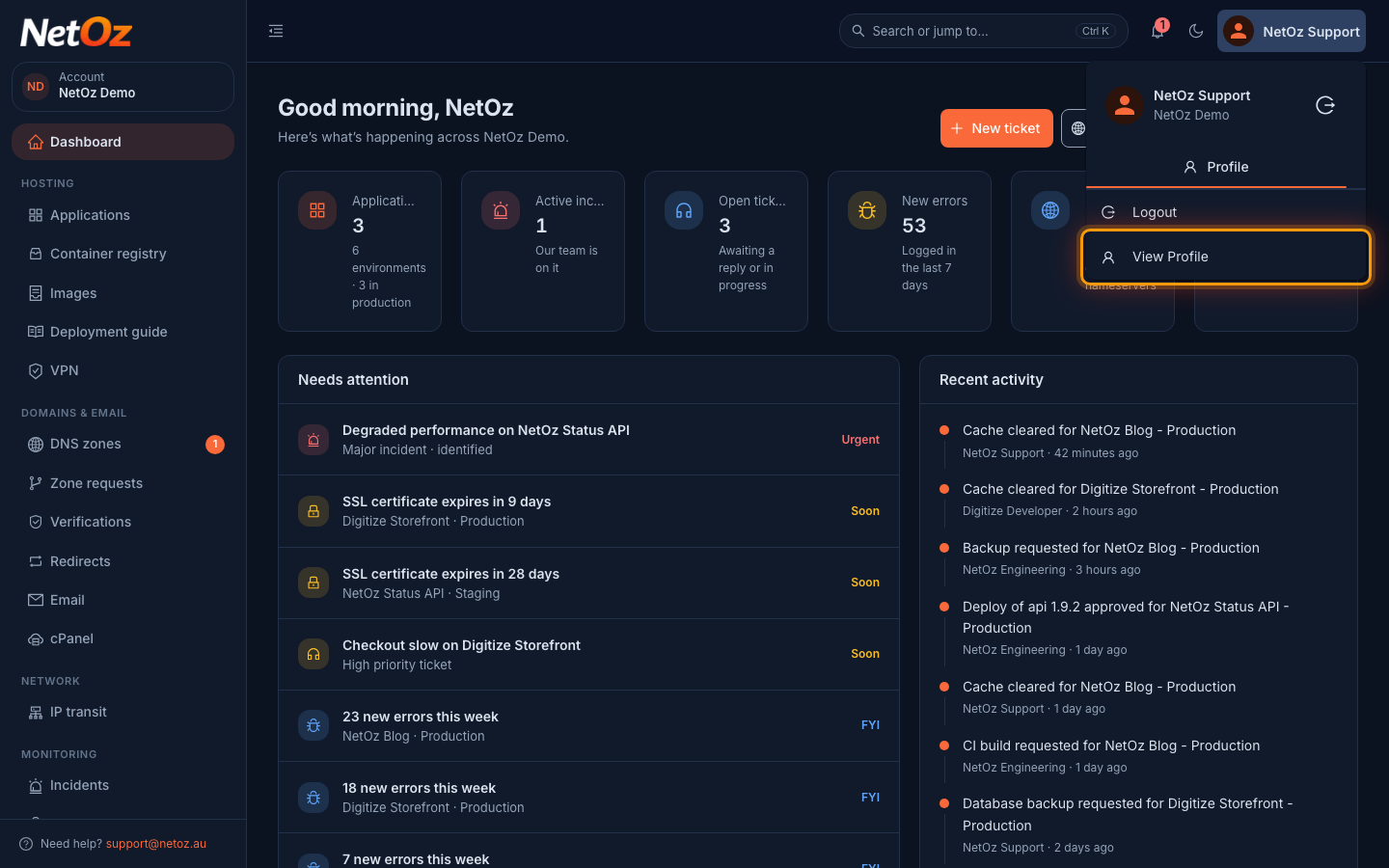
Step 1 Open your profile
Select your name at the top right of the portal, then choose View Profile.
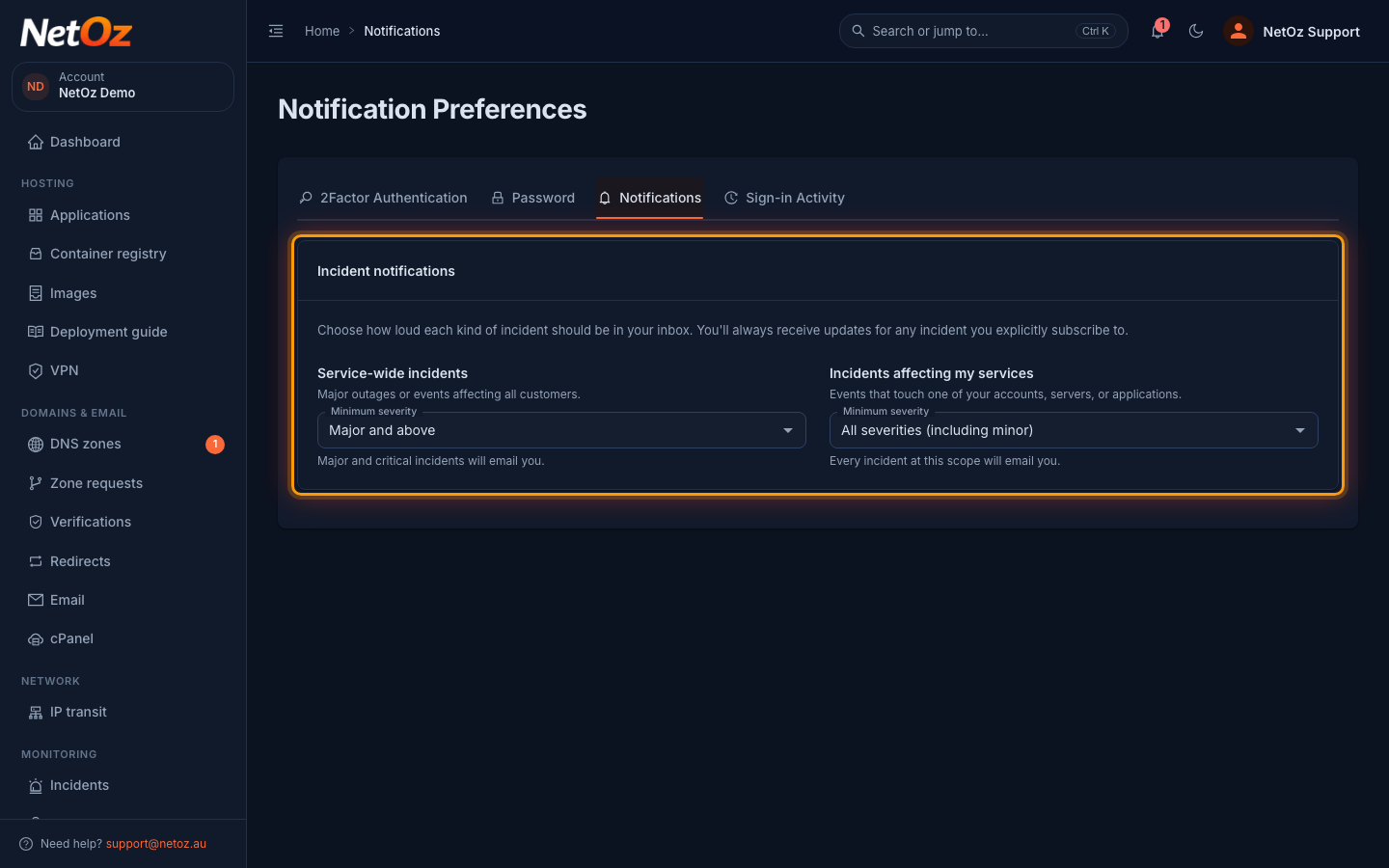
Step 2 Open the Notifications tab
Select Notifications. There are two settings: Service-wide incidents, for major events affecting all NetOz customers, and Incidents affecting my services, for incidents that touch your account, servers or applications.
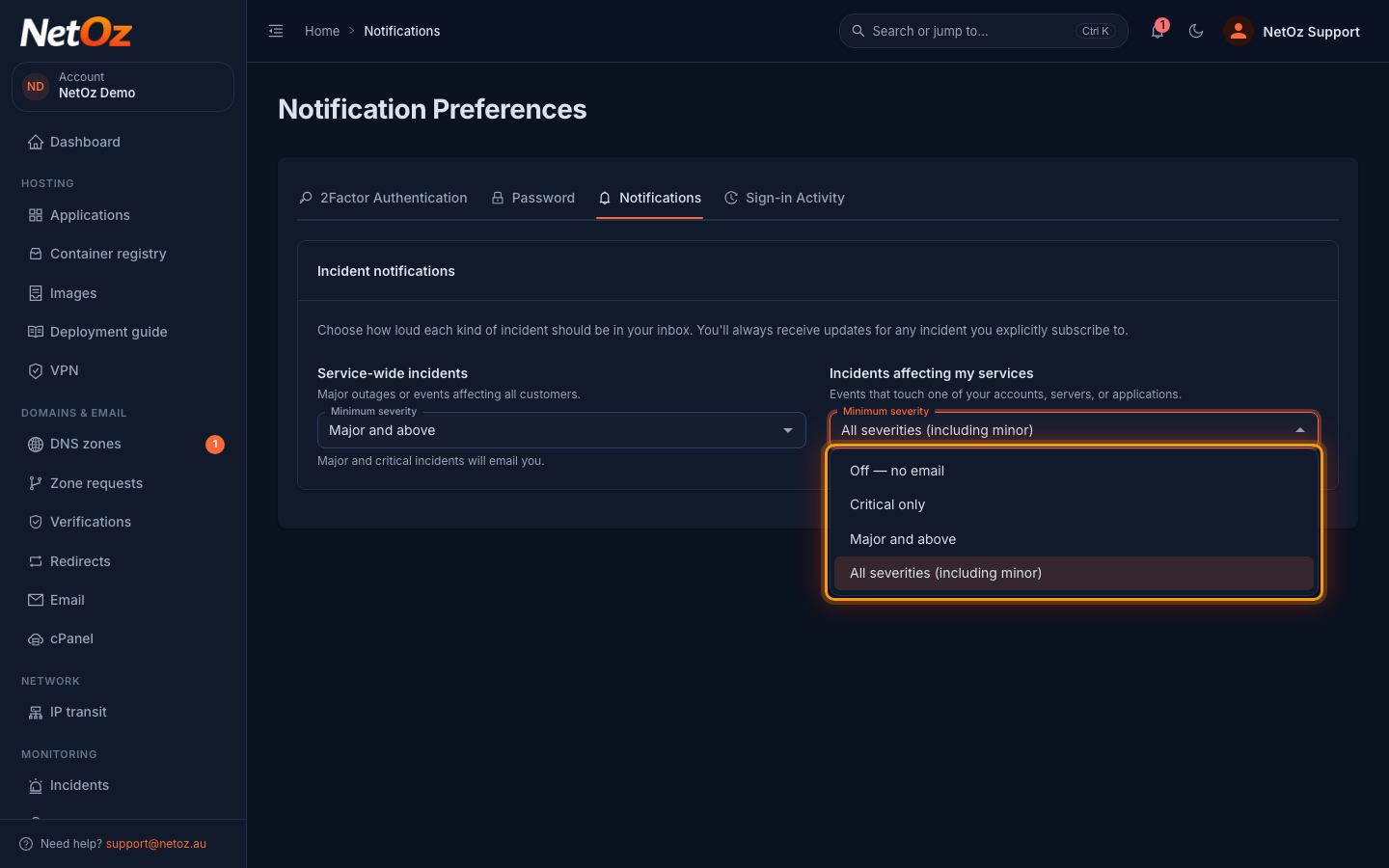
Step 3 Choose a minimum severity
Open Minimum severity and choose Off — no email, Critical only, Major and above or All severities (including minor). Your choice is saved straight away.
Whatever you choose here, you always get updates for incidents you subscribe to with Notify me of updates. See Follow an outage or incident.
Was this guide helpful?
Your answer helps us keep these guides accurate.