Understand RPKI status: Valid, Invalid and No ROA
What RPKI Valid, RPKI Invalid and No ROA (NotFound) mean for your routes, how NetOz checks your prefixes every day, and how to read the ROAs behind each result.
On this page
RPKI (Resource Public Key Infrastructure) lets the holder of IP space publish a signed ROA (Route Origin Authorisation) saying which ASN may announce a prefix and how specific it can be. Networks that do route origin validation use ROAs to accept or drop routes. NetOz checks every approved prefix against the global RPKI each day and shows the result next to it.
Before you start
- IP transit must be turned on for your account by NetOz. If you buy IP transit from us and don’t see IP transit under Network in the sidebar, contact NetOz support.
- You need to be an account admin, or have IP transit set to View (to look) or Manage (to make changes) on your team access.
Step 1 Find the RPKI column
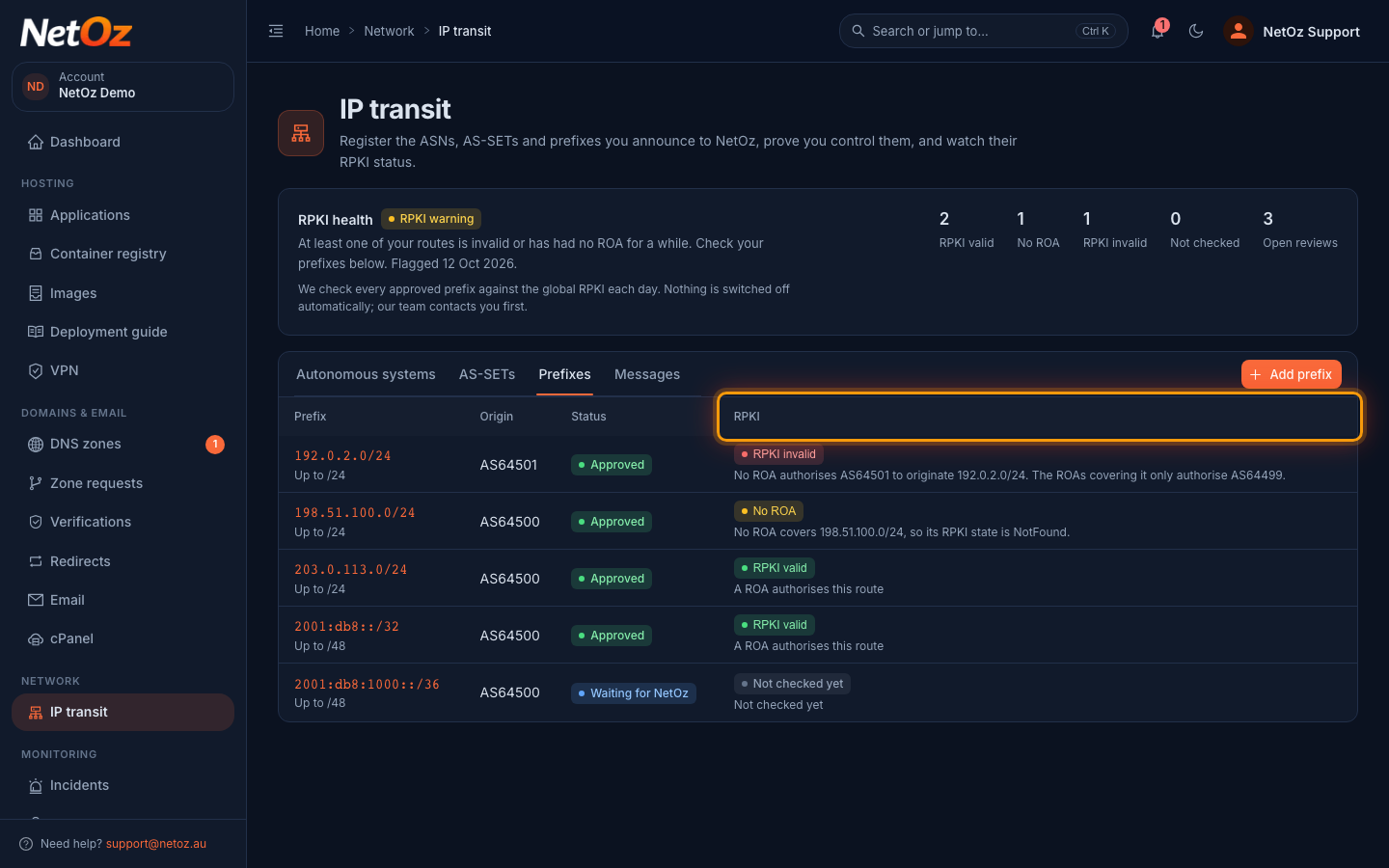
On the Prefixes tab, the RPKI column shows the latest result for each prefix and a one-line reason underneath.
Step 2 Select a badge to see why
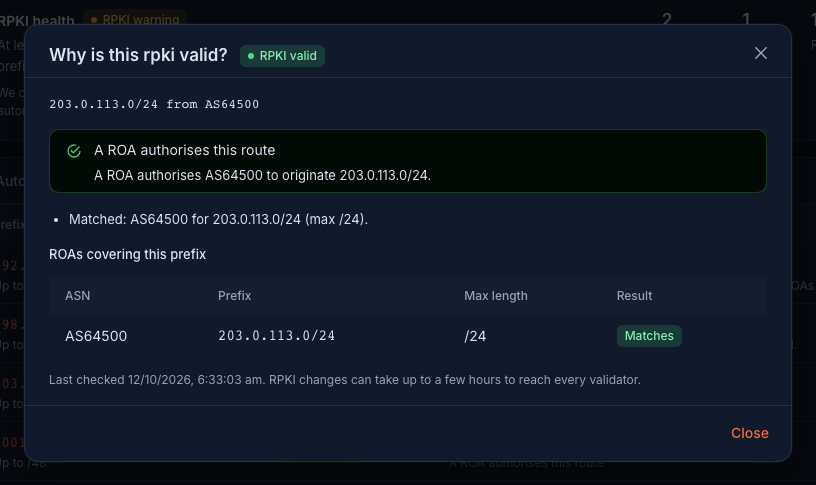
Select any badge to open Why is this…?. It shows the prefix and origin, a plain-English explanation, every ROA covering the prefix with whether it Matches, and how to fix anything that’s wrong. Here a ROA for AS64500 covers 203.0.113.0/24 up to /24, so the route is RPKI valid.
Step 3 Understand No ROA
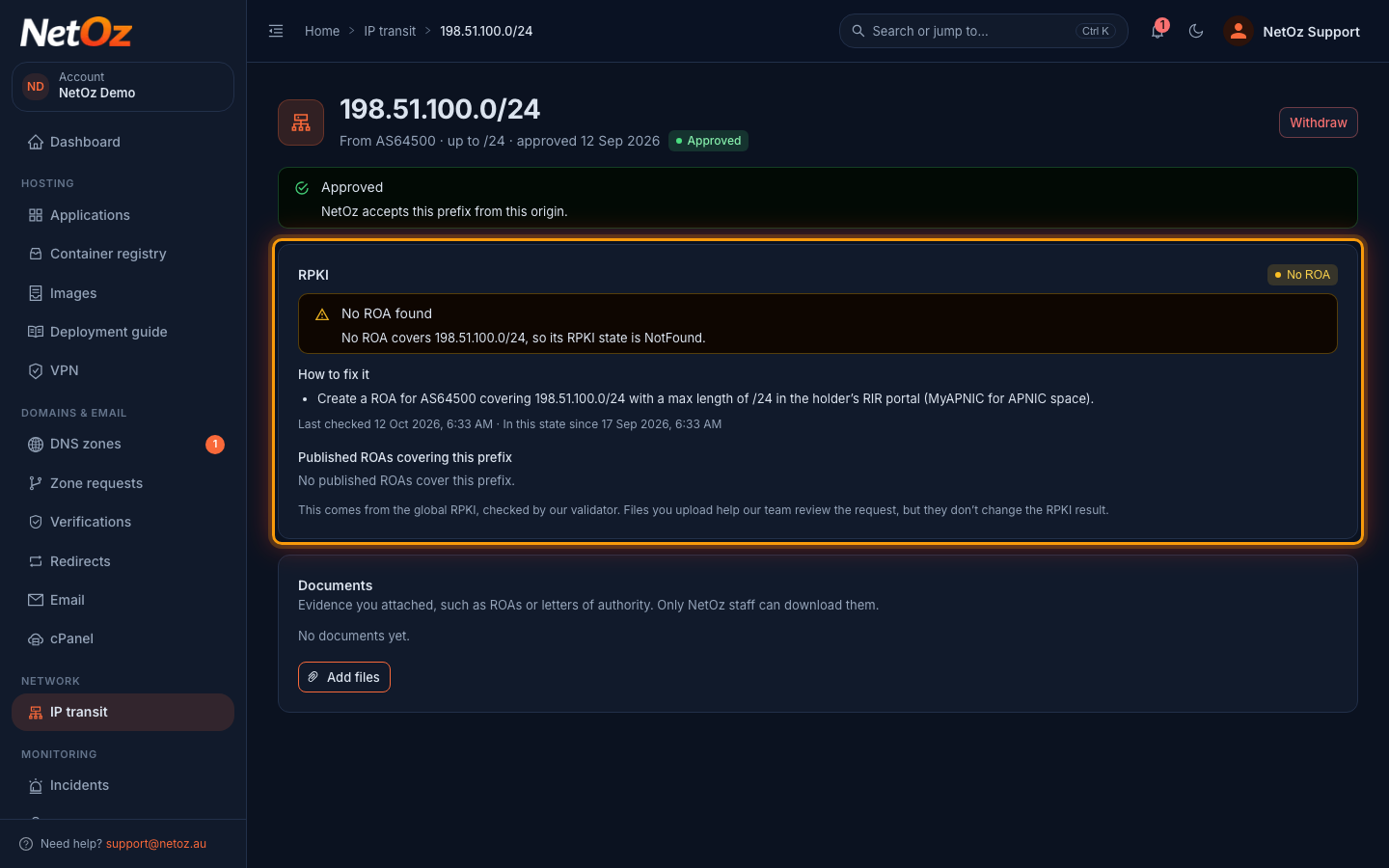
Open a prefix to see its full RPKI card. No ROA means no published ROA covers the prefix. The route still works today, because networks that drop Invalid routes still accept NotFound ones, but anyone could announce your space and RPKI wouldn’t stop them. How to fix it tells you the exact ROA to create at your RIR.
Step 4 Keep an eye on RPKI health
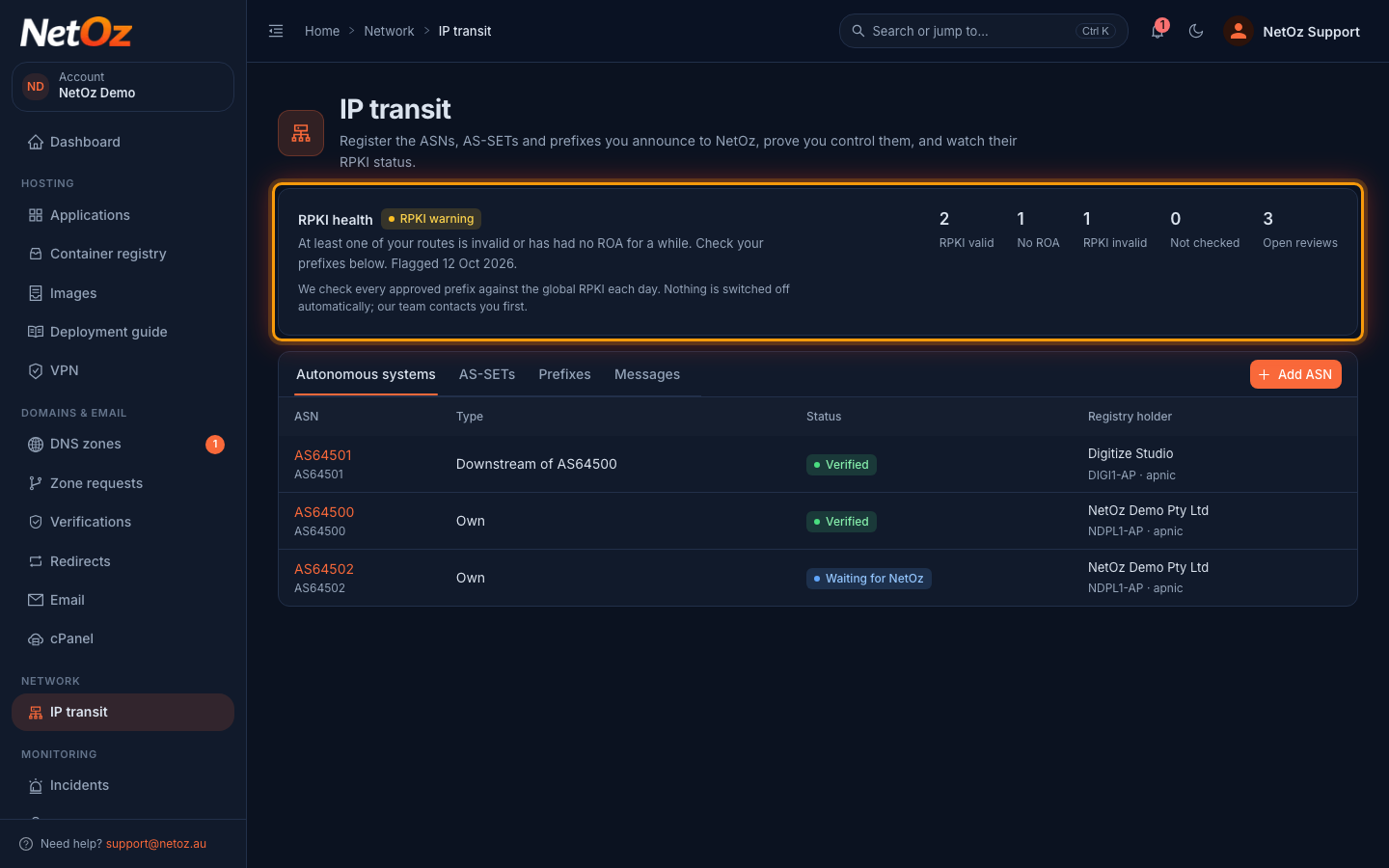
We check every approved prefix once a day. If a route becomes RPKI invalid, we email you, open a review under Messages and the account shows RPKI warning. If it stays invalid for 3 days it becomes RPKI failing and our team follows up. Nothing is switched off automatically. When a fixed route returns to Valid, we email you and close the review.
What each result means for routing
| Badge | RPKI state | What happens to the route |
|---|---|---|
| RPKI valid | Valid | A ROA authorises this origin and length. Networks that validate RPKI accept it. |
| No ROA | NotFound | No ROA covers the prefix. It is still accepted almost everywhere, but nothing stops someone else announcing your space. |
| RPKI invalid | Invalid | A ROA covers the prefix but doesn’t allow this origin or length. Networks that validate RPKI drop it. |
| Not checked | – | We couldn’t reach the validator. The previous result is kept and we retry automatically. |
If a prefix is Invalid, follow Fix an RPKI Invalid prefix. If it has had no ROA for 30 days, we email a reminder and your account shows RPKI warning until a ROA is published.
Was this guide helpful?
Your answer helps us keep these guides accurate.