Check your domain uses NetOz nameservers
See whether your domain is live on NetOz DNS, which nameservers the registry has for it now, and the exact nameservers to set at your registrar.
On this page
Records in a NetOz DNS zone only take effect once the registry for your domain points it at the NetOz nameservers. The NetOz Portal checks this for you and shows the result on every zone, so you can tell at a glance whether your records are live.
Before you start
- Anyone who can view a zone can see its nameserver status.
- To change nameservers, you need to sign in to your domain registrar, the company you pay to renew the domain. See Point your domain to NetOz nameservers.
Step 1 Check the Nameservers column
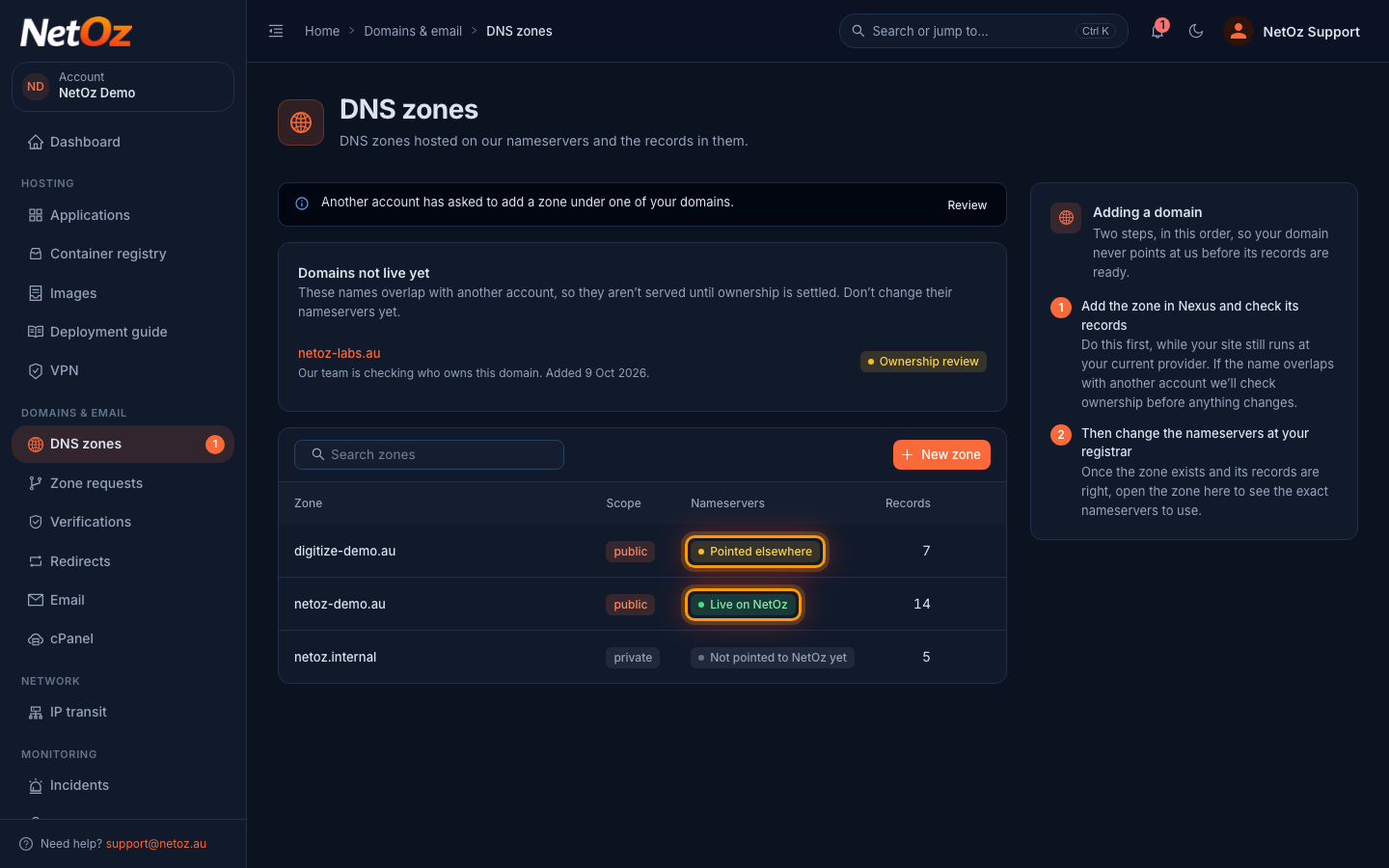
Go to DNS zones in the sidebar. The Nameservers column shows, for each zone, whether the domain uses NetOz nameservers. Hover over a status for a short explanation.
Step 2 Open the zone to see the details
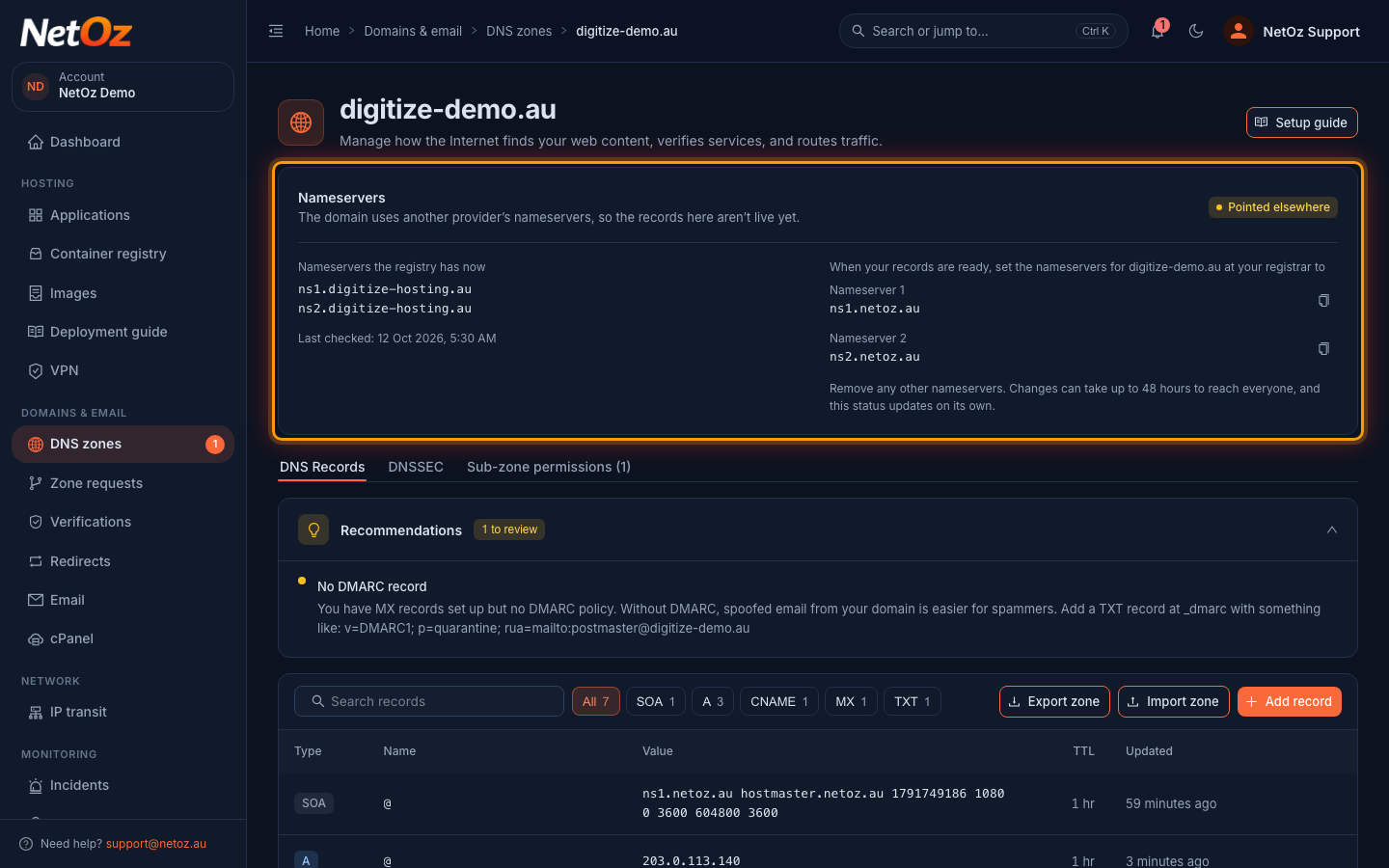
Select a zone to open it. The Nameservers panel at the top compares Nameservers the registry has now with the NetOz nameservers. Here the domain still uses another provider, so it shows Pointed elsewhere and the records in this zone are not live yet.
Step 3 Copy the NetOz nameservers
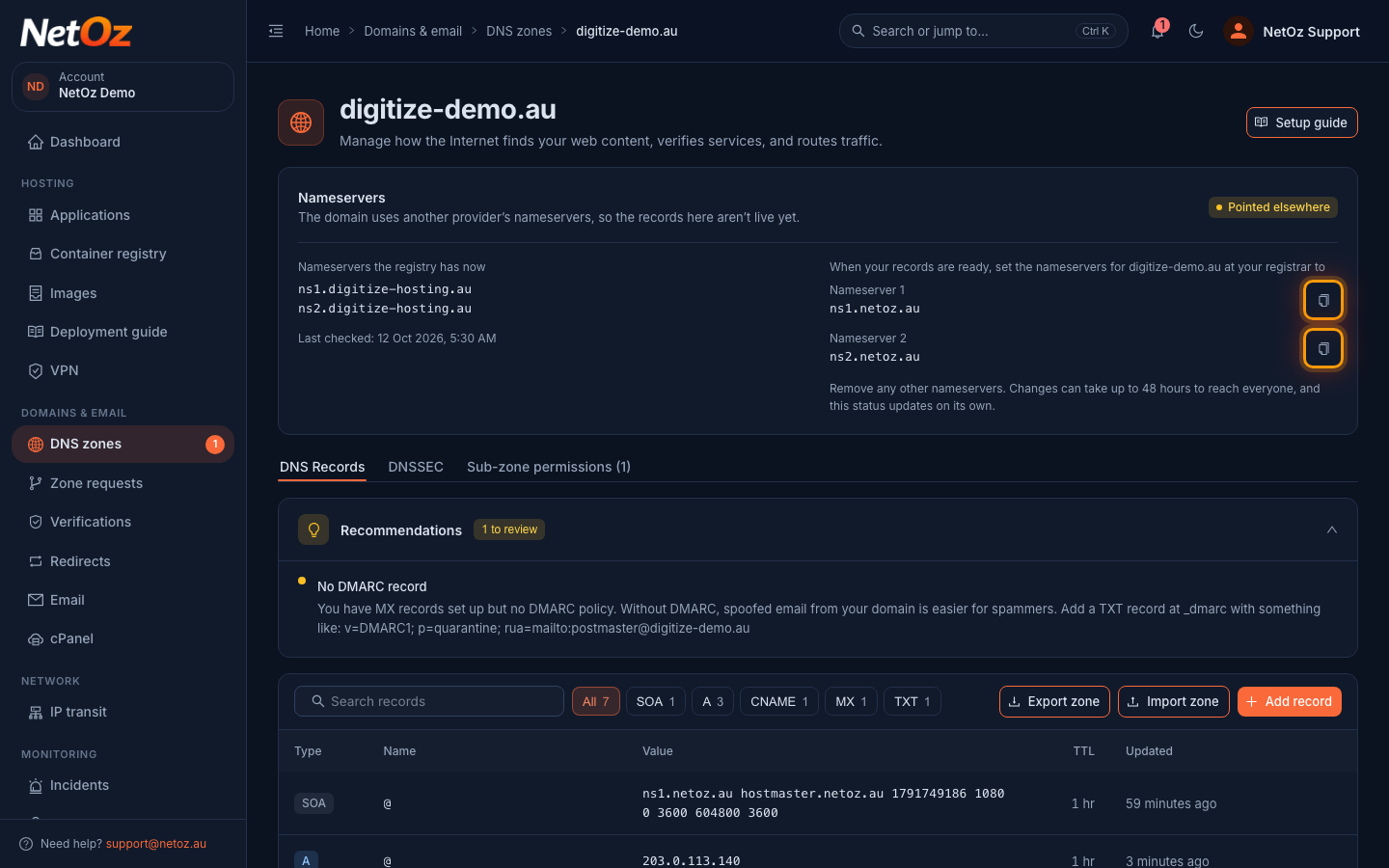
When your records are ready, set the nameservers at your registrar to Nameserver 1 and Nameserver 2 exactly as shown, using the copy buttons. Remove any other nameservers. Changes can take up to 48 hours to reach everyone.
Step 4 Change the nameservers at your registrar
Sign in to your registrar, find the nameserver or DNS settings for the domain and replace the existing nameservers with ns1.netoz.au and ns2.netoz.au. Point your domain to NetOz nameservers walks through it, including what to do if DNSSEC is on at your current provider.
Step 5 Wait for Live on NetOz
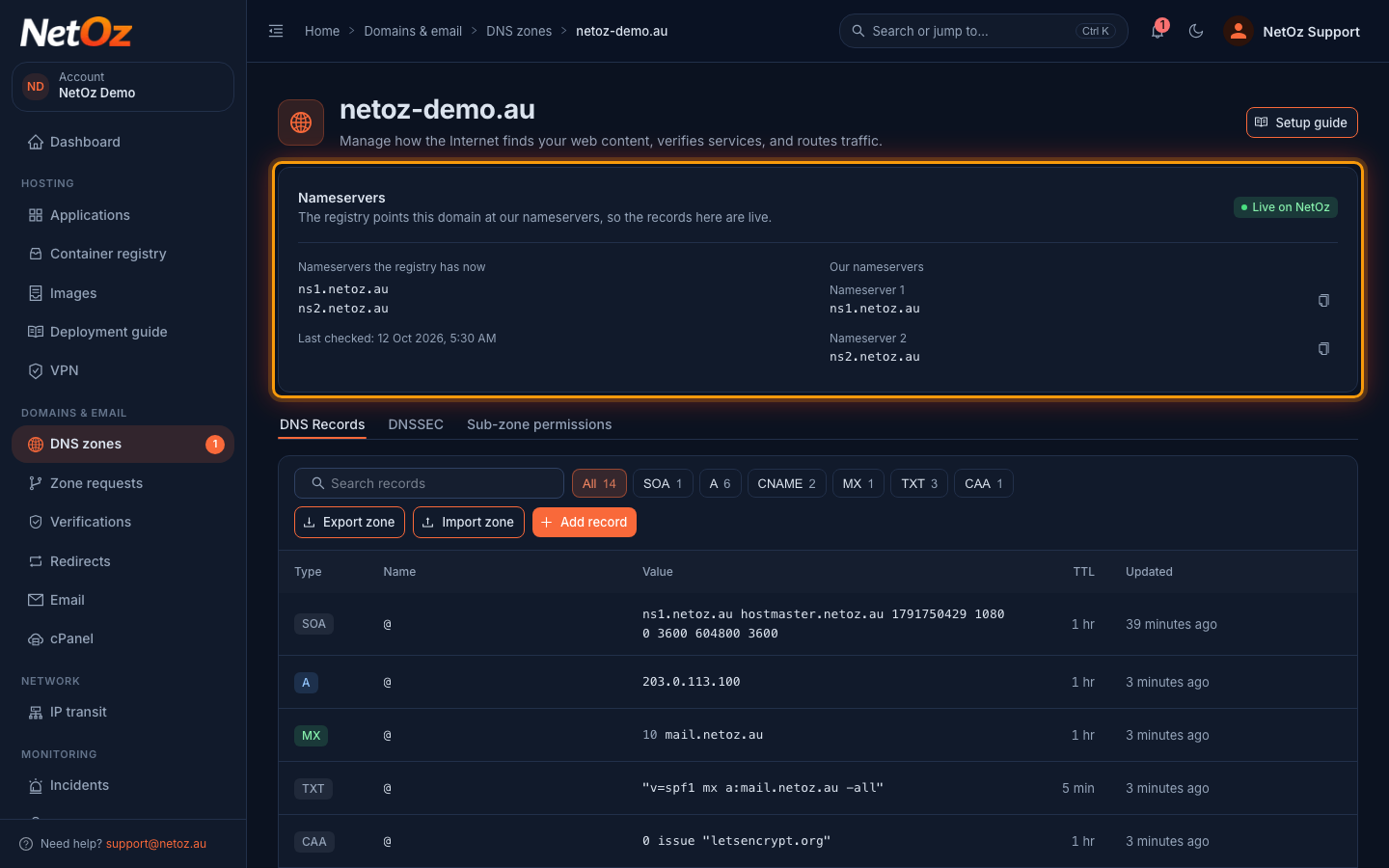
You do not need to do anything else. NetOz re-checks the registry and the status changes to Live on NetOz once the change has gone through. Last checked shows when it last looked.
Status reference
| Status | Meaning | What to do |
|---|---|---|
| Live on NetOz | The registry points the domain at NetOz nameservers, so the records in the zone are live. | Nothing. |
| Not pointed to NetOz yet | NetOz has not seen the domain use its nameservers yet. | Check your records, then change the nameservers at your registrar. |
| Pointed elsewhere | The domain uses another provider’s nameservers, so the records in the zone are not live. | Change the nameservers at your registrar when your records are ready. |
| Not registered | The registry has no record of the domain. | Register the domain before pointing it at NetOz. |
| Check failed | NetOz could not look up the nameservers on its last check. | Nothing. NetOz tries again automatically. |
Next steps
Ready to switch? Follow Point your domain to NetOz nameservers. Once the domain is live on NetOz, you can turn on DNSSEC.
Was this guide helpful?
Your answer helps us keep these guides accurate.