Enable DNSSEC for your domain and add the DS records
Turn on DNSSEC signing for a zone hosted on NetOz nameservers, then copy the DS record details to your domain registrar to complete the chain of trust.
On this page
DNSSEC digitally signs your DNS records so resolvers can check that answers really came from NetOz and were not tampered with. Turning it on is a two-part job: NetOz signs the zone, then you add the resulting DS records at your domain registrar.
Before you start
- You need to be an account admin, or have Domains & DNS set to Manage for this domain.
- Your domain should already use NetOz nameservers. If you are still moving it, see Point your domain to NetOz nameservers first.
- Make sure you can sign in to your domain registrar, the company you pay to renew the domain.
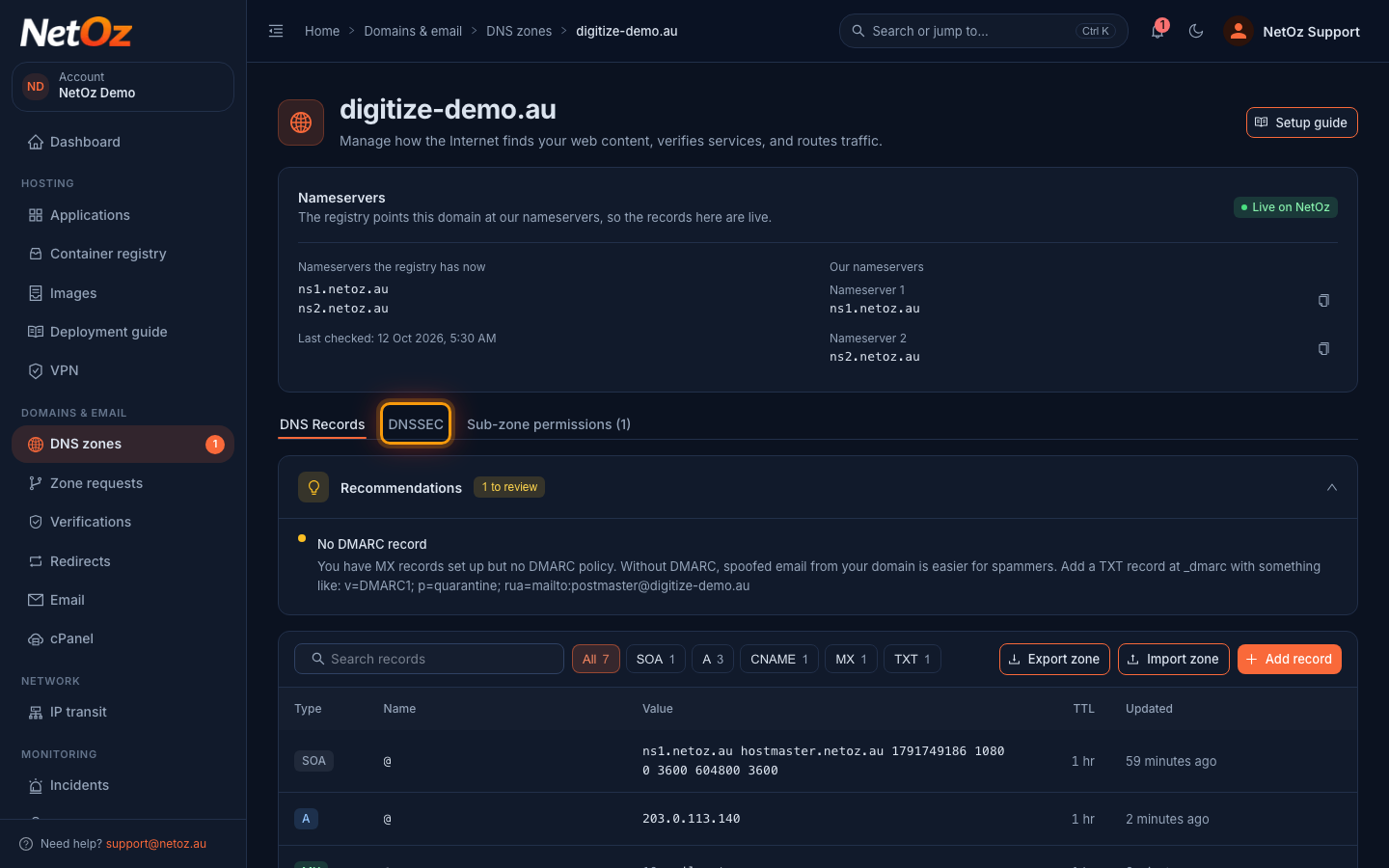
Step 1 Open the DNSSEC tab
Go to DNS zones, open the domain and select the DNSSEC tab.
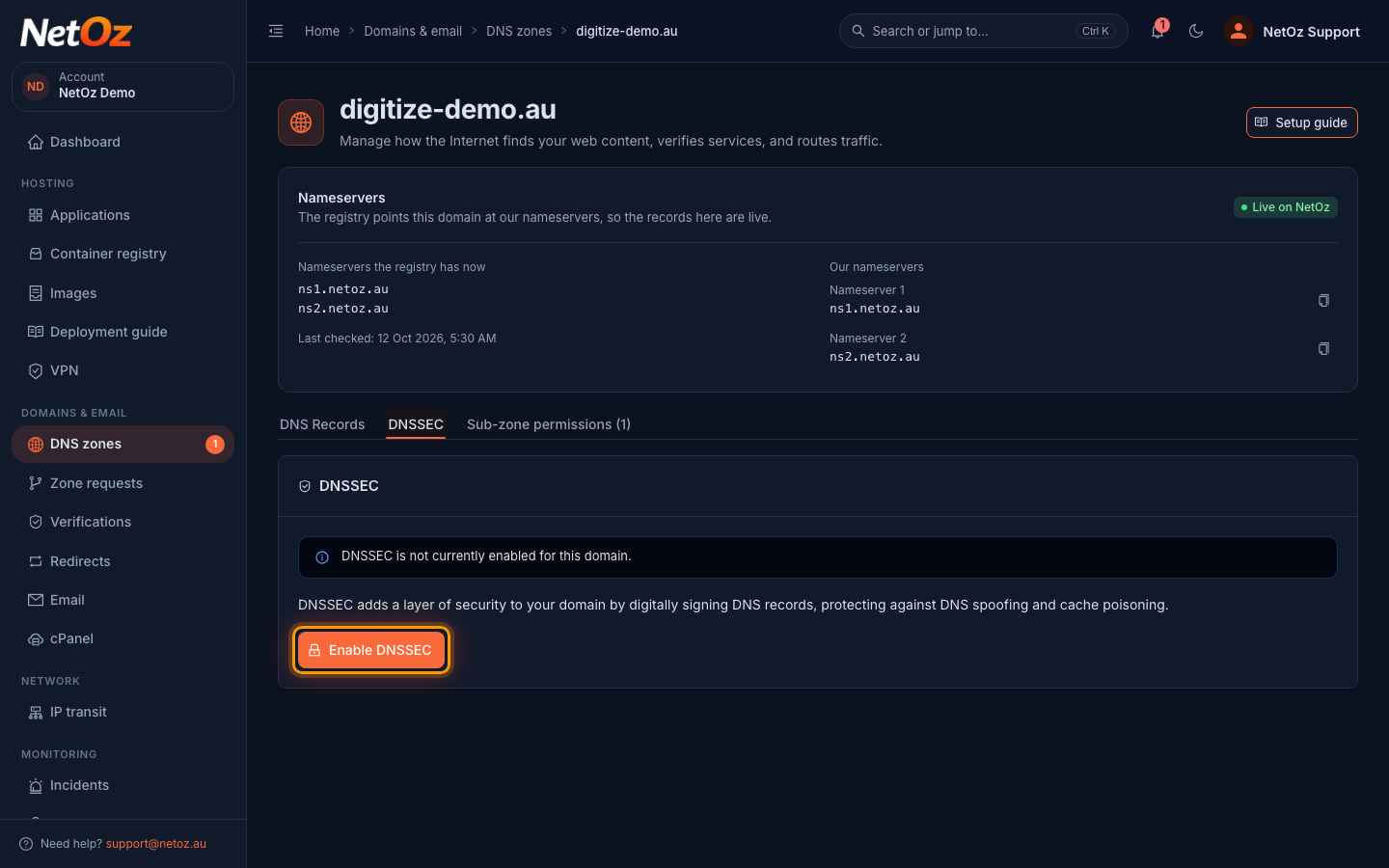
Step 2 Select Enable DNSSEC
If the zone is not signed yet, the tab says so. Select Enable DNSSEC.
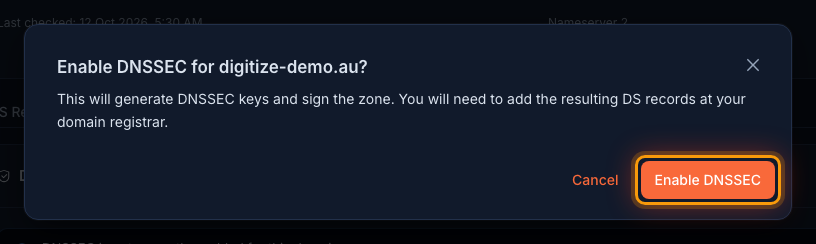
Step 3 Confirm
NetOz generates the signing keys and signs every record in the zone. Select Enable DNSSEC to confirm.
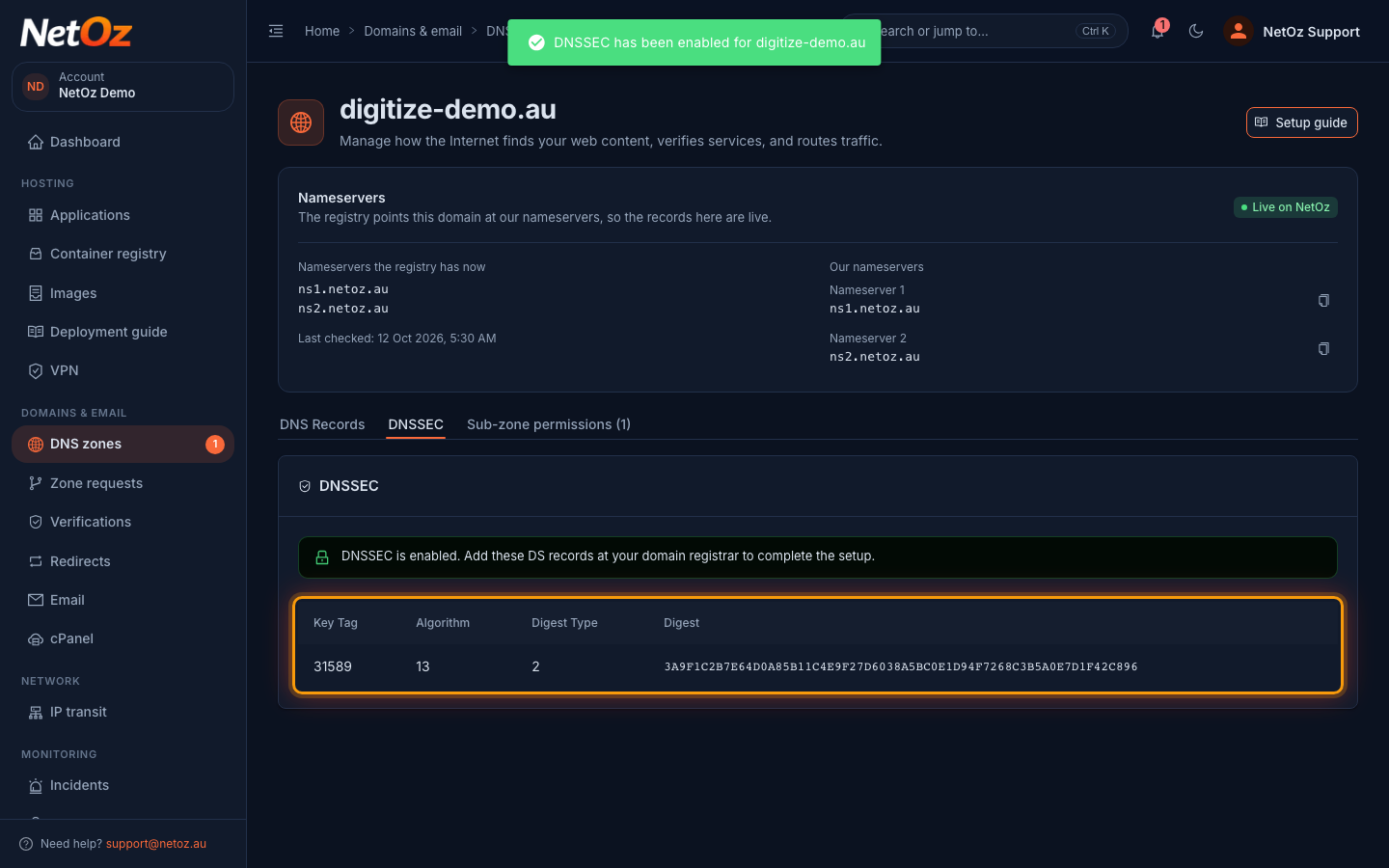
Step 4 Copy the DS records
When signing is finished, the tab shows the DS records for your domain. Keep this page open while you add them at your registrar.
Finish at your registrar
Sign in to your domain registrar, find the DNSSEC or DS records setting for the domain, and add each record using the Key Tag, Algorithm, Digest Type and Digest shown in the portal. Changes can take up to a day to spread. You can check the result with our DNSSEC validator.
If you later move the domain away from NetOz, remove the DS records at your registrar before changing nameservers, or the domain will stop resolving for many people.
Was this guide helpful?
Your answer helps us keep these guides accurate.