Check whether an IP address is blocked by NetOz firewalls
Find out whether a visitor, office or partner IP address is blocked by the firewalls on NetOz servers, which of your applications it affects and why.
On this page
NetOz servers drop traffic from addresses on threat feeds, such as Spamhaus, and from addresses blocked for abuse. If a customer, your office or a partner’s system can’t reach a site you host with us while everyone else can, check whether their address is blocked. The check shows the result across our network and for each of your applications.
Before you start
- You need Applications set to at least Read. The results include the applications you can see.
- Ask the person for their public IP address. They can find it by searching what is my IP in a browser.
Step 1 Open IP blocks
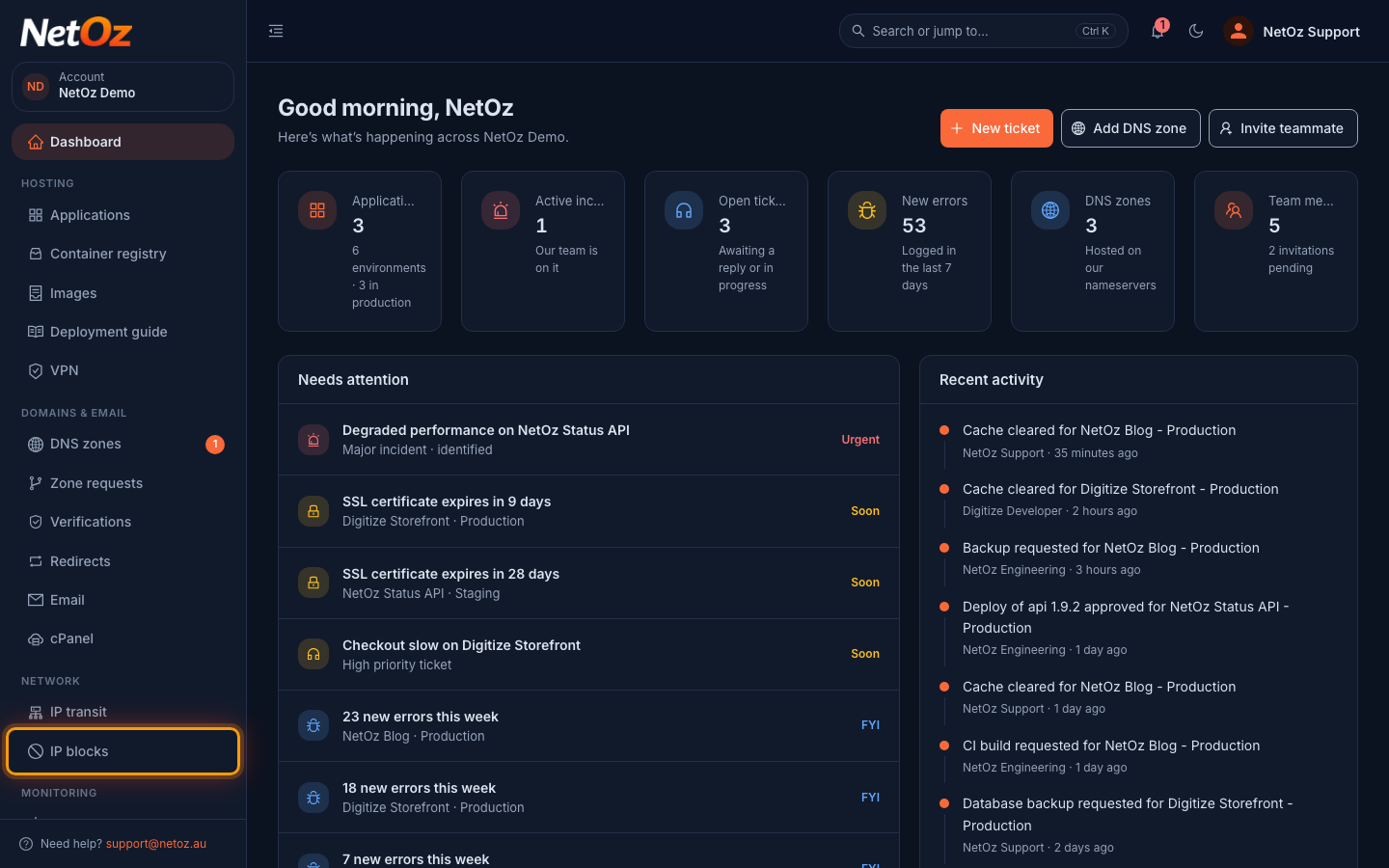
Sign in to the NetOz Portal and choose IP blocks under Network in the sidebar.
Step 2 Enter the address
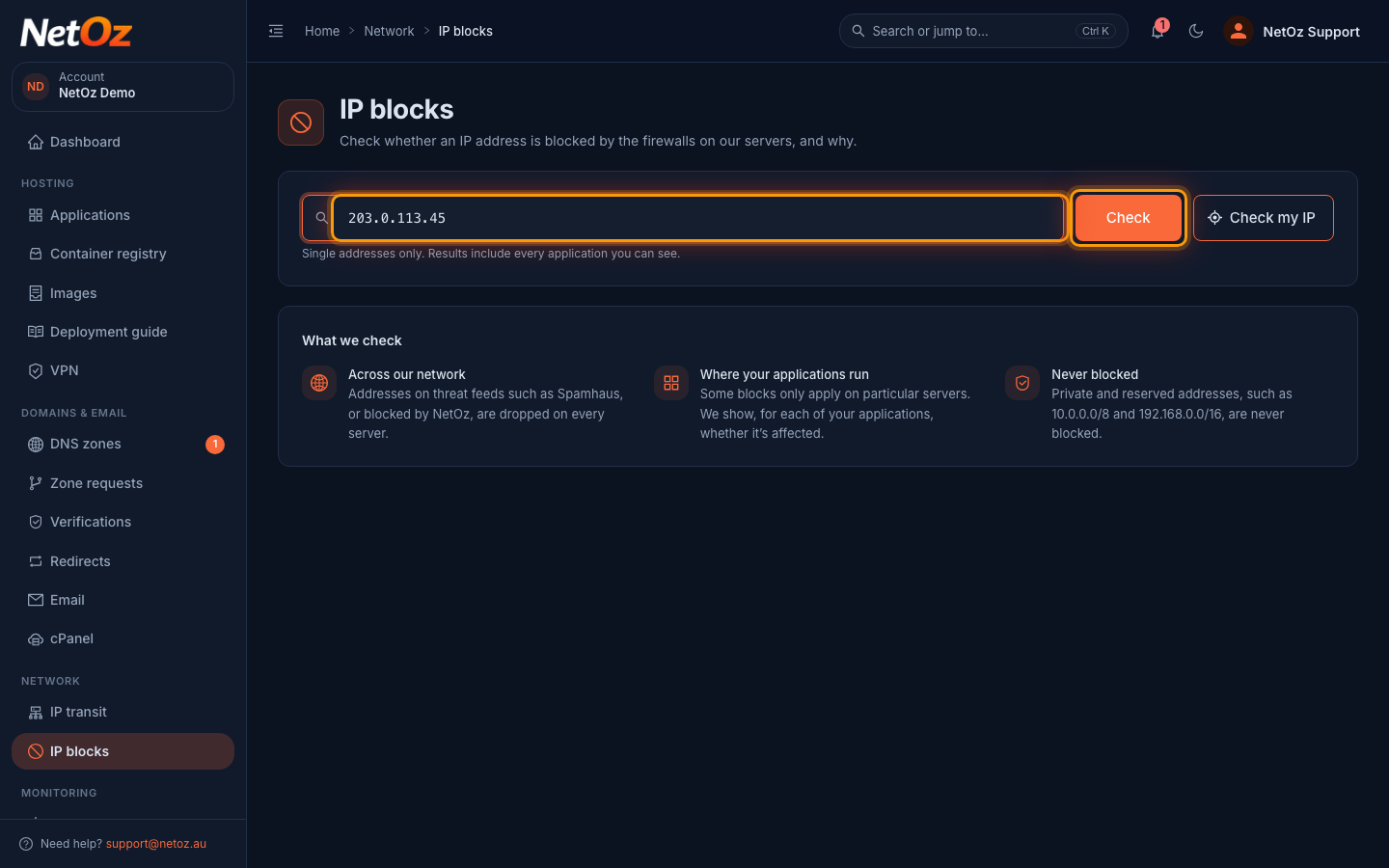
Enter a single IPv4 or IPv6 address, such as 203.0.113.45, and select Check. To check the address you are on now, select Check my IP instead.
Step 3 Read the result
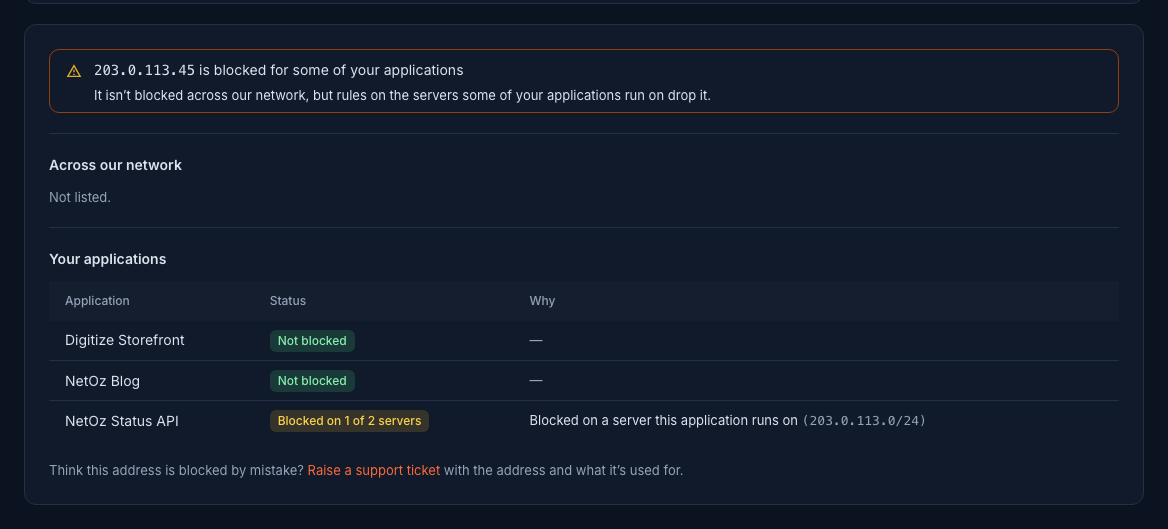
The heading gives the answer. Across our network lists anything that blocks the address on every server. Your applications shows each application and why it is affected. Here the address is only blocked on one of the two servers that run NetOz Status API, so people using that address may reach it some of the time and fail at others.
What the results mean
| Result | Meaning |
|---|---|
| is not blocked | No rule matches. If they still can’t connect, the problem is elsewhere, such as their own network or DNS. |
| is blocked | It’s blocked on every NetOz server, usually because it appears on a threat feed. |
| is blocked for some of your applications | A rule on a particular server drops it, so only the applications on that server are affected. Blocked on 1 of 2 servers means the application runs on more than one server and only some of them block it. |
| is never blocked | Private and reserved addresses, such as 10.0.0.0/8 and 192.168.0.0/16, are never blocked. |
Select Check my IP to check the address you are connecting from right now.
Blocked by mistake?
Open a support ticket with the address and what it’s used for. NetOz can add an override so it gets through, even if a threat feed lists it.
Was this guide helpful?
Your answer helps us keep these guides accurate.