Let another account add zones under your domain
Give a trusted NetOz account, such as your web agency, permission to create zones under your domain without asking each time, and see or revoke that permission later.
On this page
If another NetOz account regularly needs zones under your domain, such as an agency that builds campaign sites on *.digitize-demo.au, you can let them add those zones without a request each time. This is called a sub-zone permission. You give it when you approve one of their requests, and you can revoke it at any time.
Before you start
- Only account admins can give or revoke sub-zone permissions. Anyone whose access covers the whole account can see them.
- The other account needs its own NetOz account. They start by adding a zone under your domain, which sends you a request.
Step 1 Give permission when you approve a request
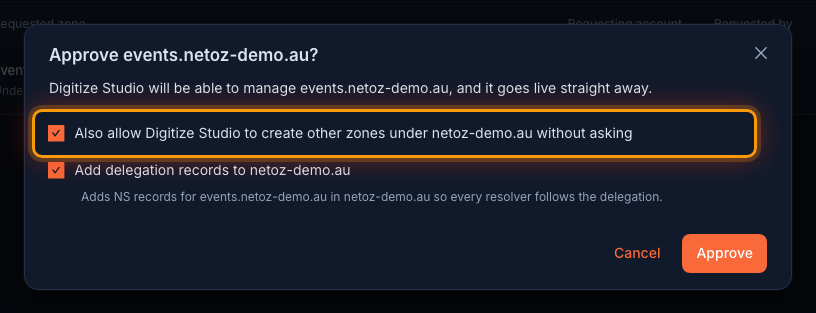
Go to Zone requests and select Approve on a request from the account. Tick Also allow … to create other zones under … without asking, then select Approve. See Approve or decline a request for the rest of the dialog.
Step 2 Open Sub-zone permissions
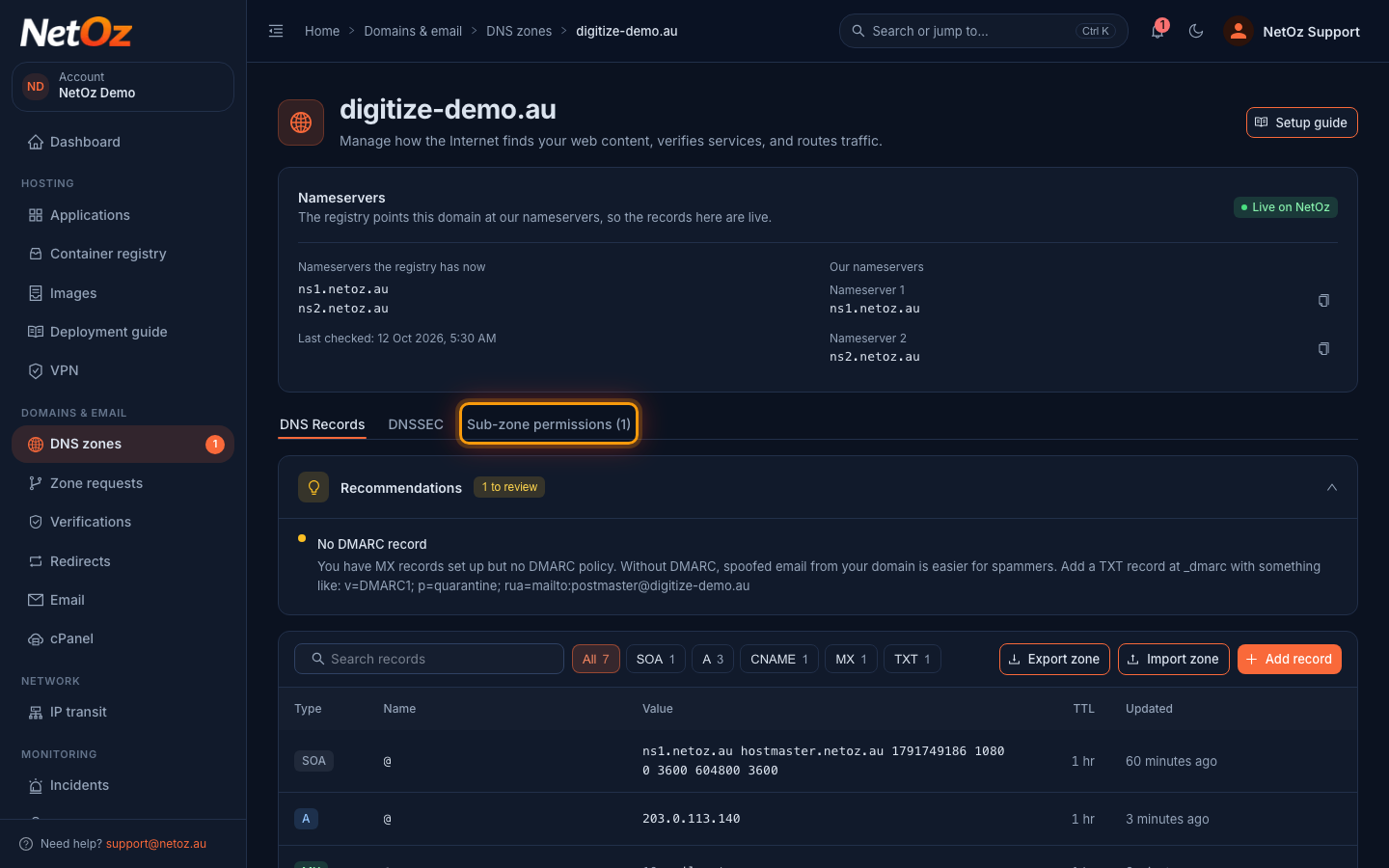
To see who has permission, go to DNS zones, open your domain and select the Sub-zone permissions tab. The number shows how many accounts currently have permission.
Step 3 Review who can add zones
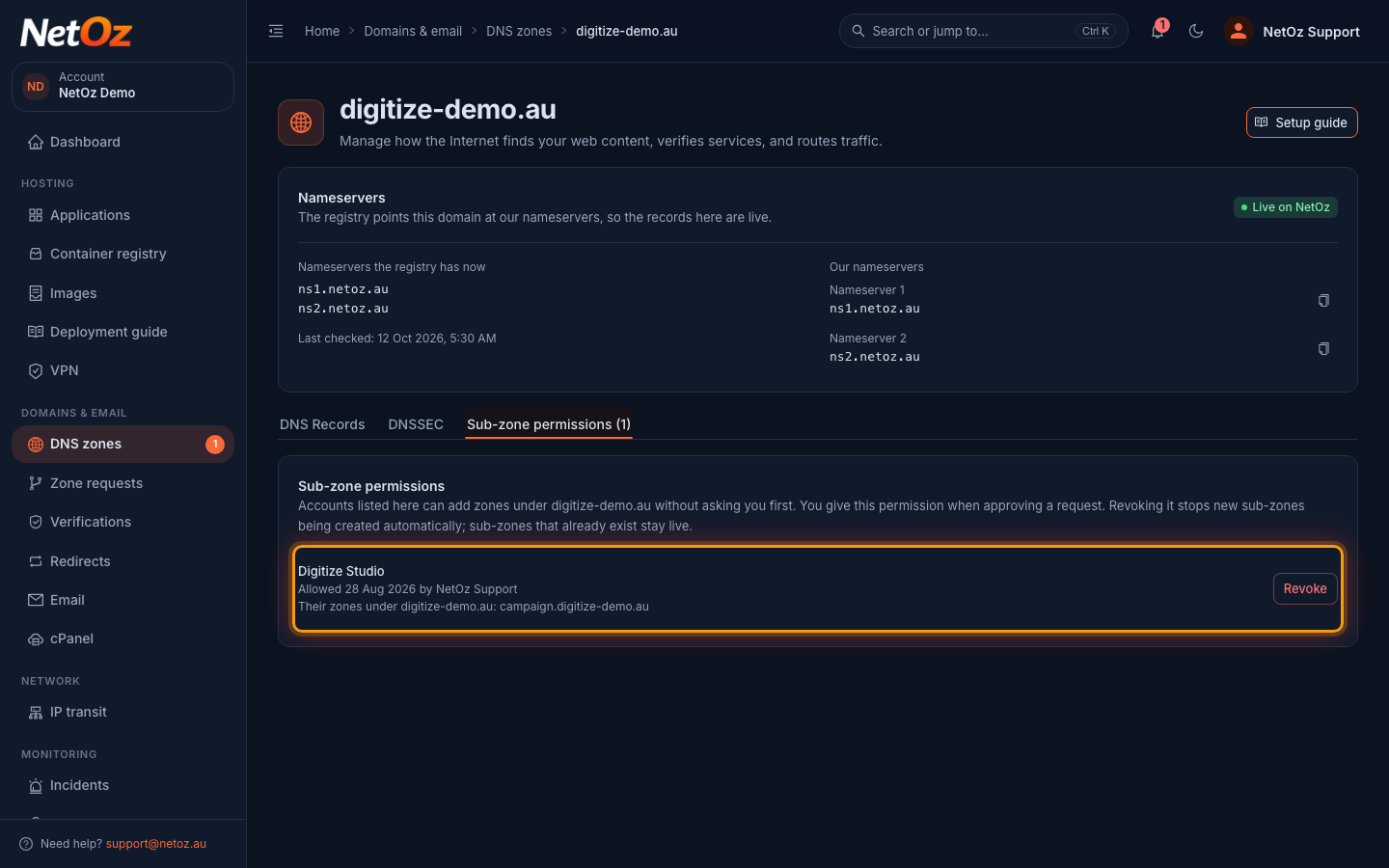
Each account is listed with when permission was given, who gave it and the zones it has added under your domain so far.
Step 4 Revoke the permission
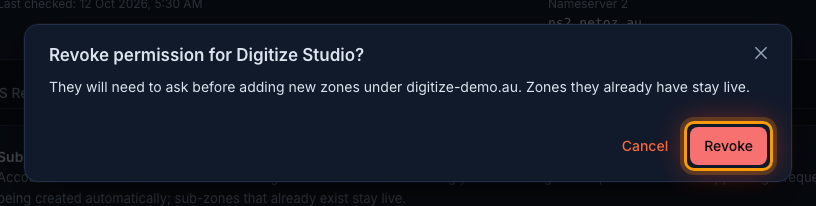
To stop it, select Revoke and confirm with Revoke. The account will need to ask before adding new zones under your domain. Zones they already have stay live.
What the permission covers
- New zones the other account adds under your domain are created straight away, and NetOz emails your account to let you know.
- They can also use names under your domain for their own redirects and service hostnames.
- Revoking the permission stops new zones being created automatically. Zones they already have stay live. To take one of those back, contact NetOz support.
Related guides
Was this guide helpful?
Your answer helps us keep these guides accurate.