Add, edit or delete a DNS record in the NetOz Portal
Create an A, CNAME, MX, TXT or other DNS record for your domain, change its value or TTL, or remove it, from the DNS zones area of the NetOz Portal.
On this page
DNS records tell the internet where to find your website, where to deliver your email and which services can act for your domain. This guide adds an A record that points a subdomain at a server, then shows how to edit or delete a record later.
Before you start
- You need to be an account admin, or have Domains & DNS set to Manage for this domain.
- Have the value ready, such as the server’s IP address or the hostname your provider gave you.
- Not sure which record type you need? Read DNS record types explained.
Step 1 Open the zone
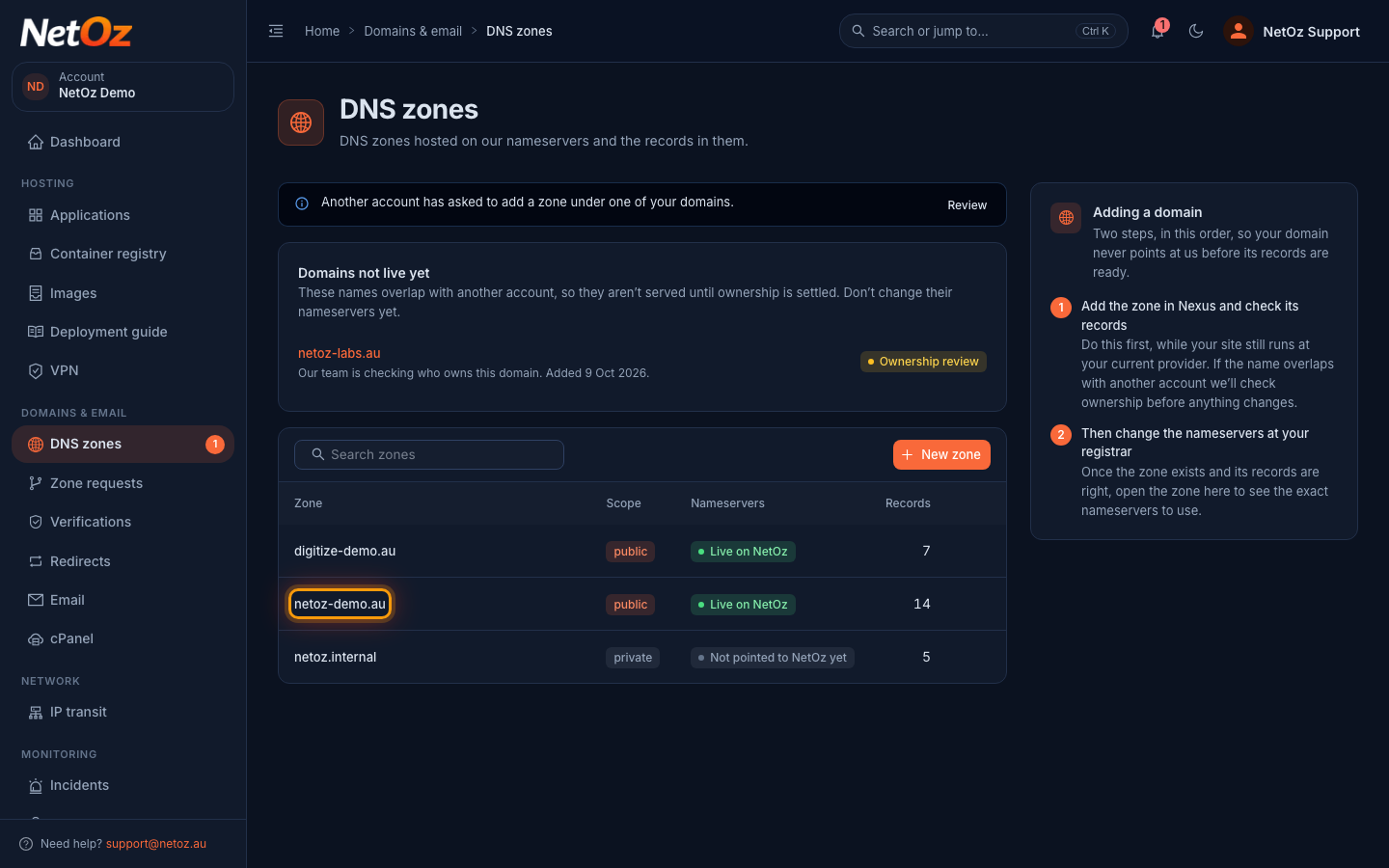
Go to DNS zones in the sidebar and select the domain you want to change.
Step 2 Select Add record
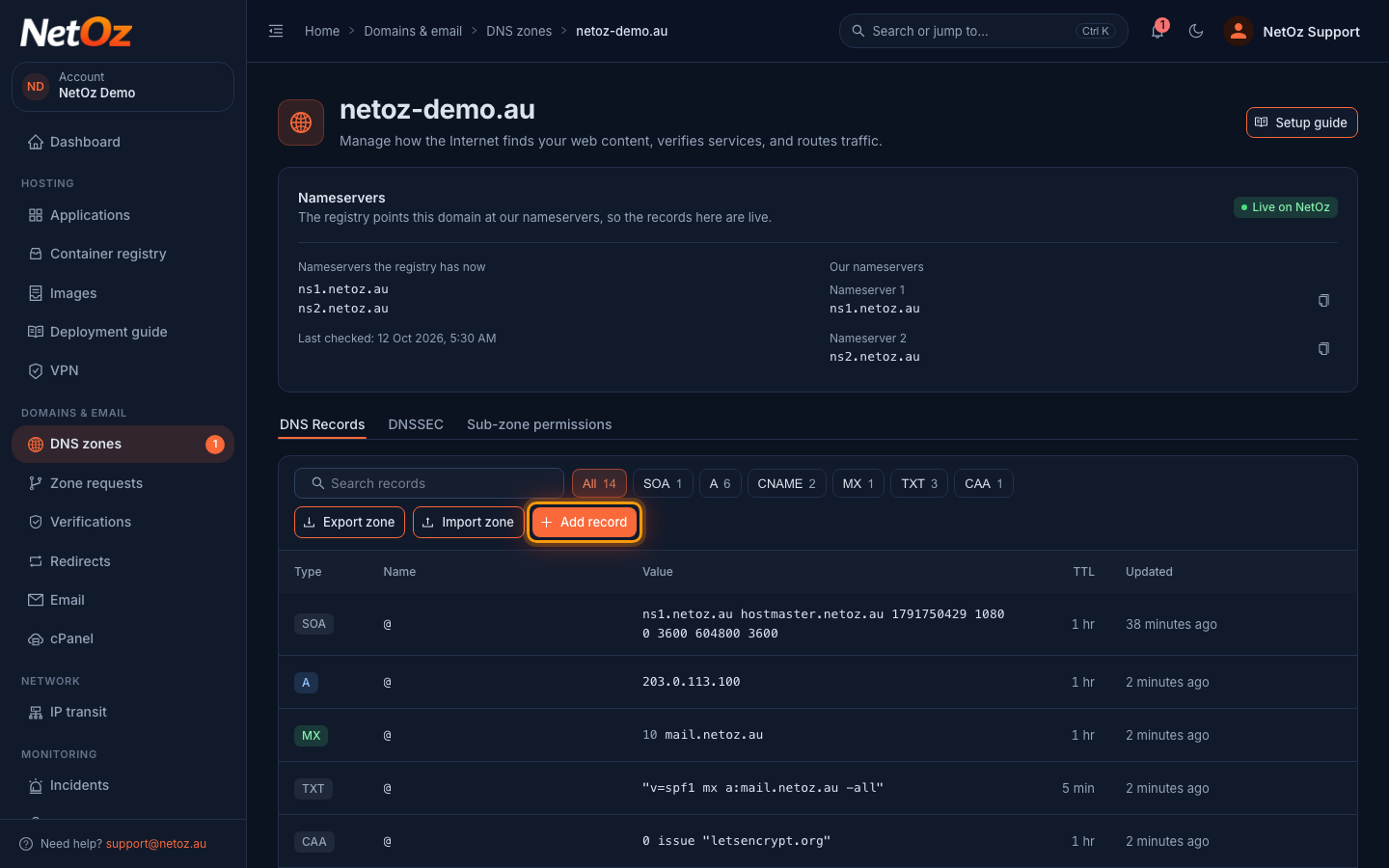
The zone lists every record with its type, name, value and TTL. Use the type buttons above the table to show only one type, such as MX. Select Add record.
Step 3 Fill in the record
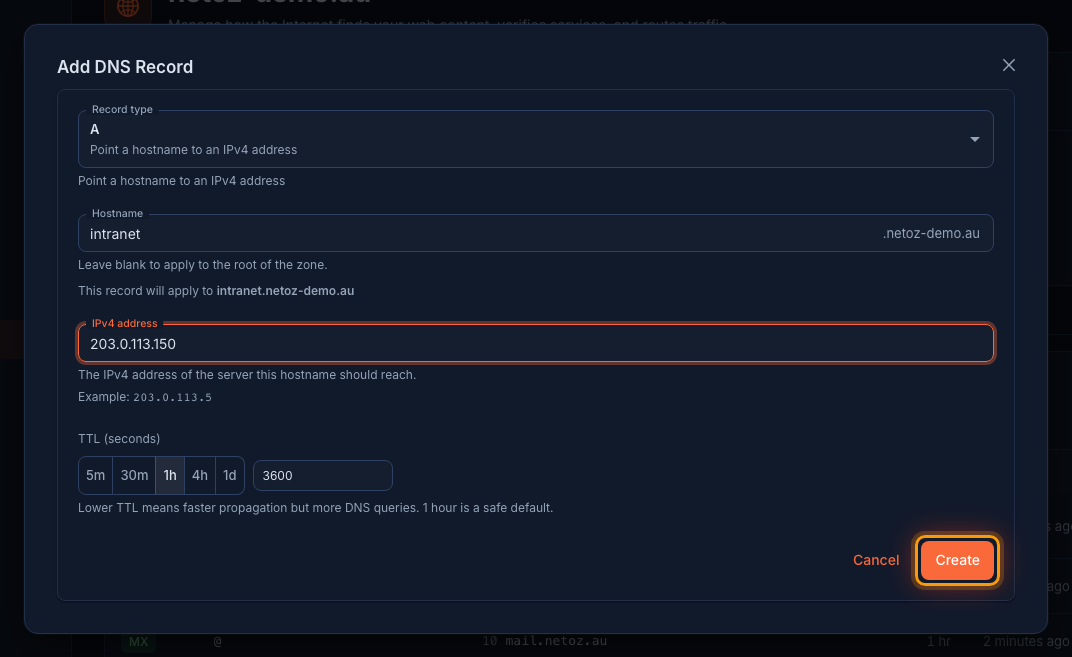
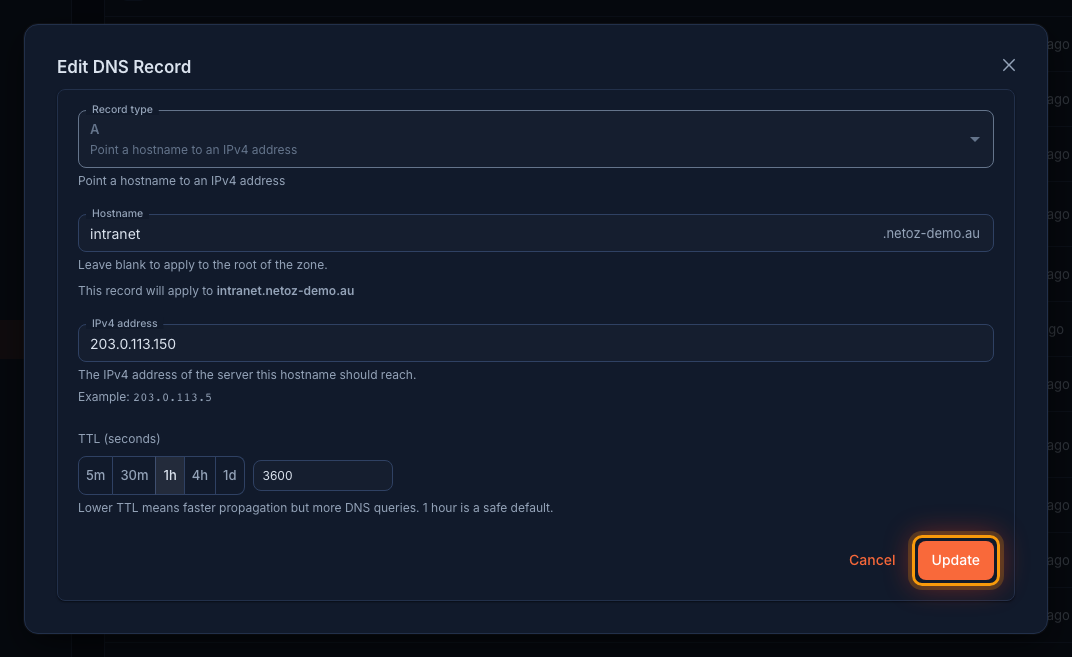
Choose the Record type. The form explains each type and changes its fields to match. Enter the Hostname, such as intranet, or leave it blank for the domain itself. The preview below shows the full name, here intranet.netoz-demo.au. Enter the value, choose a TTL (1 hour is a safe default) and select Create.
Step 4 Check the new record
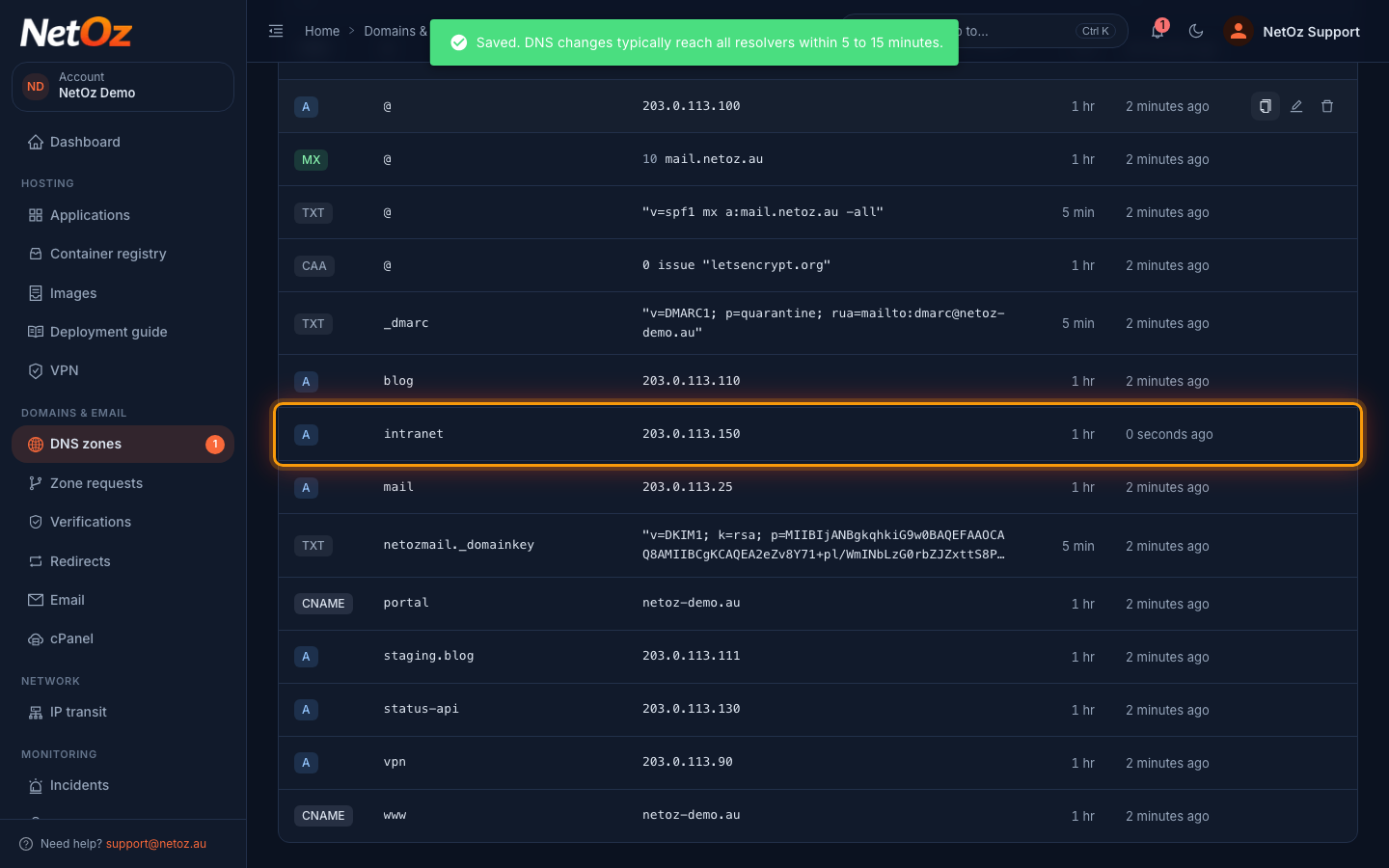
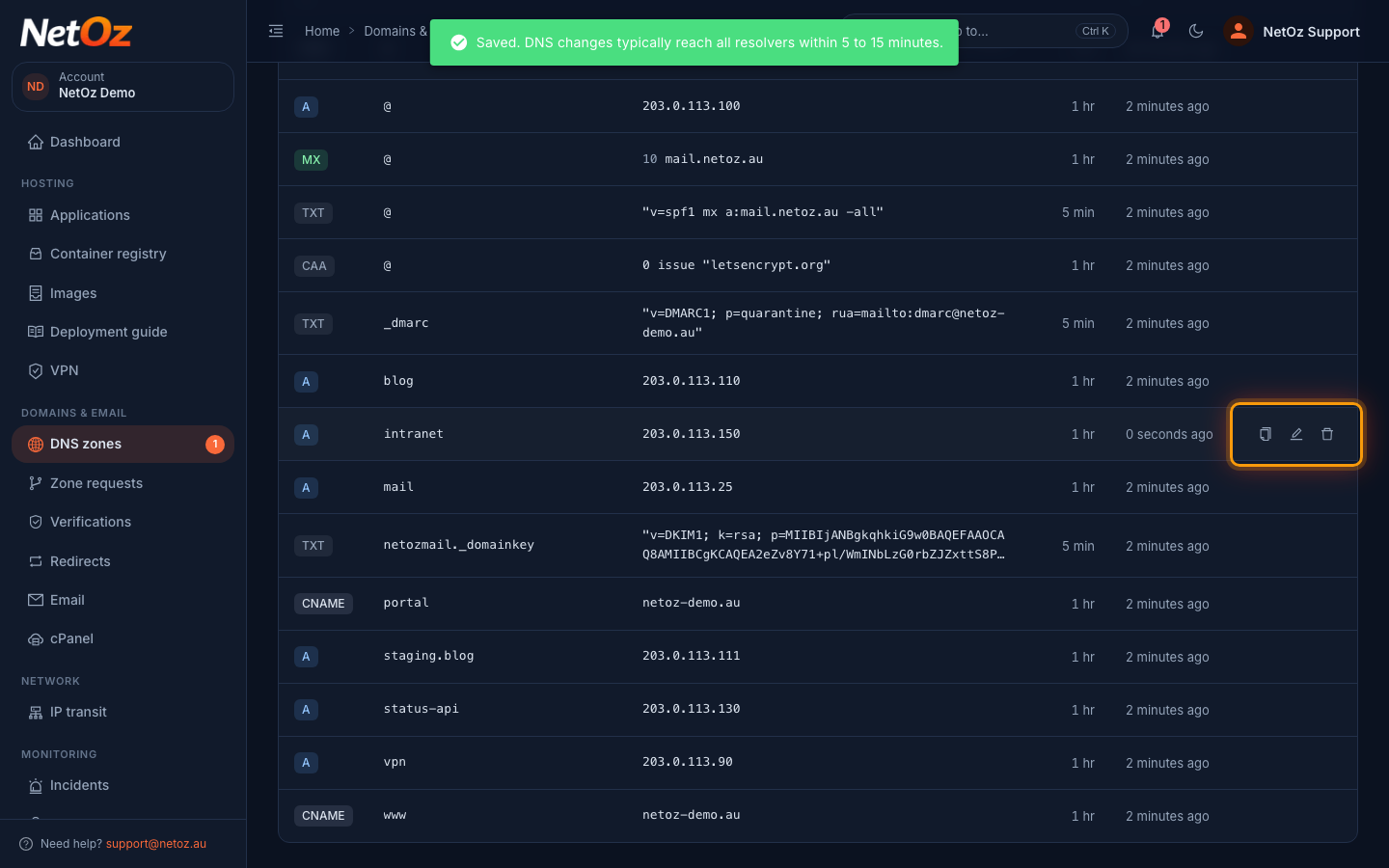
The record appears in the list. DNS changes typically reach all resolvers within 5 to 15 minutes.
Step 5 Edit or delete a record
To change a record later, select the pencil icon (Edit record) at the end of its row. The bin icon (Delete record) removes it after you confirm. Deleting cannot be undone, so copy the value first with Copy value if you might need it again.
Step 6 Save your changes
Change the hostname, value or TTL and select Update. The record type cannot be changed. To switch types, add a new record and delete the old one.
Good to know
- Changes usually reach resolvers within 5 to 15 minutes, but anyone who looked up the old value may keep it until its TTL runs out. Lower the TTL a day before a planned move.
- The SOA record is managed by NetOz and cannot be edited or deleted.
- The Recommendations panel above the records flags common problems, such as a missing SPF record, and suggests a fix.
Related guides
Was this guide helpful?
Your answer helps us keep these guides accurate.