Check VPN usage, server health and network details
See who is connected to your NetOz VPN, how much data each person has used this month, which networks are routed and whether the server is healthy.
On this page
The VPN page doubles as a dashboard. At a glance you can see who is connected now, monthly usage per person, and the network settings every device is configured with.
Step 1 See who is connected
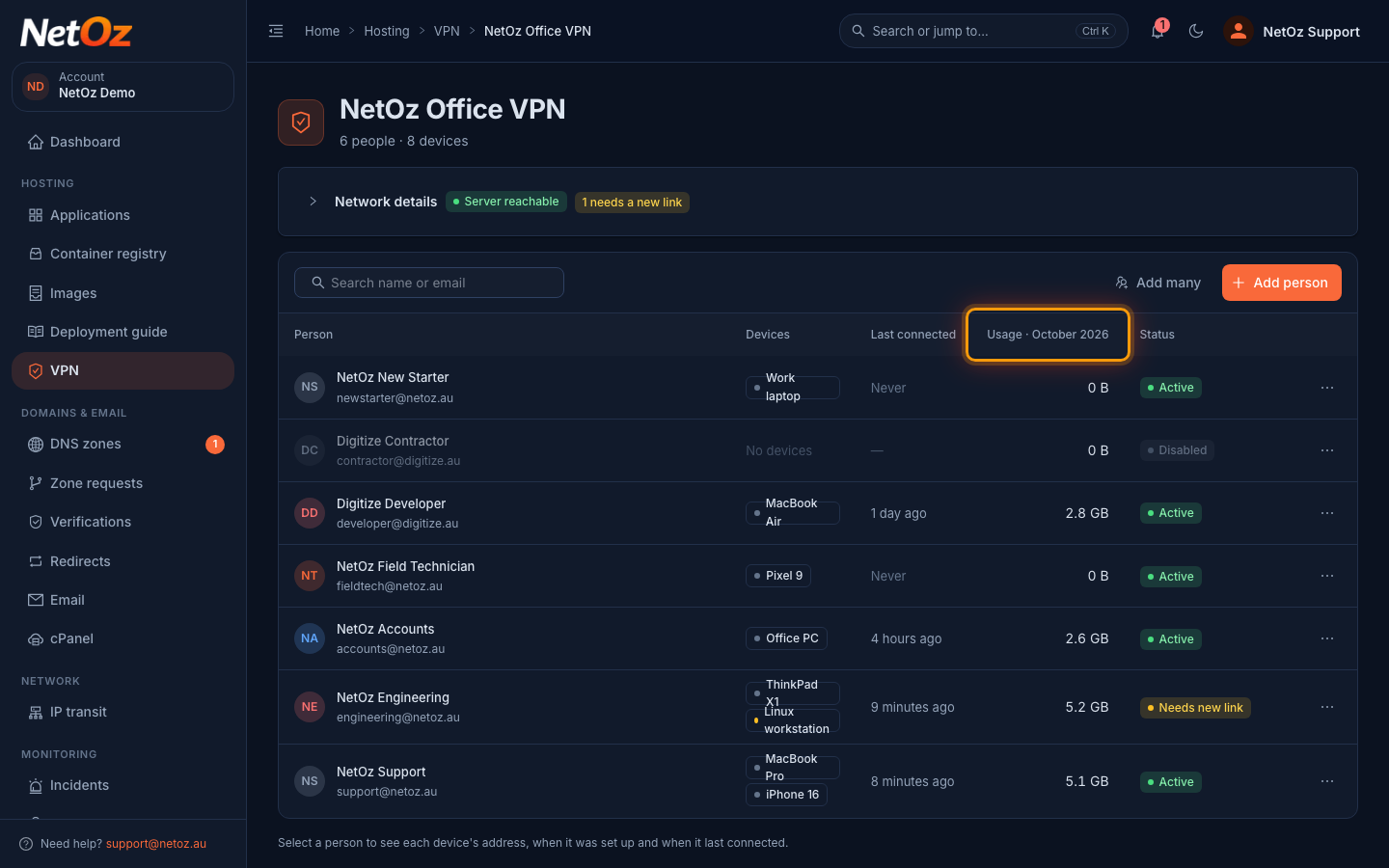
Connected now means the device has talked to the server in the last few minutes. Last connected shows the most recent handshake, and Usage is the traffic through the VPN so far this month (UTC). It resets at the start of each month.
Step 2 Open Network details
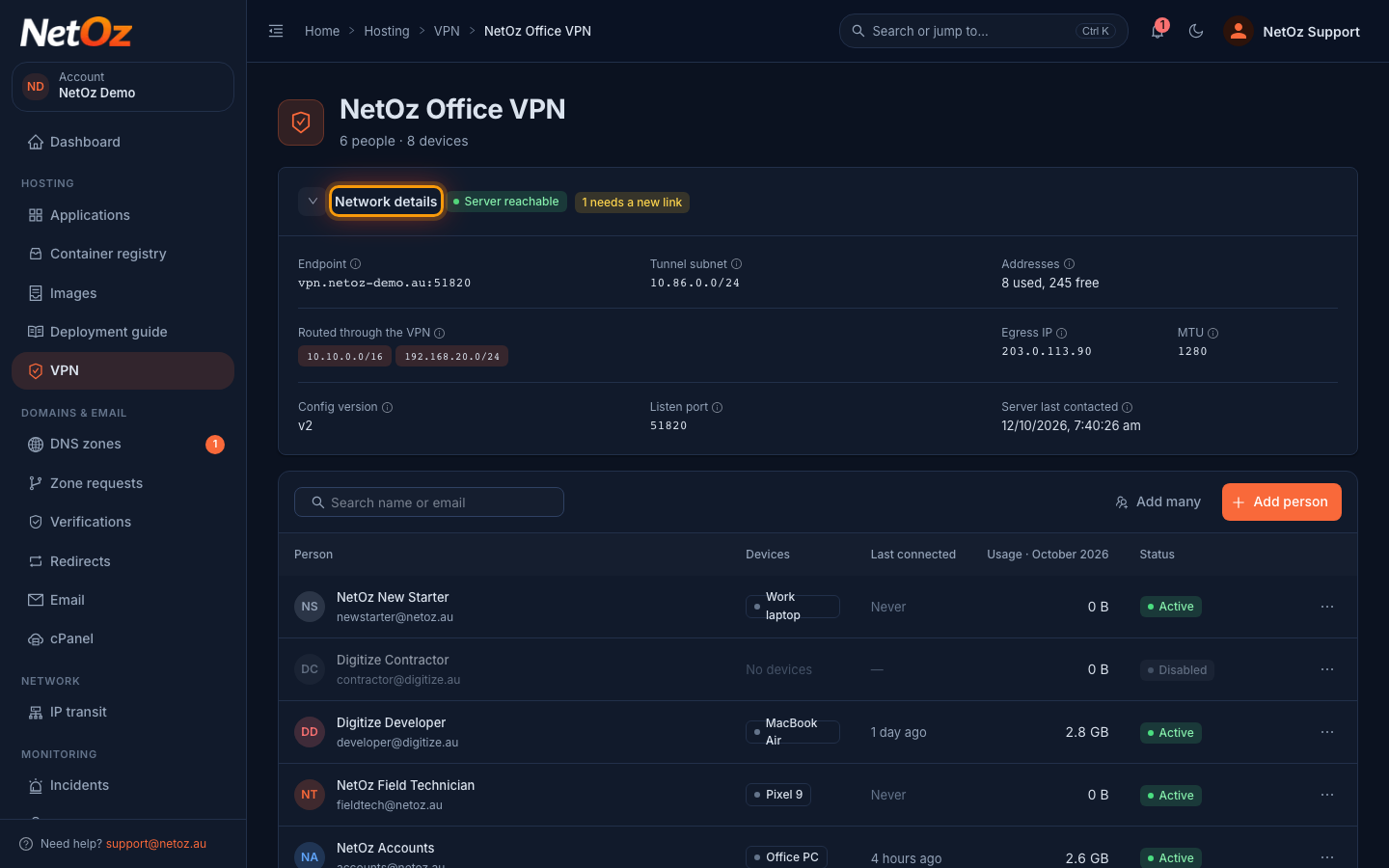
Select Network details to see the server endpoint, the tunnel subnet, the public IP your traffic leaves from, how many addresses are free and the private networks that are routed through the VPN. Only those networks use the tunnel. Everything else goes over the person’s normal internet connection.
Was this guide helpful?
Your answer helps us keep these guides accurate.