Troubleshoot signing in to cPanel from the NetOz Portal
Fix the most common problems when cPanel will not open from the NetOz Portal: a missing Login button, a blocked pop-up or a "Could not start a cPanel session" message.
Signing in to cPanel from the NetOz Portal usually takes one click. If it does not work, the cause is almost always one of the problems below.
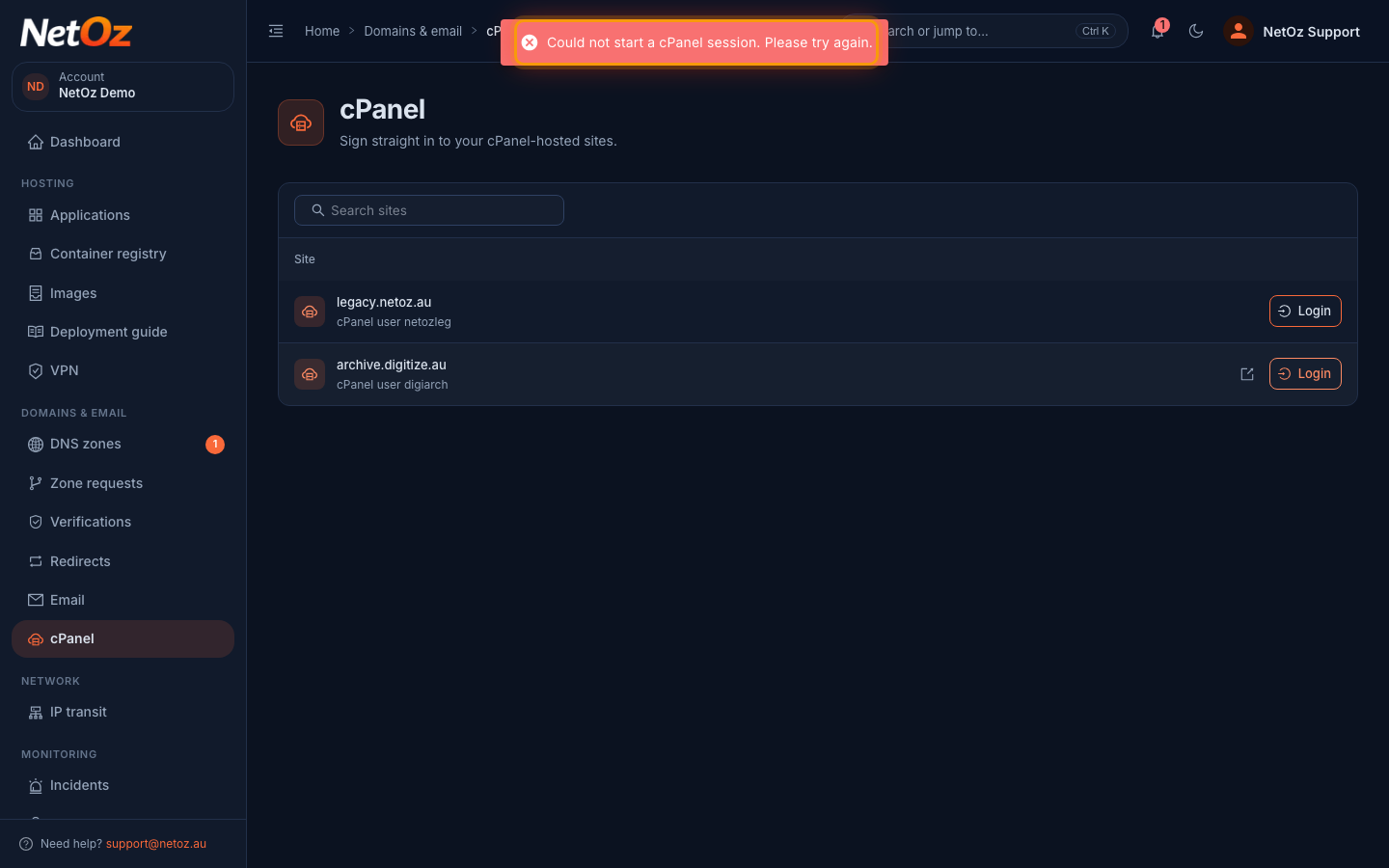
Step 1 If you see “Could not start a cPanel session”
This message means the portal could not reach the cPanel server to create your session. Wait a minute and select Login again. If it keeps happening, the server may be under maintenance, so check Incidents in the sidebar or contact NetOz support.
Other problems
There is no Login button. Your team access lets you view cPanel sites but not sign in. Ask an account admin to set cPanel to Manage for you.
A site is missing from the list. Only cPanel accounts linked to your NetOz account appear. Open a support case with the domain name and NetOz will link it.
Nothing happens when you select Login. Your browser may have blocked the new tab. Look for a blocked pop-up icon in the address bar, allow pop-ups for portal.netoz.au and try again.
Still stuck? Open a support case and include the site’s domain and the time you tried.
Was this guide helpful?
Your answer helps us keep these guides accurate.