Sign in to cPanel from the NetOz Portal
Open cPanel for any of your cPanel-hosted websites in one click from the NetOz Portal, without looking up a separate cPanel username or password.
On this page
If NetOz hosts websites for you on cPanel, you do not need a separate cPanel password. The NetOz Portal signs you straight in to the right cPanel account, so you can manage files, databases, email and more for that site.
Before you start
- You need to be an account admin, or have cPanel set to Manage on your team access. People with Read access can see the list of sites but cannot sign in.
- Allow pop-ups for portal.netoz.au, because cPanel opens in a new tab.
Step 1 Open cPanel from the sidebar
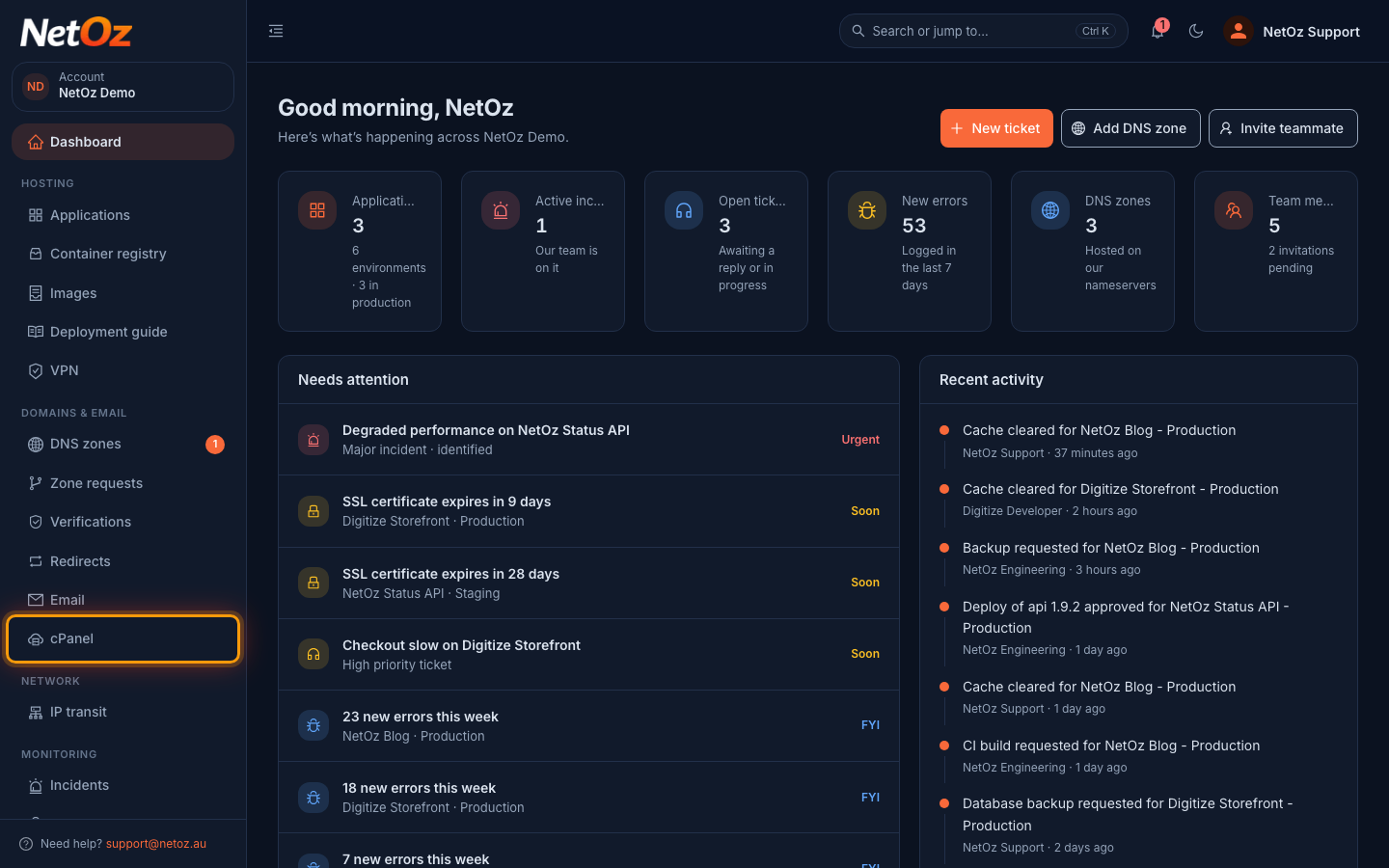
Sign in to the NetOz Portal and choose cPanel under Domains & email in the sidebar.
Step 2 Find the site
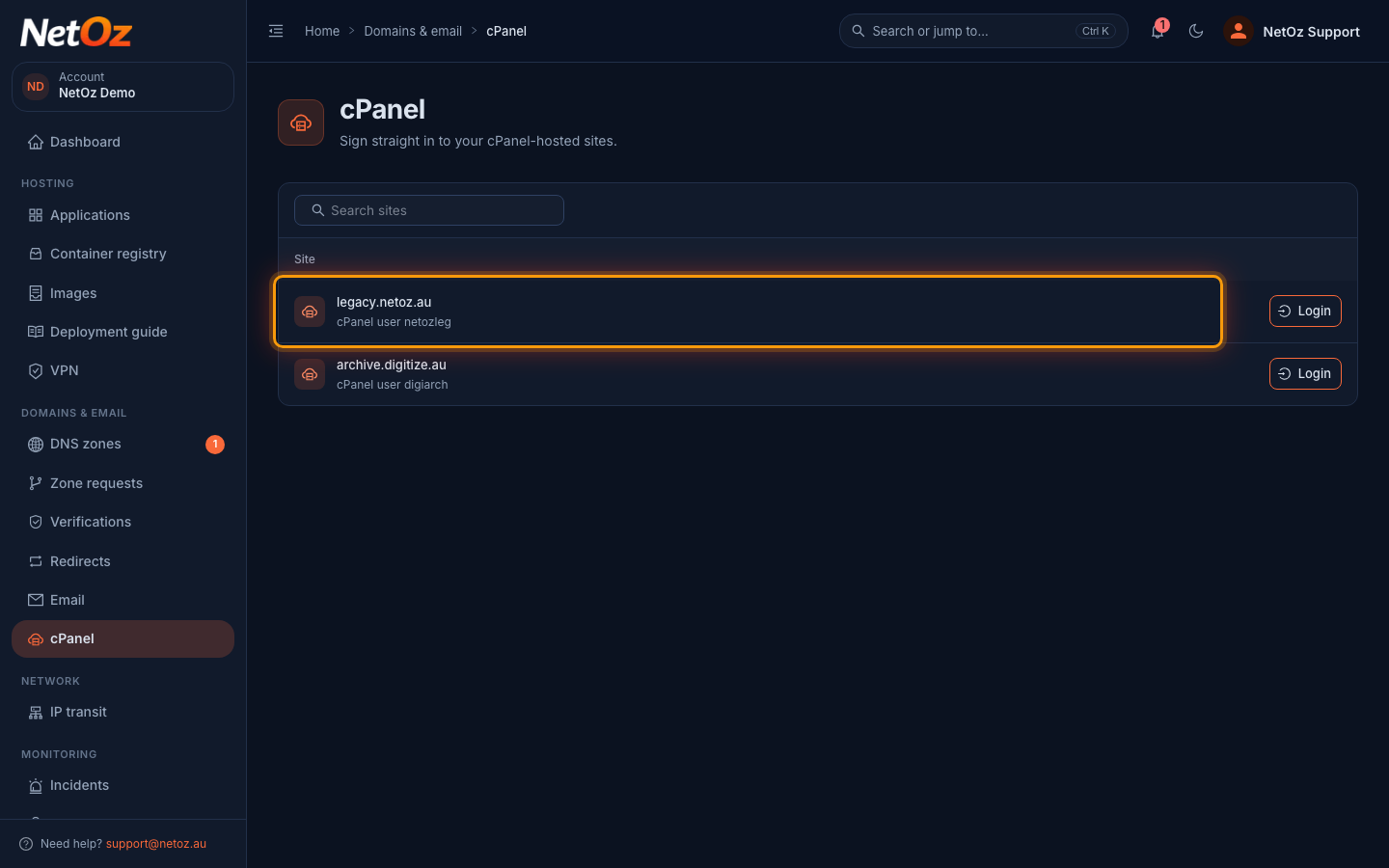
The list shows every cPanel-hosted site on your account, with the cPanel username underneath. If you have many sites, type part of the domain or username in Search sites.
Step 3 Select Login
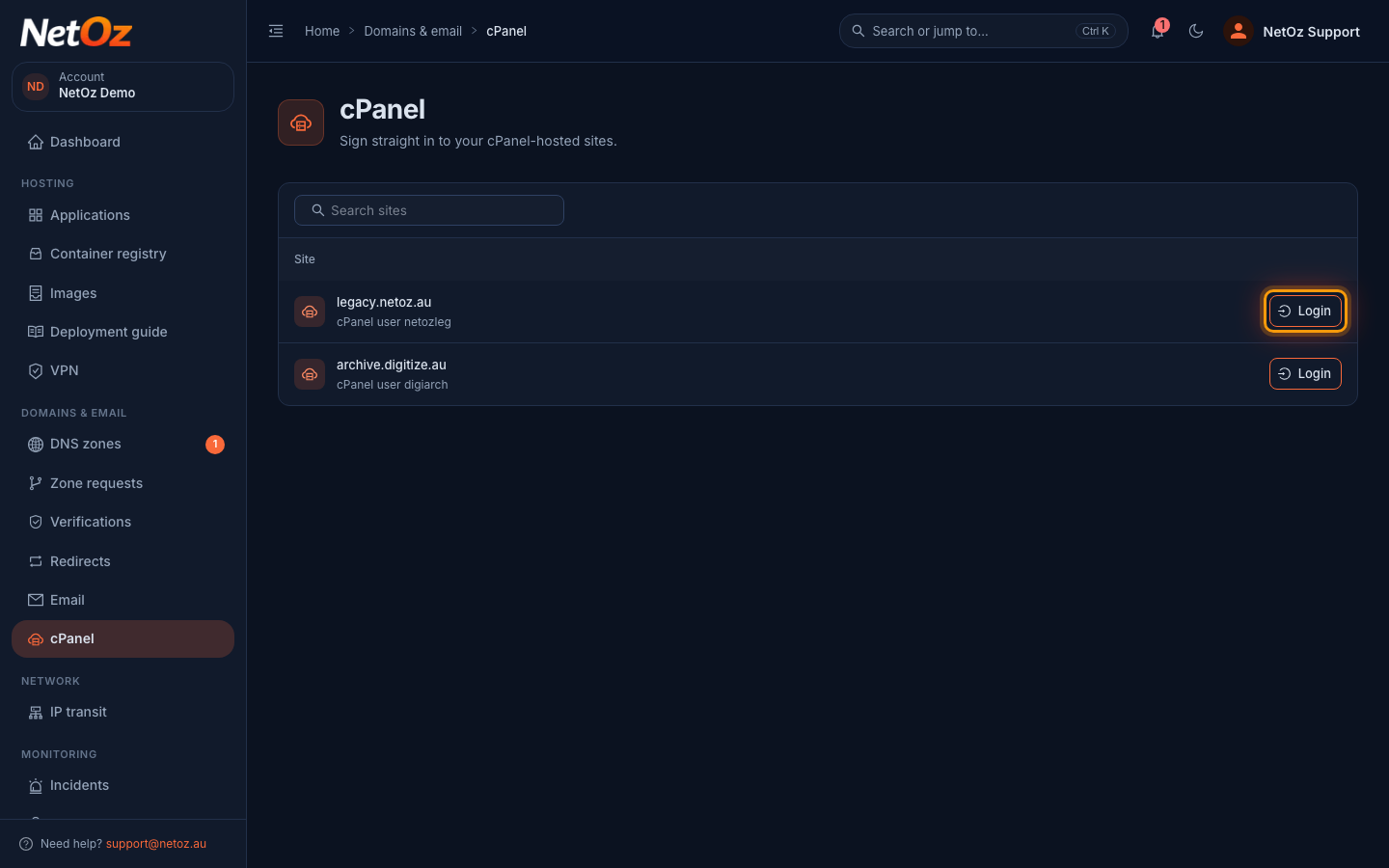
Select Login on the site’s row. To check the website itself instead, select the arrow icon (Visit site) next to it.
Step 4 Work in cPanel
cPanel opens in a new browser tab, already signed in to that site’s account. Close the tab or sign out of cPanel when you are done.
Good to know
- Each sign-in creates a fresh cPanel session, so select Login again whenever you need to get back in.
- Sign out of cPanel when you have finished, especially on a shared computer.
- If cPanel does not open, see Troubleshoot signing in to cPanel.
Was this guide helpful?
Your answer helps us keep these guides accurate.