DNSSEC for .au Domains: What It Protects and How to Enable It
Every time someone visits your website or sends you an email, their device asks DNS where to go. Ordinary DNS answers carry no proof of where they came from. If an attacker can get a forged answer accepted by a resolver, users can be sent to the wrong server without noticing anything in the address bar.
DNSSEC (DNS Security Extensions) fixes that by adding digital signatures to DNS. Resolvers that validate DNSSEC can check that an answer really came from the domain's authoritative nameservers and was not changed on the way.
This post explains how DNSSEC works, what it protects (and what it does not), and how to turn it on for a .au domain such as example.com.au.
How DNSSEC works, in plain English
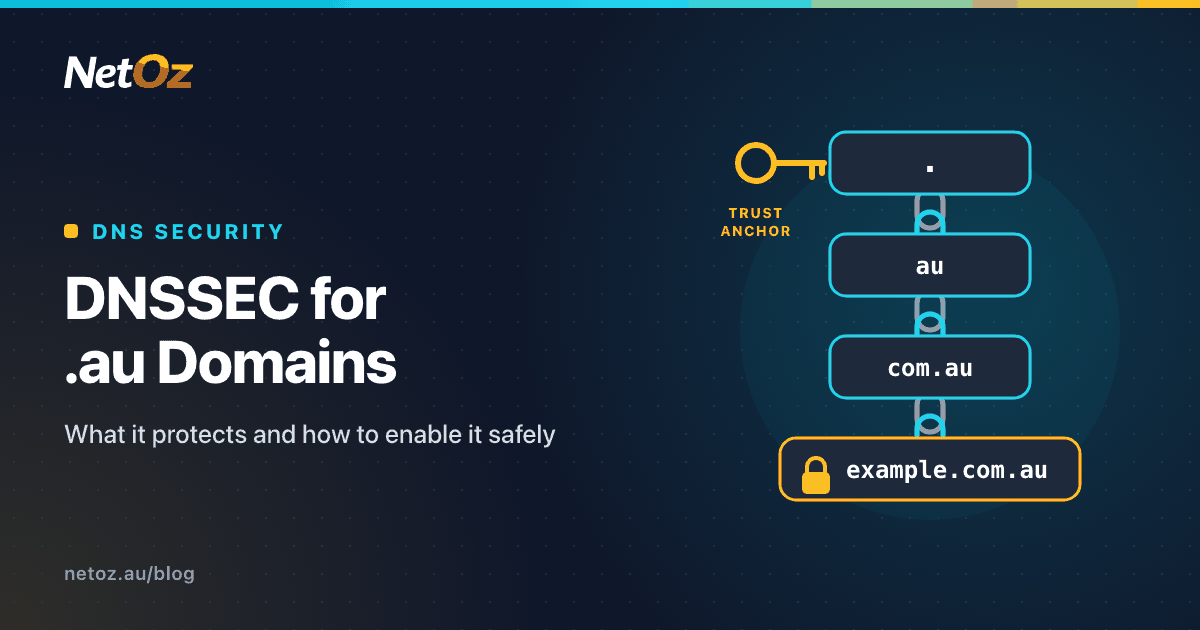
DNSSEC builds a chain of trust from the DNS root down to your domain:
- The root zone is signed, and validating resolvers have its public key built in as a "trust anchor".
- The root vouches for
.auby publishing a DS (Delegation Signer) record for it. The.auzone is signed, so.audomains can take part in DNSSEC. .auvouches forexample.com.auby publishing a DS record that your registrar submits on your behalf.- Your zone is signed by your DNS host, which publishes the public keys and a signature on every set of records.
If every link checks out, the resolver marks the answer as authenticated. If any link is broken, for example a signature does not match, the resolver treats the answer as bogus and returns a failure (SERVFAIL) instead of a possibly forged answer.
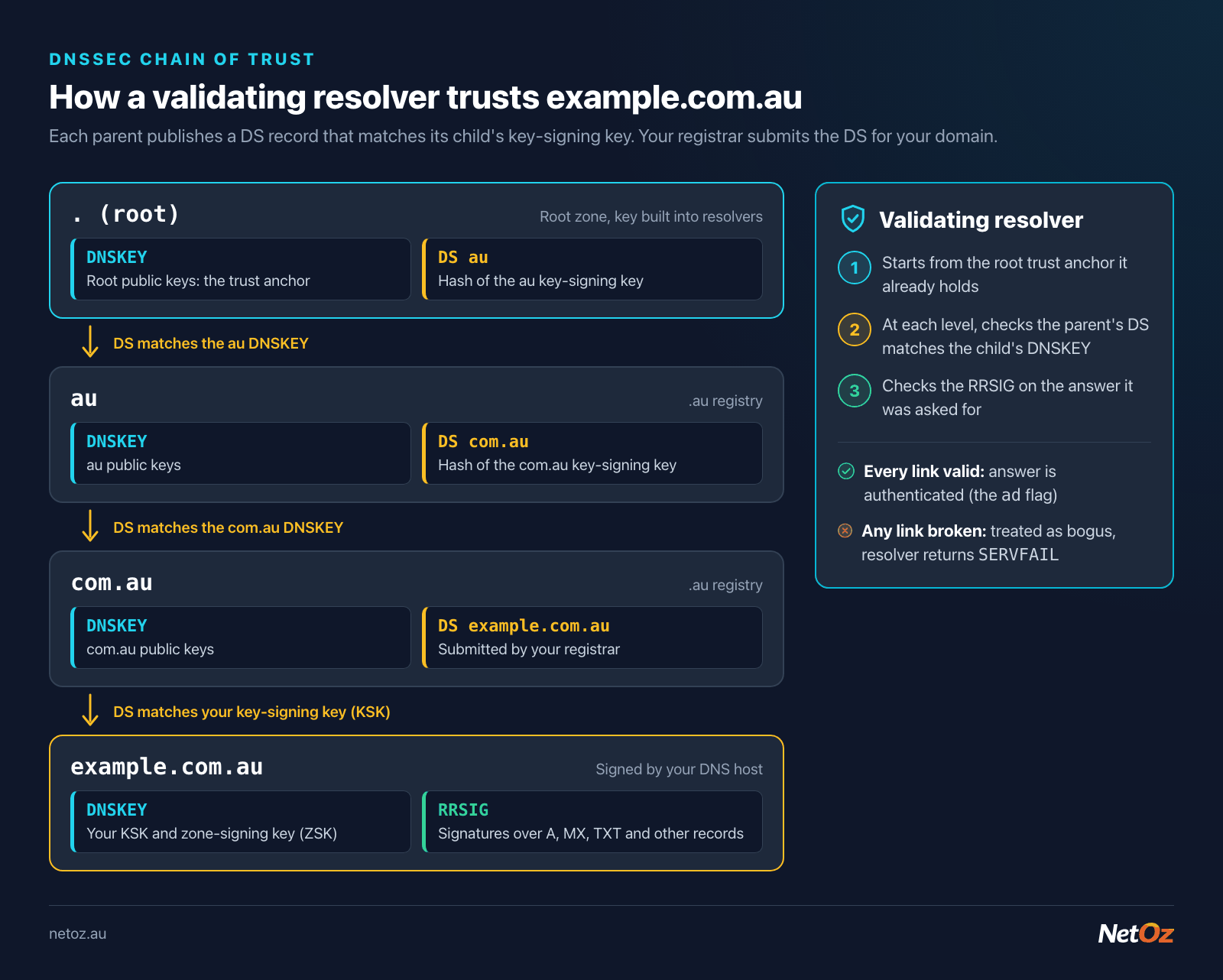
Each parent zone vouches for its child with a DS record. Your registrar submits the DS for your domain to the .au registry.
The records involved
You will mostly deal with DS records, but it helps to recognise the rest:
| Record | Where it lives | What it does |
|---|---|---|
DNSKEY | Your zone | Publishes your zone's public keys |
RRSIG | Your zone | A signature over each set of records |
NSEC / NSEC3 | Your zone | Signed proof that a name or record type does not exist |
DS | The parent zone (.au registry), via your registrar | A hash of your key-signing key, linking your zone to the parent |
Many DNS hosts use two keys: a key-signing key (KSK), which signs the DNSKEY set and is what the DS record refers to, and a zone-signing key (ZSK), which signs everything else. Some use a single combined key. Either way, the DS record is the only part you usually handle by hand.
A DS record looks like this:
example.com.au. 3600 IN DS 12345 13 2 3A1F5C...E9B7
(The digest is shortened here. A real SHA-256 digest is 64 hexadecimal characters.)
The four fields are:
- Key tag (
12345): a short identifier for the key. - Algorithm (
13): the signing algorithm.13is ECDSA P-256 with SHA-256, a common modern choice.8(RSA/SHA-256) is also widely used. - Digest type (
2): the hash used for the digest.2is SHA-256, which is the usual recommendation. - Digest: the hash of your public key-signing key.
What DNSSEC protects
- Forged DNS answers. Cache poisoning and on-path tampering with DNS responses are detected by validating resolvers, so users are not silently redirected.
- The integrity of records others rely on, including MX, SPF and DMARC TXT records, and CAA records that tell certificate authorities which of them may issue certificates for your domain.
- The foundation for DANE. DANE uses DNSSEC-signed TLSA records to publish which certificates your services use. For email, it lets sending servers insist on encrypted, authenticated connections to your mail server. Without DNSSEC, DANE does not work.
What DNSSEC does not protect
Be clear about the limits, so you do not rely on it for the wrong thing:
- It does not encrypt DNS. Queries and answers are still visible. Privacy is the job of DNS over TLS or DNS over HTTPS.
- It does not protect your registrar or DNS host account. If someone takes over the account where your nameservers or DS records are set, they can change things legitimately. Use strong passwords, multi-factor authentication and registry lock where offered.
- It does not help users whose resolvers do not validate. Many major public resolvers and ISPs do validate, but not all.
- It does not secure your website itself. You still need HTTPS, patching and good security practice.
Before you enable DNSSEC
- Check your DNS host supports it. Your DNS host does the signing, and needs to handle key management and re-signing automatically. Doing this by hand is possible but easy to get wrong.
- Check your registrar supports DS records for
.audomains. Most do, but the option may be labelled "DNSSEC", "DS records" or be tucked under advanced settings. Some registrars ask for the DNSKEY instead and calculate the DS themselves. - Make sure you are not mid-migration. Do not enable DNSSEC while moving nameservers. Finish one change, let it settle, then do the other.
- Know who your registrar and DNS host are. They are often different companies. Our WHOIS lookup shows the registrar, and our DNS lookup shows which nameservers the domain uses.
How to enable DNSSEC, step by step
Step 1: Sign the zone at your DNS host
In your DNS host's control panel, turn on DNSSEC for the zone. The host generates keys, signs every record and publishes the DNSKEY records. It should then show you the DS record details, or the DNSKEY if your registrar needs that instead.
If your domain uses NetOz DNS, follow Enable DNSSEC for your domain and add the DS records. It shows exactly where to find the DS details in the portal.
Step 2: Check the zone is signed
Before touching the registrar, confirm the signatures are being served. With dig:
$ dig +dnssec example.com.au SOA @ns1.your-dns-host.example
You should see an RRSIG record alongside the SOA answer. You can also check that DNSKEY records are published:
$ dig +short DNSKEY example.com.au
At this point nothing has changed for users, because without a DS record in the parent zone, resolvers treat the domain as unsigned.
Step 3: Add the DS record at your registrar
Sign in to your registrar, open the domain and find the DNSSEC or DS record setting. Add each DS record your DNS host gave you, entering the key tag, algorithm, digest type and digest exactly. If your DNS host shows several DS records (for example one with digest type 2 and one with digest type 4), adding the SHA-256 (type 2) record is normally enough; follow your DNS host's advice.
Your registrar passes the DS record to the .au registry, which publishes it in the parent zone. Depending on the registrar and caching, this can take from minutes to around a day to be visible everywhere.
Step 4: Validate the chain
Once the DS record is live, check the whole chain with our DNSSEC validator. It should show the DS in the parent zone matching a DNSKEY in your zone, and valid signatures.
From the command line, a validating resolver should return the ad (authenticated data) flag:
$ dig +dnssec example.com.au A @1.1.1.1
;; flags: qr rd ra ad; ...
If you instead get SERVFAIL from validating resolvers but a normal answer with +cd (checking disabled), something in the chain is broken. Most often the DS at the registrar does not match the current key. Fix it quickly, or remove the DS record while you investigate.
Avoiding DNSSEC outages
DNSSEC's biggest risk is self-inflicted: a broken chain makes your domain unreachable for everyone using a validating resolver. The usual causes, and how to avoid them:
Changing DNS host without planning. If you move to new nameservers while the old DS record is still at the registrar, the new provider's zone will not match it and validating resolvers will fail. The simple safe approach:
- Remove the DS record at the registrar.
- Wait at least as long as the DS record's TTL (and ideally a day or two), so caches forget it.
- Change nameservers to the new host.
- Once the new host is serving the zone, enable DNSSEC there and add the new DS record.
The NetOz help article makes the same point: if you move a domain away, remove the DS records before changing nameservers. There are more advanced methods for moving signed zones without a gap, but they need both providers to cooperate.
Key rollovers. If your DNS host rotates its key-signing key, the DS record at the registrar must be updated. Good hosts handle routine ZSK rollovers automatically and tell you in advance if a KSK change needs a new DS. Some registries and registrars support automatic DS updates using CDS and CDNSKEY records; check whether yours does before relying on it.
Letting signatures expire. Signatures have expiry dates. A managed DNS host re-signs automatically. If you run your own signer, monitor it.
Copy and paste errors. One wrong character in the digest breaks the chain. Use copy buttons and double-check the key tag and algorithm.
Should every .au domain use DNSSEC?
DNSSEC is low effort once your DNS host handles the signing, and it closes off a class of attack that is otherwise invisible to users. It is particularly worthwhile if you:
- Run your own email and want to use DANE.
- Handle payments, logins or sensitive information.
- Are in government, health, finance or a supply chain where customers ask about DNS security.
The main reason to wait is if your DNS host cannot manage keys automatically, or you are about to change providers.
Getting started
If you would like DNSSEC handled for you, NetOz DNS hosting signs your zone and gives you the DS record details to add at your registrar. If you are unsure about a migration or a DNSSEC error, contact our team and we can help you plan it.
Need a hand with hosting or networking?
NetOz provides VM, managed and email hosting, DNS and colocation from a NextDC Tier IV facility in Adelaide.