Reverse DNS (PTR) and FCrDNS Explained for Mail Servers
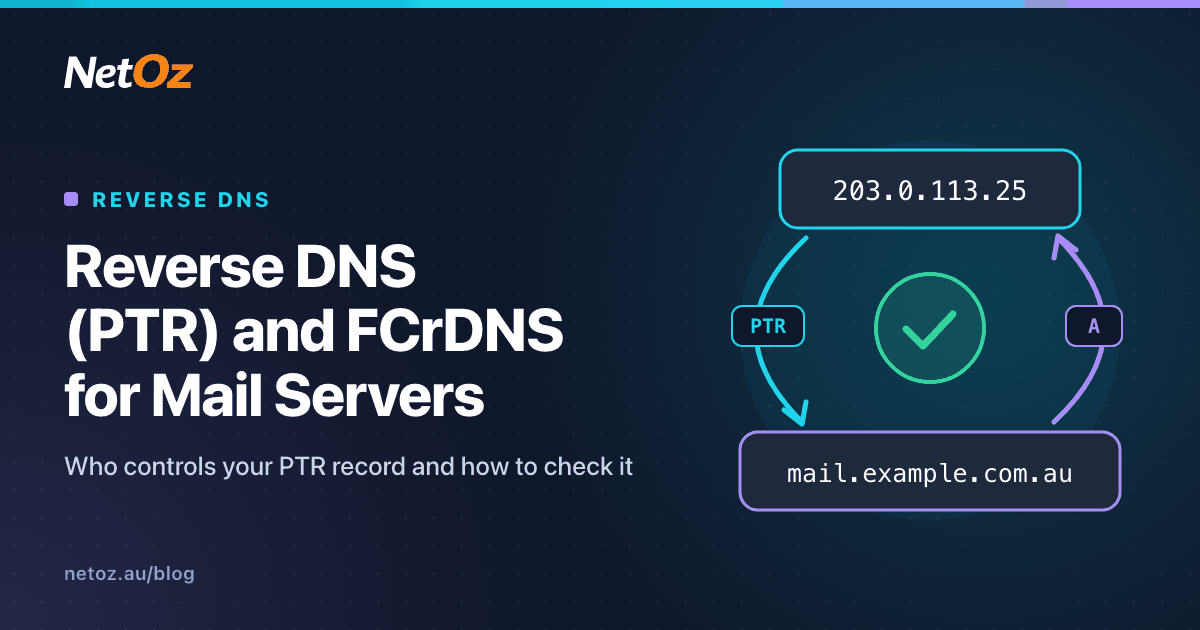
When your mail server connects to Gmail, Outlook.com or a business's mail filter, one of the first things the receiver does is look up your IP address in reverse: "Who claims this IP?" If the answer is missing, generic or inconsistent, your mail starts at a disadvantage before a single byte of the message has been read.
That lookup uses a PTR record, and the check that the answer is consistent is called forward-confirmed reverse DNS, or FCrDNS. This post explains both, and covers the part that confuses most people: why you usually cannot set a PTR record in your own DNS zone.
Forward and reverse DNS
Normal ("forward") DNS turns a name into an address:
mail.example.com.au.   A      203.0.113.25
mail.example.com.au.   AAAA   2001:db8::25
Reverse DNS goes the other way: given an IP address, what name does it belong to? Reverse lookups use special domains:
- IPv4 uses
in-addr.arpa, with the address written backwards. The PTR for203.0.113.25lives at25.113.0.203.in-addr.arpa. - IPv6 uses
ip6.arpa, with every hexadecimal digit (nibble) of the full address written backwards and separated by dots. The PTR for2001:db8::25lives at:
5.2.0.0.0.0.0.0.0.0.0.0.0.0.0.0.0.0.0.0.0.0.0.0.8.b.d.0.1.0.0.2.ip6.arpa.
The record itself is simple:
25.113.0.203.in-addr.arpa. PTR mail.example.com.au.
What FCrDNS means
A PTR record alone proves little, because whoever controls the IP can point it at any name, including someone else's. Forward-confirmed reverse DNS closes that gap with a round trip:
- Look up the PTR for the connecting IP:
203.0.113.25returnsmail.example.com.au. - Look up the A (or AAAA) record for that name:
mail.example.com.aureturns203.0.113.25. - If the forward lookup includes the original IP, FCrDNS passes.
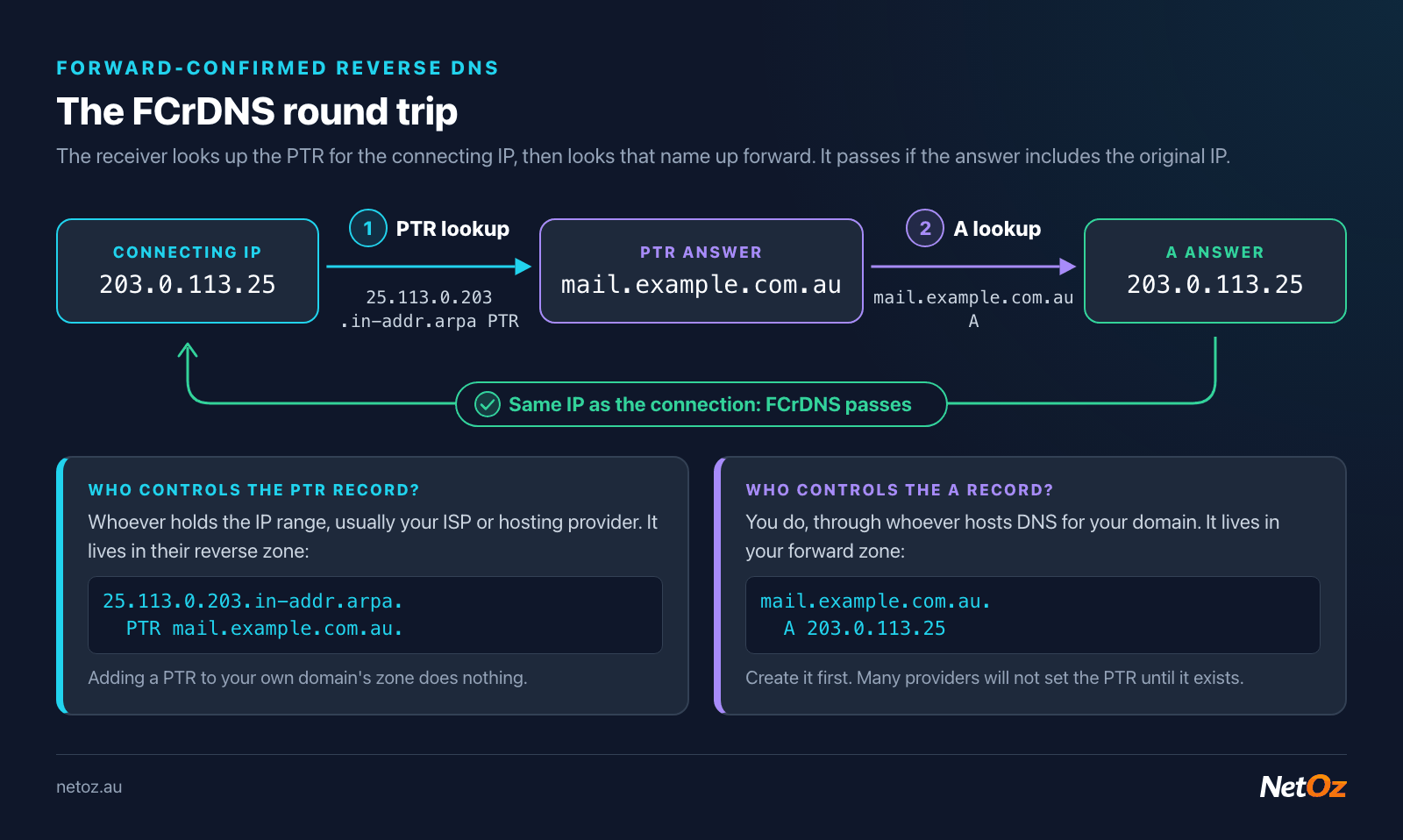
The PTR lives in the IP holder's reverse zone; the A record lives in your own domain's zone.
Passing FCrDNS shows that the same organisation controls both the IP address and the name, which is a basic sign of a properly run mail server. Google's sender guidelines require sending IPs to have valid forward and reverse DNS, and many other receivers apply similar checks.
What a good PTR for a mail server looks like
- It exists. No PTR at all is the worst case.
- It is specific, such as
mail.example.com.auorsmtp1.example.com.au. Generic, auto-generated names like203-0-113-25.static.isp.exampleor anything containingdynamic,dslorpoollook like residential or office connections, and some filters treat them that way. - It resolves forward to the same IP (FCrDNS).
- It matches the HELO/EHLO name. When your server connects, it announces a hostname. Make that the same name as the PTR. A mismatch is not always fatal, but it is a common spam signal.
- It is a name in a domain you control, ideally one with sensible SPF and DMARC records of its own.
- There is only one PTR per IP. Multiple PTRs for one address are allowed by DNS but confuse many checks.
The PTR does not have to match every domain you send mail for. A single server sending for twenty client domains can have one PTR, such as mail.example.com.au, and authenticate each domain with SPF, DKIM and DMARC.
Who controls the PTR record?
This is the part that trips people up. Your domain's DNS zone (example.com.au) is controlled by you, through whoever hosts your DNS. But reverse zones are controlled by whoever holds the IP address range.
The delegation chain looks like this:
- IANA allocates address space to regional registries. For Australia and the Asia-Pacific, that is APNIC.
- APNIC delegates reverse DNS for an allocated block to the organisation that holds it, usually an ISP, hosting company or data centre network.
- That organisation either publishes the PTR records itself, or delegates part of the reverse zone to a customer.
So if your server's IP belongs to your ISP or hosting provider, they set the PTR, not you. Adding a PTR record to your own example.com.au zone does nothing, because nobody looks there for reverse lookups.
Classless delegation for smaller ranges
Reverse zones for IPv4 naturally split on 8-bit boundaries (a /24 is one in-addr.arpa zone). If you have a smaller block, such as a /28, your provider can still hand control to you using classless delegation (described in RFC 2317). The provider's zone uses CNAMEs to point each address into a sub-zone that you run:
; In the provider's 113.0.203.in-addr.arpa zone
16-31.113.0.203.in-addr.arpa.   NS      ns1.example.com.au.
25.113.0.203.in-addr.arpa.      CNAME   25.16-31.113.0.203.in-addr.arpa.

; In your 16-31.113.0.203.in-addr.arpa zone
25    PTR   mail.example.com.au.
Many providers skip this and simply set PTRs on request or through a control panel, which is easier for most people.
If you have your own address space
Organisations with their own APNIC allocation (and often their own AS number) manage reverse DNS through APNIC's systems by pointing the reverse zones at their own nameservers, then publish PTR records like any other zone.
How to request or set a PTR record
- Find who holds the IP. Run a WHOIS lookup on the address. The result shows the network owner, usually your ISP, cloud or hosting provider.
- Create the forward record first. Add an
A(andAAAAif relevant) record for the name you want, for examplemail.example.com.aupointing to203.0.113.25. Many providers will not set a PTR until the forward record exists, because otherwise FCrDNS fails. - Ask for the PTR, or set it yourself. Cloud and VM providers often have a reverse DNS field in the control panel. Business ISPs usually handle it through a support request. Residential connections often cannot have a custom PTR at all, which is one of several reasons not to run a mail server on a home connection.
- Set your mail server's HELO name to match.
- Wait for caches to clear. Reverse zones have TTLs like any other zone, so the change may take some time to appear everywhere.
A quick message to your provider usually does it: "Please set the PTR for 203.0.113.25 to mail.example.com.au. The A record already points to this IP."
How to check reverse DNS
With our tools. Enter the IP into our DNS lookup, which supports reverse lookups. Our mail server check goes further: it finds your domain's MX servers, checks each IP's PTR, confirms FCrDNS, flags generic-looking names and checks the SMTP banner.
On the command line. With dig:
$ dig +short -x 203.0.113.25
mail.example.com.au.

$ dig +short A mail.example.com.au
203.0.113.25
With nslookup on Windows:
nslookup 203.0.113.25
nslookup mail.example.com.au
If the first command returns nothing, there is no PTR. If the second does not include the original IP, FCrDNS fails.
Check the address mail actually leaves from. On a server with several IPs, or behind NAT, outbound mail may use a different address than the one in your MX record. Send a test message to an outside mailbox and look at the topmost Received header added by the receiving server. That shows the IP the receiver saw. Our email header analyser makes this easier to read. Our What's my IP tool is also handy for confirming a server's public address.
Common problems and fixes
| Symptom | Likely cause | Fix |
|---|---|---|
| No PTR returned | Provider has not set one | Request it from the IP holder |
Generic PTR like 203-0-113-25.isp.example | Provider default | Request a custom PTR |
| PTR set but FCrDNS fails | Forward A record missing or pointing elsewhere | Add or correct the A/AAAA record |
| Receivers see a different IP | Mail leaves via a different interface or NAT | Bind outbound SMTP to the right IP, or fix NAT |
| IPv4 fine, IPv6 mail rejected | No PTR on the IPv6 address | Add an IPv6 PTR, or stop sending over IPv6 until it exists |
The last row is worth highlighting. Gmail in particular is strict about reverse DNS on IPv6 senders. If your server has IPv6 connectivity and no IPv6 PTR, it may try to deliver over IPv6 and fail, while IPv4 would have worked.
Does this apply to me?
If all your mail goes out through a hosted provider such as NetOz Email, Microsoft 365 or Google Workspace, they look after PTR records for their servers. You still need SPF, DKIM and DMARC for your domain (see DNS record types explained).
Reverse DNS becomes your job when you run your own mail server, or when an application, website or device sends mail directly from your own IP.
Running your own server?
If you host a mail server or application on a NetOz virtual machine (from $30 per month), talk to our team about reverse DNS for your NetOz IP addresses. NetOz operates its own network, AS142205, from our Tier IV data centre in Adelaide. If you are unsure whether your PTR setup is right, get in touch and we will take a look.
Need a hand with hosting or networking?
NetOz provides VM, managed and email hosting, DNS and colocation from a NextDC Tier IV facility in Adelaide.